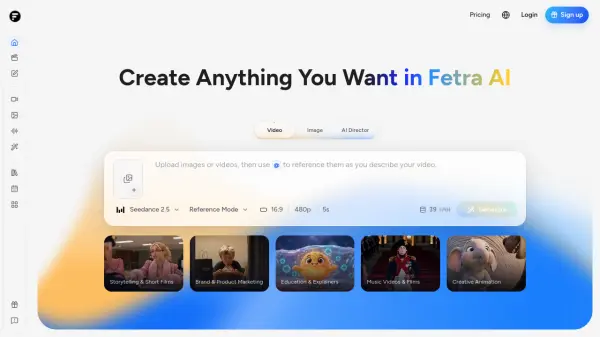
What is Fetra?
Fetra is an all-in-one AI creation suite for generating videos, images, and voices. It brings leading AI models into one workspace, so users can create content from text prompts, reference images, or existing videos. The platform supports video generation up to 4K, image generation and editing, voice generation and cloning, and AI character creation for consistent visual storytelling.
The AI Director provides a conversation-based workflow for developing a complete video, from brief to storyboard and final output. Users can also apply templates, remix existing videos, schedule social posts, and organize creative assets in one place. Fetra is designed to help creators move from an idea to finished content with fewer tools and a smoother creative process.
Features
- AI Video Generation: Create videos up to 30 seconds long at resolutions up to 4K from text prompts or reference images with models such as Seedance 2.5, Kling 4.0, and MiniMax H3.
- AI Image Generation and Editing: Generate images with GPT Image 2, Nano Banana Pro, or Seedream 5.0, then erase, expand, swap backgrounds, adjust styles, or upscale to 4K on the same canvas.
- AI Voice and Voice Cloning: Turn text into narration, product explainers, or character dialogue, and clone an authorized voice for voiceovers.
- AI Director: Build a complete video through natural conversation by adding a brief, documents, images, videos, or existing assets.
- Viral Remix and Templates: Use an existing video or template as a reference, customize settings, and generate a new result from the original creative structure.
- AI Characters: Choose ready-made characters or create custom characters from reference images for consistent brand storytelling.
- Social Media Scheduling: Connect social accounts and schedule images and videos in a content calendar.
- Asset Organization: Keep images, videos, and audio together so they can be reused in future projects.
Use Cases
- Creating short videos for social media
- Producing brand ads and product videos
- Developing cinematic stories and short films
- Making music videos
- Creating micro dramas and creative shorts
- Generating voiceovers for product explainers
- Building consistent AI characters for brand stories
- Scheduling social media posts
How It Works
Choose a Creation Type
Select video, image, or voice creation inside Fetra's all-in-one workspace.
Provide a Prompt or Reference
Enter a prompt, upload images or videos, or choose a template or reference to guide the generation.
Generate and Refine
Use AI Director or generation settings to adjust the output, then generate, edit, schedule, or organize the finished content.
FAQs
-
What can I create with Fetra AI?
Users can generate and edit AI images, create videos from text or reference media, direct larger video ideas with AI Director, and turn proven creative formats into new content with Viral Remix and templates. -
How does AI Director work?
AI Director provides a conversation-based workspace for developing a complete video. Users add a brief, documents, images, videos, or existing assets, then refine the creative direction and project in one place. -
Which AI models are available in Fetra?
Fetra brings leading image and video models into one workspace, including GPT Image, Nano Banana, Seedream, Seedance, Veo, Kling, and other supported models. Availability and configuration options can vary by model and plan. -
How do AI credits and generation estimates work?
Fetra shows an estimated credit cost before generation whenever possible. Actual usage depends on the selected model, duration, resolution, number of outputs, and other parameters. Users can upgrade their plan or add more credits when needed. -
How do Viral Remix and templates work?
Users choose a template or reference, add their own media, and customize the prompt, model, aspect ratio, resolution, and other supported settings. Fetra uses the original creative structure as inspiration while generating a new result for the idea.