What is BlaBlaScribe?
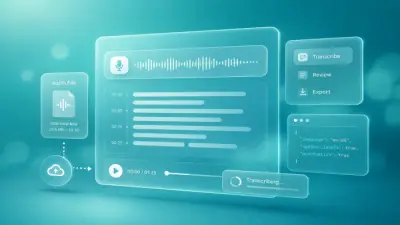
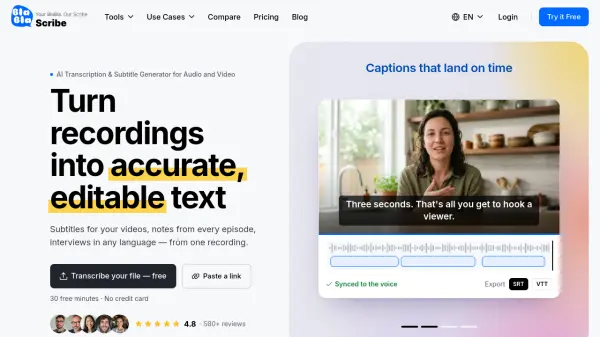
BlaBlaScribe is a web-based AI tool for transcribing audio and video into accurate, time-coded text. Users can upload a file or paste a link from services such as YouTube, Vimeo, or SoundCloud. The platform detects speakers, adds timestamps, and supports transcription in more than 120 languages. It also generates subtitles, translates transcripts and captions into more than 50 languages, and creates AI voice-overs in 27 languages. Results open in a browser editor where users can correct words against the audio and export files in formats such as SRT, VTT, TXT, DOCX, PDF, CSV, XLSX, and JSON.
BlaBlaScribe is designed for creators, teams, researchers, and professionals who need searchable text and captions from recordings. Files are encrypted in transit and at rest, and they are not used to train AI models. The tool combines transcription, subtitle editing, translation, summarization, and dubbing in one workflow, with support for speaker labels, word-level timestamps, and video export with burned-in subtitles.
Features
- AI Transcription: Converts audio and video into time-coded text in 120+ languages with speaker labels and word-level timestamps.
- Subtitle Generation: Creates timed captions for YouTube, Reels, and online courses, ready as SRT or VTT.
- Translation: Translates transcripts and subtitles into 50+ languages while preserving original timing.
- AI Dubbing: Produces voice-overs in 27 languages with natural voices per speaker or a clone of the original voice, timed to the video.
- Transcript Summarizer: Generates AI summaries from transcripts.
- Browser-Based Editor: Lets users edit text next to audio, fix timings, and style captions.
- Multi-Format Export: Exports SRT, VTT, TXT, DOCX, PDF, CSV, XLSX, JSON, and video with burned-in subtitles.
- Privacy and Security: Files are encrypted in transit and at rest, never used for AI training, and access is limited to the user and invited team members.
Use Cases
- Creating subtitles for YouTube videos, Reels, Shorts, and TikTok clips.
- Transcribing podcast episodes with speaker labels and timestamps.
- Adding subtitles and translations to online course libraries.
- Transcribing research interviews and focus groups for analysis.
- Preparing interview transcripts for journalism and reporting.
- Localizing marketing videos with translated subtitles and voice-overs.
- Transcribing meetings, lectures, and client calls for notes and sharing.
- Making video content accessible with captions.
How It Works
Upload or paste a link
Drag in an audio or video file, or paste a YouTube, Vimeo, or SoundCloud link. The tool supports major audio and video formats.
AI transcribes it
The AI turns speech into accurate, time-coded text in 120+ languages and detects speakers automatically.
Edit, translate, and export
Polish the text in the browser editor, translate it, then export as TXT, SRT, VTT, DOCX, PDF, CSV, XLSX, JSON, or a video with burned-in subtitles.
FAQs
-
Do I need a credit card to start?
No. The Starter plan is free and includes 30 minutes of transcription when you sign up. No credit card is required. -
How accurate is the transcription?
Accuracy can reach up to 99.8% for clean, single-speaker audio. Results depend on audio quality, background noise, accents, and the number of speakers. Transcripts can be edited directly in the browser editor. -
What file size and duration limits apply?
Files can be up to 8 GB and up to 5 hours per upload on paid plans. On the free Starter plan, short files are transcribed in full, while files longer than 10 minutes show the first 10 minutes. For longer projects, split the file into parts or contact the provider about bulk processing. -
How do transcription minutes work?
Minutes are the length of the audio or video you transcribe. Starter gives you 30 minutes to start; Creator includes 600 minutes per month, Pro includes 2,000, and Business includes 8,000. -
Can I cancel or change my subscription at any time?
Yes. You can upgrade, downgrade, or cancel at any time with no penalties. Your plan remains active until the end of the current billing period, after which you return to the free Starter plan. Existing transcripts remain accessible according to the plan's storage policy.