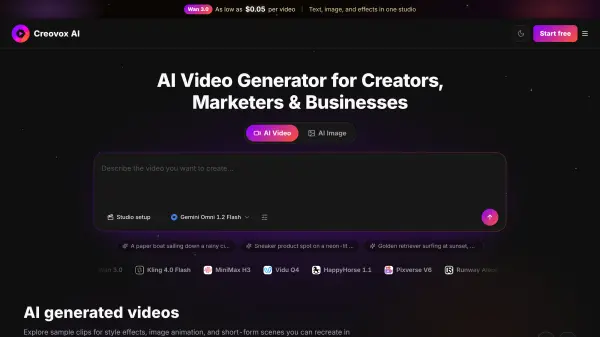
What is Creovox AI?
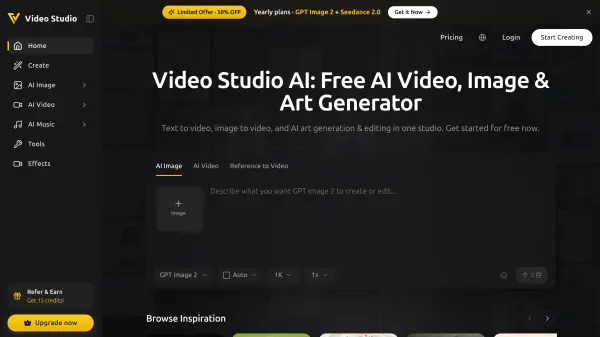
Creovox AI is an all-in-one creative studio designed for content creators, marketers, ecommerce brands, agencies, and filmmakers. It brings text-to-video, image-to-video, video effects, image generation, and music generation together in a single workspace. Instead of managing multiple separate subscriptions, users can start from a rough idea, a written script, or an existing product photo and turn it into polished visual content inside one platform.
The platform integrates a wide selection of video and image models - including Kling, Wan, Seedance, Veo, Runway, Pixverse, Hailuo, SkyReels, and GPT Image-allowing users to compare outputs and refine shots iteratively. Users can customize parameters such as aspect ratio, resolution, duration, and camera direction, or start quickly with ready-to-use trend templates tailored for social media, product showcases, and advertising campaigns.
Features
- Text-to-Video Generation: Converts text prompts, scripts, or product descriptions into video clips with control over subject, action, environment, camera movement, lighting, and style.
- Image-to-Video Animation: Transforms still photos and product images into moving video clips using motion prompts without requiring a new shoot.
- Multi-Model Workspace: Provides access to multiple AI video and image models—including Kling, Wan, Seedance, Veo, HappyHorse, SkyReels, Hailuo, Pixverse, Runway, and GPT Image in one unified studio.
- AI Video Effects and Restyling: Applies expressive visual effects and restyling to photos and clips while keeping edits and versions in the same workspace.
- Trend Templates: Offers ready-to-use video trend templates for quickly creating short-form social media content.
- Customizable Shot Controls: Allows users to configure video length, aspect ratio, resolution, prompts, and reference media depending on the selected model.
- Extended Video and Audio Suite: Includes video-to-video, video transitions, AI avatars, lip sync, video extend, motion control, AI image generation, and an AI music generator.
Use Cases
- Creating short-form social media videos for YouTube Shorts, TikTok, and Instagram Reels
- Turning existing product photos into animated product showcases and promotional clips
- Testing video ad concepts, hooks, and campaign visuals before full production
- Converting written scripts, product descriptions, or campaign lines into visual explainers and demos
- Previsualizing cinematic scenes with directed camera movement, lighting, and mood
- Generating product mockups, animations, and background music in a single creative session
How It Works
Start with the idea
Enter a prompt, script, or product description, or upload a still image for an image-to-video run.
Choose a model
Select from the video models available in Creovox, including Kling, Wan, Seedance, and Veo.
Set the shot
Adjust length, aspect ratio, resolution, prompt details, and reference media when the workflow offers those controls.
Generate and refine
Review the generated clip, modify the prompt or switch models if needed, and generate another version.
FAQs
-
Do I need video editing experience to use Creovox AI?
No. Users can start directly from a text prompt or an image. While editing experience can be helpful later, it is not required to generate a clip. -
Can I use Creovox AI videos commercially?
Commercial usage depends on the user's Creovox plan and the specific terms that apply to the AI model used. Users should review their current plan and terms before publishing. -
How long does it take to generate a video?
Generation time varies depending on the selected model, video length, resolution, and queue. Users can remain in the studio while the clip renders and review it in their history afterward. -
How do I choose which video model to use?
Users should match the model to their specific needs for input type, motion, visual style, subject consistency, resolution, and duration. If the first result does not match the intended shot, trying a second model in the same workspace is recommended. -
Can I make vertical videos for YouTube Shorts, TikTok, and Instagram Reels?
Yes. Users can choose a vertical aspect ratio when the selected model offers it, and adapt the same concept for wider formats if needed.