Sales demos are optimized for the happy path. Your production environment is not. Real inputs are longer, messier, and more regulated than vendor samples. Reviewers are tired. Deadlines compress the time you planned for verification. That is when AI tool failure modes appear: confident wrong answers, brittle integrations, silent data leaks, and outputs that look finished but are not safe to ship.
This guide explains why demos mislead, documents eight common failure modes with practical detection tests, provides a failure log template you can reuse across pilots, and shows how to separate dealbreakers from workarounds before you adopt. If your workflow involves customer-facing answers or code in repos, cross-check candidates in our AI chatbot and AI coding categories, then run the tests below on your own data.
Why Demos Mislead About Production Fit
Demos mislead because they control inputs, hide latency variance, and skip the review step that defines total work time. A presenter chooses short prompts, clean files, and tasks the model handled in QA. You inherit edge cases, legacy formats, and compliance rules the demo never touched.
Demos also overweight breadth. A two-minute tour of twelve features suggests versatility. Production asks whether one workflow completes reliably on Tuesday at 4 p.m. when the file is eighty pages and the style guide lives in a PDF the tool never saw.
Typical gaps between demo and production
- Input size: Samples are small; your attachments are not.
- Domain vocabulary: Demo uses generic language; your product names and acronyms confuse models.
- Revision loops: Demo shows first output; production needs three rounds and diff tracking.
- Integration: Demo ends in the vendor UI; production ends in your CMS, IDE, or ticket system.
- Failure handling: Demo assumes success; production needs graceful errors and audit trails.
- Cost at volume: Demo usage is tiny; production triggers credits, rate limits, or queue delays.
Treat every demo as marketing evidence, not evaluation evidence. Replace it with detection tests on representative inputs and logged failure modes.
Eight Failure Modes and How to Detect Them Early
These eight failure modes appear across chatbots, writers, coders, image tools, and agents. Each includes what it looks like in production, why it is risky, and a detection test you can run in under an hour per tool.
| Failure mode | Production signal | Detection test |
|---|---|---|
| Confident hallucination | Plausible wrong facts, fake citations, invented APIs | Ten questions with known answers from your docs; verify every claim |
| Instruction drift | Ignores tone, format, or constraints mid-task | Same prompt five times; score format compliance |
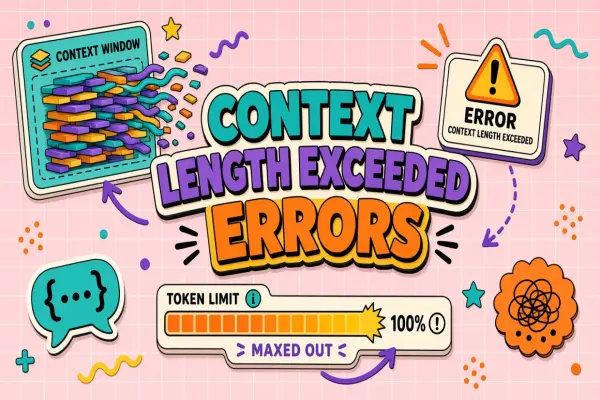
| Context truncation | Misses details from long files or threads | Needle-in-haystack paragraph in a large upload |
| Unsafe code or dependencies | Insecure patterns, wrong package versions, hallucinated imports | Generate fix for real issue; run tests, linter, and security scan |
| PII and data leakage | Sensitive fields echoed in outputs or logs | Redacted-but-realistic ticket; check output and vendor retention FAQ |
| Integration brittleness | Copy-paste bridges, broken exports, missing webhooks | End-to-end path from input source to final destination once |
| Latency and queue collapse | Fine at low use; timeouts under team load | Three users run peak-size jobs concurrently; log wait and failure |
| Review burden inversion | Fast generation, slower verification than manual work | Time full cycle on three real tasks; compare to baseline |
1. Confident hallucination
Confident hallucination is wrong information delivered with authoritative tone. It is especially dangerous in customer support, legal summaries, medical-adjacent content, and financial reporting. The model fills gaps instead of flagging uncertainty.
Detection test: Build a ten-question quiz from internal documentation with unambiguous answers. Run the tool without attaching the source doc unless your production workflow always includes retrieval. Mark any wrong answer that would have reached a customer without human catch as a critical failure.
2. Instruction drift
Instruction drift appears when the tool follows the prompt for the first half of the output then reverts to default behavior: wrong heading structure, casual tone in a formal report, or code style that ignores your linter rules.
Detection test: Run the same structured prompt five times on similar inputs. Score each output against a binary checklist (sections present, word limit respected, banned phrases absent). More than one miss on a strict workflow is a reliability problem, not a prompting problem.
3. Context truncation
Context truncation happens when models silently drop middle sections of long PDFs, repos, or ticket threads. Summaries feel complete while omitting the clause that changes the decision.
Detection test: Embed a unique sentence in the middle of a large file ("Project Zebra requires approval code 8842"). Ask a question that only that sentence answers. Failure to surface the code means truncation or weak retrieval, both are production risks for long-document workflows.
4. Unsafe code or dependencies
Coding assistants can introduce injection risks, deprecated APIs, or packages that do not exist. The code compiles in the demo environment but not in your monorepo constraints.
Detection test: Point the tool at a real open issue in a non-critical branch. Require a patch that passes your test suite, linter, and dependency policy. Run AI coding candidates through the same issue before comparing feature lists.
5. PII and data leakage
PII leakage includes echoing customer emails in generated replies, storing prompts in logs without retention controls, or training use that your contract forbids. The failure is often policy and configuration, not model quality.
Detection test: Submit a realistic ticket with fake but formatted PII. Inspect output, export, and admin settings. Confirm data processing terms for your plan tier before production customer data enters the system.
6. Integration brittleness
Integration brittleness forces manual reformatting, breaks audit trails, or fails when SSO session expires. The AI step is fine; the pipeline around it is not.
Detection test: Walk one job from source system to final publish without shortcuts. Count manual steps and broken metadata. If integration tax exceeds five minutes per job, treat it as a failure mode even when raw output quality is high.
7. Latency and queue collapse
Latency collapse shows up after team rollout: queues spike, jobs fail silently, or quality drops in "economy" mode during peak hours. Solo pilots hide this.
Detection test: Have three participants run maximum realistic file sizes at the same time during a business day. Log time to first token, time to completion, and error rate. Compare to solo runs from week one of the pilot.
8. Review burden inversion
Review burden inversion means total work time increases because verification dominates. Common in high-stakes writing, code review, and regulated industries where "almost right" is worse than starting from a template.
Detection test: Time three production tasks end to end: generation, review, correction, final approval. Compare median minutes to your pre-AI baseline. Reject tools that save seconds on generation but add minutes on verification.
Failure Log Template for Pilots and Production
A shared failure log turns subjective debates into comparable records. Use one row per run during pilots and spot checks after adoption. The template below matches fields teams need for renewals and incident reviews.
Tool: [product name and plan tier]
Workflow: [one-line task description]
Input summary: [type, size, sensitivity level]
Failure mode: [hallucination, drift, truncation, unsafe code, PII, integration, latency, review inversion]
Severity: cosmetic / major rework / critical (would-have-shipped harm)
Detection test used: [name or link to procedure]
Review minutes: [number]
Corrections required: [count and brief description]
Repeatable: yes / no (same failure on re-run?)
Mitigation tried: [prompt change, RAG, human gate, none]
Outcome: workaround / monitor / dealbreaker
Evidence date: [YYYY-MM-DD]
After ten to twenty logged runs, calculate critical failure rate and median review minutes. Those two numbers predict production fit better than feature matrices.
Dealbreaker vs Workaround: How to Decide
A dealbreaker is a failure mode you cannot mitigate without negating the tool's value or accepting unacceptable risk. A workaround is a documented control that keeps total work time and risk inside your thresholds. The distinction prevents both panic cancellations and reckless adoption.
| Failure mode | Often a workaround | Often a dealbreaker |
|---|---|---|
| Hallucination | Low-stakes drafts with mandatory fact checklist | Customer-facing answers without retrieval on your docs |
| Instruction drift | Occasional format fixes on internal notes | Regulated templates where deviation triggers audit |
| Context truncation | Short inputs only; chunking documented | Contract review on hundred-page PDFs as core job |
| Unsafe code | Suggestions never merged without CI and human review | Repeated security scan failures on representative issues |
| PII leakage | Synthetic data only with enterprise contract in progress | No DPA, unclear training use, no deletion path |
| Integration brittleness | One-time export with stable format | Daily pipeline breaks blocking publish |
| Latency collapse | Off-peak batch jobs with slack in SLA | Real-time chatbot missing SLA at normal load |
| Review inversion | Occasional heavy edits on long-form drafts | Median review time exceeds manual baseline |
Document workarounds like product features
If you accept a workaround, write it down: who runs the detection test, what inputs are banned, what human gate is required, and when to re-evaluate. Undocumented workarounds become incidents when staff turnover removes the one person who always double-checked citations.
When to stop evaluation early
Stop when you record two or more critical failures on representative inputs, when review minutes exceed baseline on three consecutive tasks, or when data policy blocks the workflow entirely. Continuing the pilot rarely changes the category of failure; it only adds anecdotes.
Extra Checks for Chatbots and Coding Tools
Customer-facing chatbots and coding assistants deserve additional tests because failure cost is asymmetric. A wrong paragraph in an internal memo is annoying. A wrong refund policy in chat or a vulnerable dependency in a merge request is not.
Chatbot production checks
- Escalation path when confidence is low or question is out of scope
- Grounding on approved knowledge base with citation links you can click
- Regression set of fifty past tickets with known good resolutions
- Load test on concurrent sessions at peak support hours
- Logging and redaction review for transcripts stored by vendor
Compare AI chatbot options only after the regression set exists. Without it, you are testing marketing claims.
Coding production checks
- Repository context limits: does the tool see the files that matter?
- Test suite pass rate on suggested patches for real issues
- Dependency hallucination rate on import suggestions
- Secrets scanning: ensure prompts do not echo keys from context
- Policy alignment: license headers, coding standards, and banned APIs
Operational Monitoring After Launch
Adoption is not the end of failure-mode work. Schedule monthly spot checks: five random production outputs reviewed against your checklist, one repeated detection test from the pilot, and a review of vendor status pages for model or pricing changes that alter behavior.
- Track critical failure rate trend, not just volume of AI usage
- Re-run needle-in-haystack tests after major model upgrades
- Alert when median review minutes creep upward quarter over quarter
- Keep a rollback plan: export prompts, disable integration, revert workflow
Frequently Asked Questions
What is the difference between an AI failure mode and a software bug?
A software bug is deterministic broken behavior: a button fails, an export crashes. An AI failure mode is often probabilistic: plausible wrong output on valid input. You mitigate failure modes with review, retrieval, tests, and policy, not only with a patch from the vendor. Both matter in production; logs should tag which type you observed.
How many detection test runs are enough before buying?
Ten to twenty logged runs on representative tasks plus repeated tests for reliability (same prompt five times, concurrent load test once) cover most SaaS decisions. Add more when stakes are high: regulated content, customer-facing automation, or code merged without human review.
Can better prompting eliminate hallucinations?
Prompting and retrieval reduce hallucination rates but rarely eliminate them on open-ended questions. Treat prompting as a mitigation, not a guarantee. If your workflow cannot tolerate any ungrounded factual claim reaching users, require citations tied to approved sources or human approval before send.
Should we reject a tool after one critical failure?
One critical failure caught in testing is a success of your process, not necessarily a reject signal by itself. Reject when critical failures are frequent on representative inputs, when mitigations erase time savings, or when the vendor cannot explain why the failure occurred. Pattern matters more than a single row in the log.
Who should maintain the failure log after pilot ends?
The workflow owner should keep the log during pilot and hand off to an operational owner after launch, often the same person who owns on-call or quality for that channel. Security and legal should receive copies of any critical failure marked PII or compliance related.
The Bottom Line
Demos show the happy path; production exposes failure modes. Test confident hallucination, instruction drift, context truncation, unsafe code, PII leakage, integration brittleness, latency collapse, and review burden inversion on your real inputs before renewal. Log every run, separate dealbreakers from documented workarounds, and extend extra checks to chatbots and coding tools where harm is asymmetric.
Shortlist tools in AI chatbot and AI coding categories on EliteAI.tools, then run the detection tests in this guide on identical workflows before you trust another polished demo.