What is Demoly?
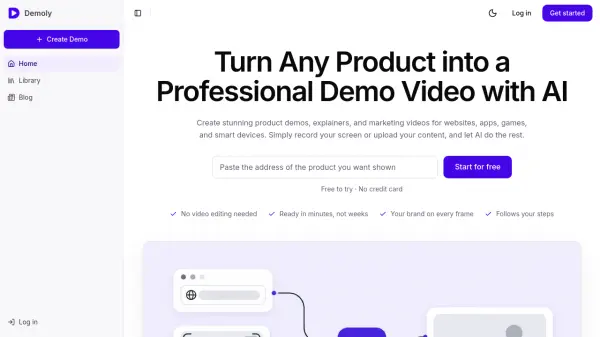
Demoly converts a product address, screen recording, images, or document into a finished product demo video without requiring video editing. The platform uses AI to write the script, generate natural narration, remove dead air, handle camera work, and apply branding such as logos, colors, typeface, and opening and closing frames.
One pass can also produce a tutorial video, a written help guide, and social clips sized for different channels. Users can refine the AI-generated result by rewriting narration lines, adjusting zoom and pacing, or swapping opening and closing frames. Demoly supports multiple languages for narration and captions and is designed for software, apps, games, and hardware products.
Features
- URL-Based Product Walkthrough: Automatically explores and records a product interface from a web address without manual screen recording.
- AI Script and Narration: Generates spoken narration and on-screen captions, with the ability to rewrite any line and regenerate the voice around it.
- Automatic Editing and Camera Work: Removes dead air, moves the view to active controls, and sets pacing without a timeline.
- Multi-Format Deliverables: Produces a demo video, tutorial video, written help guide, and social clips from a single pass.
- Brand Application: Applies logo, colors, typeface, and opening and closing frames to all outputs.
- Multilingual Output: Produces narration and captions in chosen languages from the same pass, without separate recordings.
- Flexible Input Sources: Accepts a product URL, screen recording, images, or documents such as specifications and help articles.
- Editable AI Output: Lets users rewrite lines, adjust zoom and pacing, and swap opening or closing frames without starting over.
Use Cases
- Creating landing page demo videos for SaaS products
- Producing app store listing walkthroughs for mobile apps
- Generating gameplay and feature showcase videos for games
- Building explainer videos for hardware and smart devices from renders and specs
- Creating onboarding tutorial videos for new users
- Producing social media clips for vertical and square feeds
- Generating written help guides from product walkthroughs
- Refreshing demo videos when a product interface changes
How It Works
Add Your Product
Paste your product URL or upload a screen recording, set of images, or a document, and include a sentence describing what the video should cover.
Choose Outputs and Languages
Select the deliverables you need, such as a demo video, tutorial video, written help guide, or social clips, and choose the languages for narration and captions.
Review and Refine
Review the AI-generated first cut and change anything that is wrong by rewriting narration lines, adjusting zoom and pacing, or swapping opening and closing frames before exporting.
FAQs
-
How does Demoly protect product credentials and recorded footage?
Demoly encrypts credentials used to sign in to a product for recording, logs changes made during a run, and does not use recorded footage to train models. It is recommended to use a test account set up for demos. -
Can Demoly create videos for hardware or physical products without an interface?
Yes. For hardware and physical products, Demoly can build explainer videos from renders, photographs, and specification documents because there is no software interface to walk through. -
What happens when my product interface changes after a video is made?
You can point Demoly at the updated product or new build and review a fresh AI-generated cut, rather than re-recording and editing the entire video from scratch. -
Can I combine different input sources in one project?
Yes. Demoly allows combining a product address with recordings, images, or documents when part of the story lives in the product and part lives in a document.