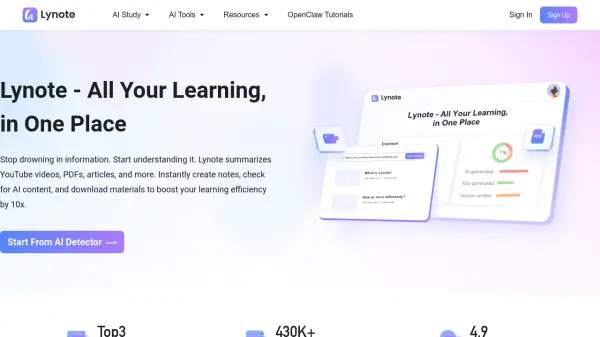
What is Lynote?
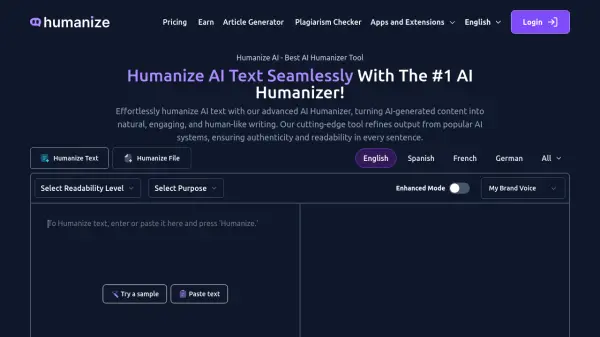
Lynote is a comprehensive AI writing workspace designed to bridge the gap between AI-generated drafts and publication-ready content. Its advanced AI Humanizer operates at a structural level, varying sentence length, removing repetitive machine transitions, and reducing the robotic cadence that is common in AI-generated text from models such as ChatGPT, Claude, Gemini, DeepSeek, and LLaMA. Unlike basic paraphrasing tools that rely on simple word substitution, Lynote processes text more like a human editor, preserving the original meaning, logic, and key data points while improving rhythm, flow, and natural readability. Users can adjust rewrite intensity to choose between a light polish or a deeper structural rework, giving full control over the final output quality.
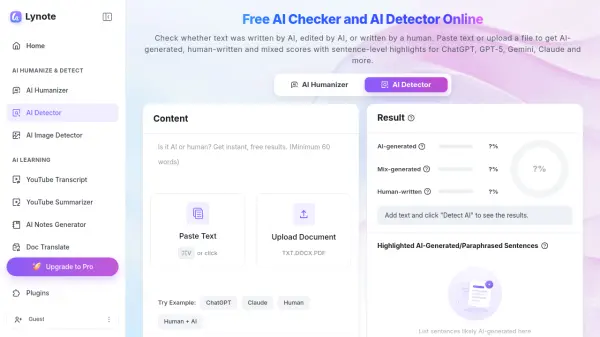
Beyond humanization, Lynote includes a high-precision multi-model AI Detector with 99% accuracy, a color-coded analysis interface, and compatibility with detection platforms such as Turnitin, GPTZero, Grammarly, and Originality. The platform also offers an extensive suite of supplementary tools including an AI Image Detector, PDF Compressor, AI Translator supporting 100+ languages, Video Summarizer, Transcript Generator, Audio to Text, Video to Text, AI Note Generator, AI Flashcard Generator, and AI Chat. With no installation required and full browser accessibility across devices, Lynote serves students, SEO specialists, educators, researchers, and business professionals looking for a unified workflow to refine, verify, and finalize AI-assisted writing.
Features
- AI Humanizer: Restructures AI-generated text at a structural level by varying sentence length, removing robotic transitions, and improving natural cadence without altering the original meaning.
- Multi-Model AI Detector: Detects AI-generated content with 99% accuracy using color-coded analysis, compatible with Turnitin, GPTZero, Grammarly, Originality, and CopyLeaks.
- Variable Rewrite Intensity: Allows users to select lighter polishing or deeper rewriting depending on how heavily AI patterning needs to be removed.
- Meaning-Preserving Engine: Maintains original logic, data points, and intended message while transforming rhythm, wording, and structure.
- Complete Model Coverage: Removes distinctive writing patterns from ChatGPT, Claude, Gemini, DeepSeek, LLaMA, Grok, and GPT-5 outputs in a single workflow.
- Multi-Language Support: Humanizes, translates, and analyzes content across 100+ languages without disrupting the user's workflow.
- Built-In AI Detector Comparison: Automatically compares before and after versions to identify areas still requiring editing and highlights risk signals.
- Supplementary Productivity Tools: Includes AI Image Detector, PDF Compressor, AI Translator, Video Summarizer, Transcript Generator, Audio to Text, Video to Text, AI Note Generator, AI Flashcard Generator, and AI Chat.
- Browser-Based Accessibility: Fully accessible across devices without any installation or configuration required.
- Free Plan Available: Offers humanization of 300 words and detection of 500 words at no cost to get started.
Use Cases
- Students humanizing AI-drafted essays, discussion boards, and scholarship applications before submission.
- SEO specialists refining AI-generated blog posts and landing page copy while preserving keywords and semantic intent.
- Educators reviewing AI-generated teaching materials to ensure they feel natural and engaging for students.
- Researchers simplifying AI-drafted abstracts, literature reviews, and publication summaries for academic clarity.
- Business professionals converting AI-generated proposals and corporate presentations into polished professional writing.
- Content agency teams removing AI tone from client content before publishing.
- Marketers improving outreach sequences and LinkedIn messages to avoid generic automated phrasing.
- Students and educators verifying the originality of assignments using the built-in AI Detector.
- Multilingual content teams translating and humanizing content for global audiences.
- Researchers and writers generating transcripts, notes, and flashcards from videos and audio files.
How It Works
Input Your AI Draft
Paste your AI-generated text from tools such as ChatGPT, Claude, Gemini, DeepSeek, or any other model into the Lynote workspace.
Select Rewrite Intensity
Choose the level of rewriting needed, from a light polish that refines tone and flow, to a deeper structural rework that removes heavy robotic phrasing.
Humanize the Text
Lynote's AI Humanizer processes the text at a structural level, varying sentence length, removing machine transitions, and improving natural cadence while preserving your original meaning.
Run the AI Detector
Use the built-in AI Detector to compare before and after versions, identify sections that still carry AI signals, and view a color-coded risk analysis.
Finalize and Publish
Review the refined, human-sounding output and export or copy it for submission, publishing, or sharing with confidence.
FAQs
-
What is Lynote?
Lynote is an AI writing workspace that helps you turn AI-generated text into natural, human-like writing while keeping your original meaning, tone, and structure intact. -
Is Lynote free to use?
Yes, Lynote offers a free plan that lets you try core features, including humanizing 300 words and detecting 500 words. Advanced controls and higher usage limits are available in paid plans. -
What tools does Lynote include?
Lynote includes an AI Humanizer, AI Detector, AI Image Detector, AI Translator, YouTube Transcript Generator, Video Summarizer, Audio to Text, Video to Text, AI Note Generator, AI Flashcard Generator, PDF Compressor, and AI Chat for files and study materials. -
Is my data private when using Lynote?
Yes. Your content is processed securely and is not used for training or shared with third parties. -
How can I contact Lynote support?
You can reach Lynote support at [email protected]. The team typically responds within 24 to 48 hours.