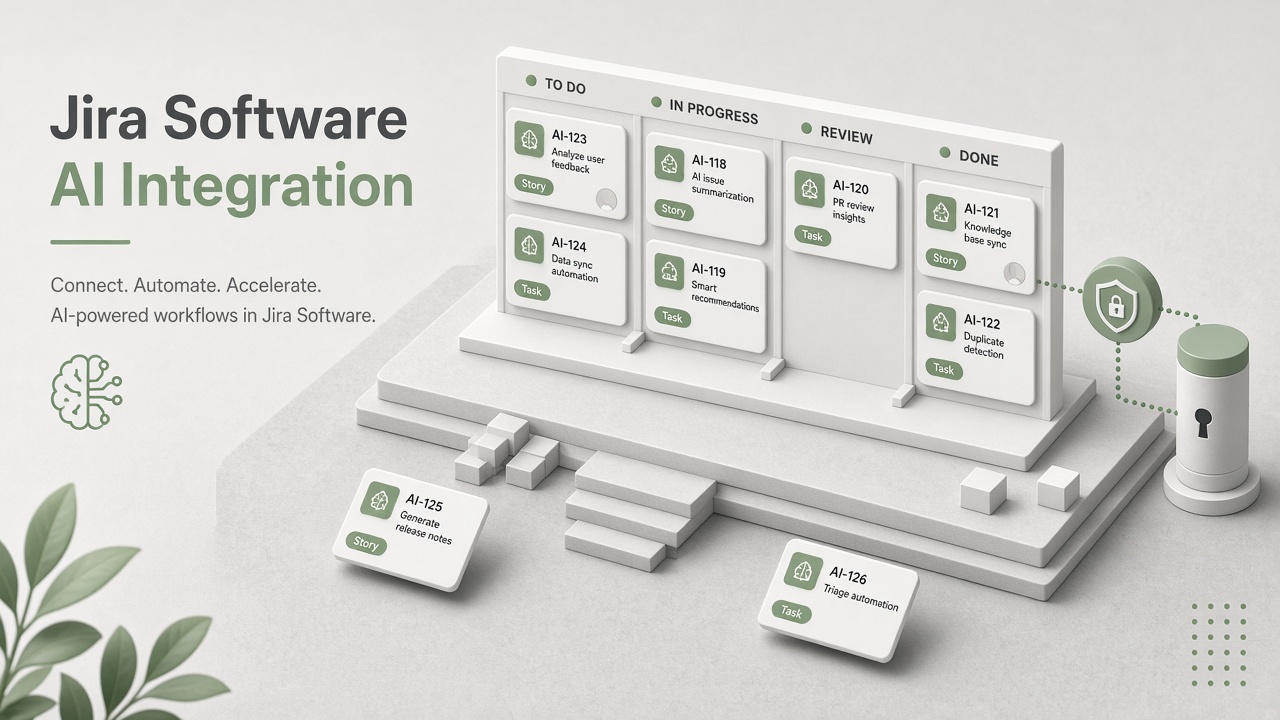
Engineering and product teams want AI to summarize issues, draft sprint reports, and triage backlogs without copying Jira exports into chat tools. Without integration architecture, tokens span every project, attachments leak credentials into model prompts, and automated field updates overwrite human prioritization.
Integrating AI tools with Jira Software requires choosing Atlassian OAuth 2.0 (3LO) versus API tokens, enforcing project-scoped access, respecting comment and attachment ingestion limits, and deciding whether AI writes back as comments or field updates. This guide covers platform owners connecting issue summarization to AI video demo pipelines and AI transcription of sprint review recordings linked to epics. The goal is useful automation inside project boundaries.
Integration Goals and Jira Threat Model
Define which Jira projects, issue types, and actions the AI integration may access before creating credentials. Common goals include issue summarization, sprint report narratives, duplicate detection, and release note drafts. Threats include site-admin API tokens synced to external vendors, attachment passwords in screenshots, and AI closing issues without team consent.
- Scope: software projects only versus Jira Service Management queues.
- Retention: whether issue text and attachment excerpts persist in vendor logs.
- Identity: mapping Atlassian account IDs for audit on AI-generated comments.
- Write-back: comments only versus status or story point field changes.
API Token vs OAuth for Atlassian
Prefer Atlassian OAuth 2.0 (3LO) with granular scopes for user-context actions; use API tokens only for tightly scoped service accounts with project-level restrictions. API tokens inherit the creating user's access, which becomes a liability when that user is a site admin. OAuth 3LO supports refresh tokens and per-install consent review in admin settings.
| Credential type | Best for | Risk if misused |
|---|---|---|
| OAuth 2.0 (3LO) | User-initiated summaries in Jira app UI | Overbroad scopes at install time |
| API token (bot user) | Scheduled sprint report generation | Bot user with site admin sees all projects |
| Forge app (Atlassian hosted) | Marketplace distribution with platform egress controls | External AI calls still need data review |
| Connect app (legacy) | Existing installs being migrated | Deprecated path; plan Forge or OAuth migration |
- Create a dedicated bot Atlassian account with membership only in allowlisted projects.
- Never use a human site administrator account for long-lived API tokens.
- Register OAuth apps in Atlassian Developer Console with minimal read:jira-work and write:jira-work scopes.
- Rotate tokens on schedule and revoke on vendor offboarding.
- Separate cloud site credentials for staging versus production Atlassian sites.
Token Scope Matrix by Project Role
Map Jira project roles (Administrator, Member, Viewer) to integration capabilities: viewers trigger read-only summaries, members may post AI comments, administrators approve field write-back automations. Document this matrix in your internal runbook so security reviews have a single reference.
Project Boundary Enforcement
Enforce project keys in every API query and webhook filter; never rely on issue ID alone across a large site. Jira Cloud sites may host hundreds of projects. A misconfigured JQL query of updated > -1d pulls competitor acquisition issues into an external model if the integration user has cross-project access.
- Allowlist project keys in configuration the security team can update without code deploys.
- Validate webhook payloads: reject events whose project.key is not in the allowlist.
- Use project-scoped filters in JQL for batch jobs: project in (ENG, PLAT) AND updated > -7d.
- Segregate indexes per business unit when legal requires Chinese wall separation.
- Log project.key on every outbound model request for audit.
Cross-Project Reporting
Portfolio-level sprint reports that aggregate multiple projects need explicit executive approval and separate credentials from single-team bots. AI-generated portfolio summaries risk leaking roadmap details across departments. Run aggregated jobs only on leadership-approved JQL saved filters.
Comment and Attachment Ingestion
Ingest issue descriptions, selected comments, and attachment text with size and count limits; skip zip archives and binary logs by default. Developers paste stack traces, API keys, and customer emails into Jira comments. Redact secrets before model calls using the same patterns as support ticket pipelines.
| Content type | Typical limit | Notes |
|---|---|---|
| Issue description | Full text unless over 32k characters | Truncate with pointer to Jira URL |
| Comments | Last N or since status change | Skip internal-only if using JSW permissions |
| Attachments | 10 MB per file, 5 files per issue | OCR images; block .pem and .env patterns |
| Remote links | Metadata only, no fetch by default | Fetching URLs risks SSRF |
Transcription and Video Linked Issues
Sprint review recordings processed by AI transcription tools can link summaries to Jira epics via remote links or comments; store transcripts outside Jira if attachment limits bite. Reference the external transcript URL in an AI-generated comment rather than embedding megabytes of text in the issue body.
Demo Videos and Release Assets
AI video clips attached to release tickets should pass through malware scan and duration caps before vision models process frames. Most sprint summarization needs issue metadata only, not every screen recording attachment.
Writing Back: Comments vs Field Updates
Default AI output to Jira comments attributed to the bot user; reserve field updates for low-risk labels or custom AI summary fields after team approval. Comments preserve history and notify watchers without silently changing priority or story points. Field updates suit structured data teams explicitly delegated to automation.
- Comment write-back: prefix with [AI Summary] and include model version in footer.
- Custom field AI_Summary__c: writable by bot; humans edit canonical Description.
- Status transitions: disallow unless paired with human approval workflow in Jira Automation.
- Story points: never auto-set from AI estimates without team review.
- Link created issues only when duplicate detection confidence exceeds threshold and reviewer confirms.
Jira Automation Integration
Use Jira Automation to call external AI webhooks on transition events, then post results as comments when the webhook returns. Automation rules provide guardrails: only run when label ai-summary-requested is present. This pattern keeps AI optional per issue rather than global on every update.
Issue Summarization Patterns
Issue summarization should include issue key, type, status, assignee, labels, and the last three substantive comments, excluding bot noise and automated transition messages. Prompt templates must instruct the model to say unknown when data is missing rather than inferring root cause. Link to the Jira issue in every summary posted to Slack or email.
For epics with dozens of child stories, roll up completion counts from JQL instead of embedding every child description. Child issue titles alone often suffice for executive summaries. Reserve full child ingestion for engineering deep dives initiated by tech leads.
Duplicate and Dependency Detection
AI duplicate detection compares new issue text against recent project issues using embeddings; surface candidates as comments with similarity scores, never auto-close duplicates. False positives waste triage time. Threshold tuning per issue type: bugs need higher precision than chores.
Sprint Reports and Analytics
AI sprint report drafts should pull sprint scope, completed issues, and carryover from JQL, then narrate trends without inventing velocity numbers. Validate every metric in the narrative against Jira Software reports before posting to Confluence or Slack. Hallucinated burndown commentary erodes trust quickly.
Include blocked issue counts, cycle time outliers, and carryover reasons pulled from labels or custom fields rather than model speculation. Scrum masters edit the narrative for team-specific context before sharing with leadership. Automated reports should never shame individuals by name unless your culture explicitly approves that format.
Release Notes from Jira
AI release note drafts can aggregate completed issues tagged release-notes from a fix version, but product marketing must rewrite customer-facing language and remove internal ticket references. Jira issue summaries contain engineering jargon unsuitable for changelog posts. Keep internal and external release artifacts in separate Confluence or HubSpot spaces with different sync rules.
Frequently Asked Questions
Does this apply to Jira Service Management?
JSM queues share the same Atlassian credential model but often include customer PII on portal issues; apply stricter redaction and read-only defaults. Service project keys should be separate allowlists from software delivery projects. AI should not auto-reply to customers without agent approval, mirroring Zendesk patterns.
How do integrations differ on Jira Data Center?
Data Center uses personal access tokens and OAuth providers configured by your identity team; egress to external LLMs may require firewall allowlists not needed on Jira Cloud. Validate that AI vendors support your deployment model before procurement. Some Forge apps are Cloud-only.
How does Atlassian Intelligence relate to third-party AI?
Atlassian Intelligence (Rovo) provides native summarization and search within Atlassian's trust boundary; third-party tools offer custom models and cross-tool workflows. Many teams use native features for daily issue work and external AI for portfolio reporting or custom JQL batch jobs.
Should we use OAuth 3LO or API tokens for Jira AI?
Prefer OAuth 3LO for user-context actions in the Jira UI; use API tokens only for dedicated bot accounts limited to allowlisted projects. API tokens inherit the creator's access, which is dangerous when that creator is a site administrator. Review Atlassian admin OAuth app installs quarterly.
Should AI write Jira comments or update fields?
Default to comment write-back with bot attribution; use field updates only for approved custom summary fields or labels after team governance sign-off. Silent story point or status changes from AI destroy sprint planning trust. Jira Automation can gate field updates behind human approval transitions.
What attachment limits apply to Jira AI ingestion?
Cap file size near 10 MB per attachment, limit count per issue, and block credential file extensions before OCR or text extraction. Developers paste secrets in screenshots. Remote link URLs should not be fetched automatically due to SSRF risk unless allowlisted domains are configured.
Are AI comments visible to all project members?
Yes, unless posted through internal comment mechanisms available in specific configurations; treat AI comments as public to the project. Do not include raw customer PII in AI comments on software issues. Link out to redacted summaries when needed.
Security Review and Vendor Due Diligence
Before approving a Jira marketplace AI app, collect SOC 2 reports, data processing agreements, and subprocessors lists; verify the app requests project-scoped OAuth scopes only. Re-review when the vendor adds new model providers or changes default hosting regions. Internal Forge apps still need egress review when they call external LLM APIs from Atlassian infrastructure.
Project-Scoped Tokens, Bounded Ingestion, Comment-First Write-Back
Jira Software AI integrations succeed when OAuth 3LO or tightly scoped API tokens respect project boundaries, comment and attachment ingestion stays within explicit limits, and write-back defaults to attributable comments rather than silent field changes. Engineering managers own JQL allowlists; platform teams own credentials and redaction.