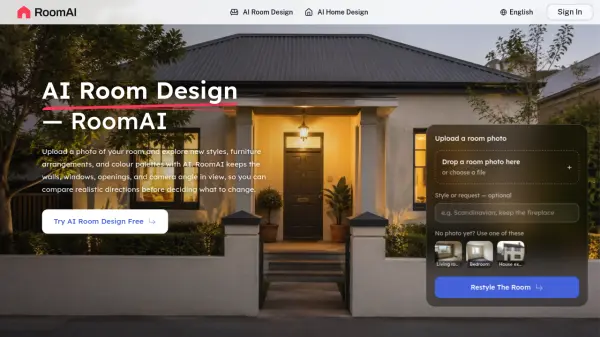
What is RoomAI?
RoomAI is an AI room design platform that restyles a photograph of an existing space while holding the original geometry firmly in place. A user uploads a photo of a room, a house exterior or a garden, selects from a library of more than 300 styles and 20 or more room presets, and receives a new design in roughly 20 seconds to a minute. Wall positions, window and door openings, ceiling height, camera angle and fixed items such as radiators, sockets and beams remain exactly as the camera found them, so every generated image lines up with the source photo and stays directly comparable to it.
The tool runs entirely in a browser with nothing to install and covers interior restyling, virtual staging of empty listings, decluttering of lived-in rooms and exterior work on facades, roofs and driveways. Images are returned at full listing resolution, can be downloaded without a watermark on paid plans, and can be queued in several styles for one room so that alternatives sit side by side. It is used by homeowners, estate agents, interior designers, property photographers, short-let hosts and small developers who need a visual direction before committing to real materials, furniture or a physical staging budget.
Features
- Geometry Lock: Wall positions, window and door openings, ceiling height and camera angle stay fixed so before and after images align exactly
- Extensive Style Library: More than 300 interior and exterior styles available for restyling a single photograph
- Room Type Presets: Over 20 room and outdoor presets, including living rooms, bedrooms, bathrooms, kitchens, exteriors and gardens
- Virtual Staging: Furnishes empty listing photos with realistic furniture scaled to the room the camera actually sees
- AI Empty Room: Removes an owner's existing furniture to declutter a lived-in room before staging or listing
- AI Exterior Design: Repaints render, swaps cladding and changes roofs and front doors while keeping the roofline and window openings
- Style Comparison: Queues several styles for one room and places the results side by side from the same source photo
- Full Resolution Downloads: Generates watermark free images at listing resolution on paid plans
Use Cases
- Furnishing an empty property listing photo for real estate marketing
- Decluttering a lived-in room before staging or selling a home
- Comparing paint, flooring and furniture schemes before buying samples
- Preparing three design directions for a client proposal meeting
- Adding virtual staging as a paid extra alongside a property photography shoot
- Refreshing short-let gallery images before peak booking season
- Showing a finished room to buyers while a refurbishment is still in progress
- Testing exterior repaint, cladding and roof changes on an ordinary facade photo
How It Works
Upload the photo you already took
A phone photo is fine. Straight-on beats artistic, since the more of the room the camera sees, the more the model has to hold on to. This step takes about five seconds.
Pick a room type and a style
Choose from more than 20 room and outdoor types and over 300 styles, or add a sentence for something specific, such as keeping the existing kitchen island. This step takes about ten seconds.
Generate and download
Images come back in twenty seconds to a minute at full listing resolution. Results can be placed on a listing, sent to a contractor or taken into a client meeting.
FAQs
-
How many free credits does RoomAI provide when signing up?
New users receive twenty free credits when they sign up, with no card required. This is enough to run through the upload, style selection and generation steps twice over. -
How long does it take to generate one design?
Images come back in roughly twenty seconds to one minute, at full listing resolution. -
Does RoomAI require any software installation?
No. RoomAI runs in the browser and there is nothing to install or learn. Users upload a photo, pick a room type and style, and download the result. -
Can RoomAI redesign the outside of a house and the garden?
Yes. AI exterior design can repaint render, swap cladding and change the roof and front door, while the roofline, window openings and driveway footprint stay unchanged. Outdoor and garden types are also supported. -
What kind of photo works best?
A phone photo is sufficient. A straight-on shot works better than an artistic angle, because the more of the room the camera sees, the more structure the model has to hold on to.