An engineer pastes production database credentials into a chatbot to debug a query. A marketer uploads a public blog draft to the same tool without concern. Without tiers, both actions look identical in the audit log. An AI sensitive data tiers policy separates what may enter which tools and what requires human review first.
A data classification AI policy gives every employee a label vocabulary and a decision tree. Teams using AI Writing Assistant and AI Productivity need tier definitions that match how work actually happens, not only how InfoSec wishes it would.
Define Tiers: Public, Internal, Confidential, and Regulated
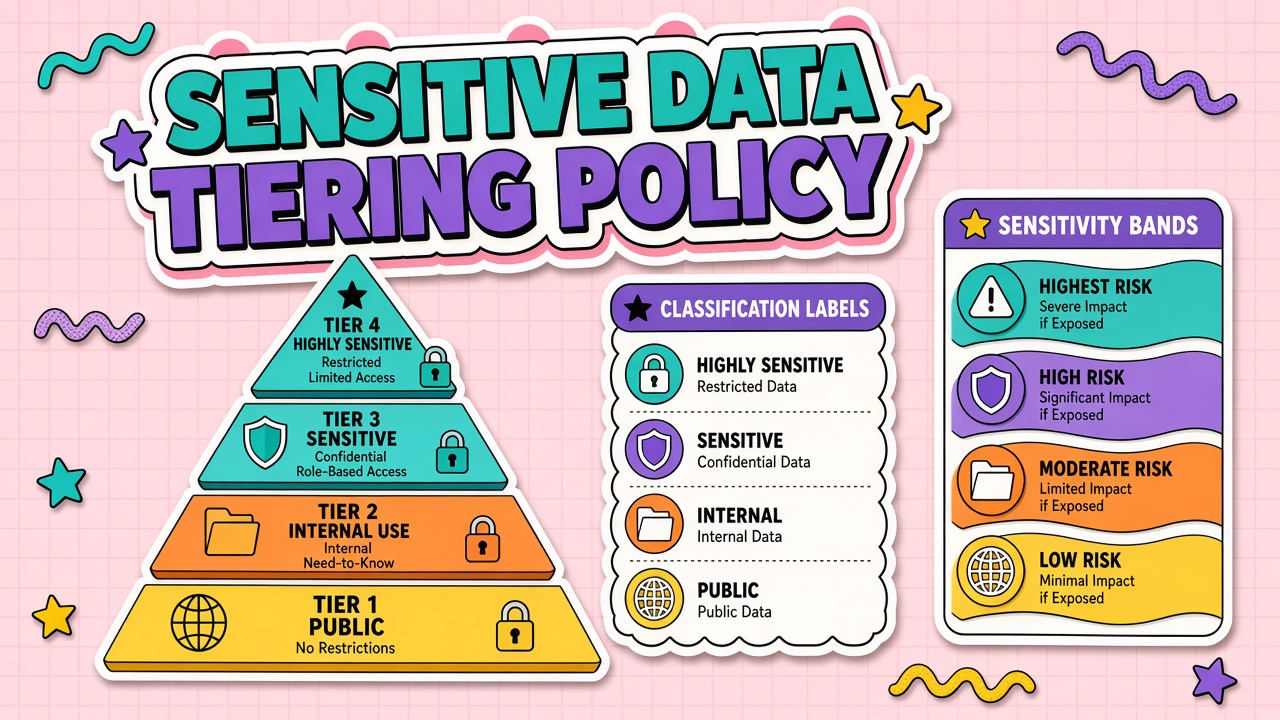
Public data is already published or intended for release. Internal data is non-public but low sensitivity. Confidential includes customer lists, unreleased financials, and contracts. Regulated covers health, payment, children's, and special-category personal data under GDPR.
Each tier lists allowed actions: summarize, translate, generate, fine-tune, or prohibited. Regulated tier should default to no external AI unless a specific tool and DPA cover that processing.
| Tier | Example | Default AI rule |
|---|---|---|
| Public | Blog post, press release | Approved SaaS tools |
| Internal | Team roadmap | Enterprise tools with logging |
| Confidential | Customer contract | Private deployment or redaction |
| Regulated | PHI, PCI | Prohibited unless explicit exception |
Tool Eligibility per Tier
Restricted data AI tools lists should name approved vendors per tier, not a single catch-all chatbot. Tier four may allow only on-prem or VPC-hosted models with BAA or equivalent agreements.
Review eligibility when vendors change subprocessors, training defaults, or region routing. A tool approved for internal tier last quarter may be unsuitable after a logging policy change.
Escalation for Edge Cases
Edge cases arrive daily: mixed-tier documents, emergency incidents, M&A data rooms. Define a fast escalation path to privacy and security with response SLAs. Temporary exceptions need expiry dates and named approvers.
Log every exception. Patterns in exceptions reveal where tier definitions or tooling gaps need revision.
Training Employees on Tier Labels
Labels fail when they live only in a PDF. Embed tier pickers in ticketing templates, DLP popups, and AI browser extensions. Use consistent color coding and one-sentence definitions on login banners.
Quiz new hires on a realistic scenario: a customer email with attachment. Measure misclassification rate quarterly and refresh training where errors cluster.
Technical Enforcement With DLP and Access Controls
Policy without enforcement becomes folklore. Data loss prevention rules can block uploads of files tagged confidential to unapproved AI domains. Browser extensions can warn when employees visit consumer chatbots on managed devices. API gateways can reject requests that include patterns matching social security numbers or API keys regardless of destination.
Technical controls should fail gracefully: explain why the paste was blocked and link to the approved tool for that tier. Silent blocks drive shadow IT. Log blocked attempts for tuning rules without punishing curious employees on first offense.
Mapping Common Workflows to Tiers
Document realistic workflows instead of abstract tiers only. Marketing drafting social posts maps to public or internal. Sales pasting account notes maps to confidential. Engineering attaching production logs maps to regulated or prohibited. HR summarizing performance reviews is almost always regulated or confidential with no external AI.
Workflow tier quick reference
- Draft public content: public tier, approved SaaS
- Internal meeting notes: internal tier, enterprise tenant
- Customer contract review: confidential, redact or private model
- Medical or payment data: regulated, prohibited unless BAA path exists
- Source code with secrets: confidential minimum, scan before paste
Auditing Tier Compliance Over Time
Sample AI usage logs monthly for tier violations. Measure time from violation to remediation. Review whether tier definitions caused confusion or whether training gaps drove errors. Update the decision tree when the same misclassification appears three times in a quarter.
Include tier compliance in vendor QBRs when the vendor offers classification features. Ask whether their roadmap includes automatic sensitivity detection and how false positives are handled so security teams trust the signal.
Integrating Tiers With Broader AI Governance
Data tiers should connect to intake forms, vendor approval lists, and incident severity. When a new AI tool is requested, the intake form asks maximum tier supported. When an incident involves regulated data in a tier-one tool, escalation follows the regulated playbook automatically.
Avoid parallel taxonomies. If your company already labels documents confidential in SharePoint, map those labels to AI tiers instead of inventing a second vocabulary employees must reconcile.
Communicating Tier Policy to Leadership
Executives need a one-page summary: what each tier means, which tools are approved, and what happens on violation. Frame tiers as enablers that let teams use AI safely on public and internal work while protecting crown-jewel data, not as blanket bans that push work to shadow tools.
Tier Labels in Collaboration and Document Systems
Apply tier metadata at the document source when possible. If a contract PDF is labeled confidential in the document management system, AI integrations should read that label and block upload to tier-one tools automatically. Manual re-labeling at paste time fails under deadline pressure.
Work with IT to propagate labels into Slack, Teams, and email DLP where employees copy text into AI chat. Consistent labels across systems reduce debate about whether a pasted paragraph was internal or confidential.
Seasonal and Project Overrides
M&A diligence rooms and product launches may temporarily elevate tier rules. Document time-bound overrides with approver, scope, and expiry. Auto-revoke overrides at project end instead of relying on calendar reminders individuals ignore.
Metrics for Tier Program Health
Track override count, DLP block rate, training completion, and incidents by tier. Rising overrides signal policy friction; rising blocks without incidents may signal over-tight rules that encourage shadow AI. Adjust tiers annually based on evidence, not only after breaches.
Tier Policy for Agents and Automated Workflows
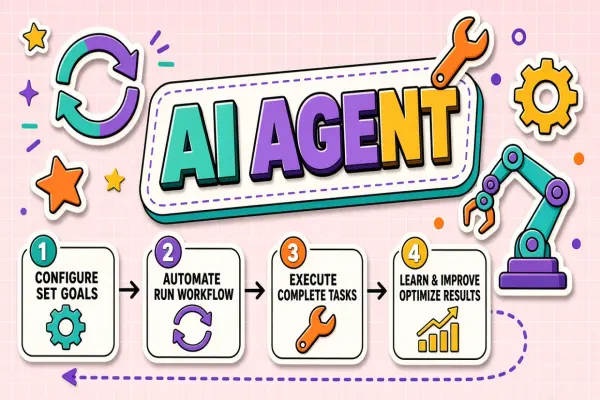
Autonomous agents pull data from APIs without a human reading each field. Automation must inherit tier rules programmatically: block agent access to confidential CRM fields unless the integration is approved for that tier. Test agent prompts against tier policy in CI the same way you test for prompt injection.
Scheduled jobs that summarize inboxes or tickets need scope limits. An agent with read access to all mailboxes can aggregate regulated data even if no individual email triggered a DLP alert at send time.
Reviewing Tier Policy Annually
Annual review should include new tool categories, regulatory changes, and incident lessons. Involve legal, security, and business unit leads. Publish a changelog employees can skim: what tier moved, which tool was added, and why.
Onboarding New Tools to the Tier Matrix
When procurement adds a vendor, security assigns maximum supported tier before go-live. Document gaps: if a tool handles only public and internal data, block confidential workflows in integration templates. Revisit assignments when the vendor ships enterprise features such as VPC hosting or zero-retention modes.
Publish the tier matrix where employees search for tools: the internal wiki, service catalog, or AI champion Slack channel. A matrix nobody can find does not change behavior at paste time.
Frequently Asked Questions
What if someone misclassifies data before using AI?
Treat as a potential incident proportional to tier severity. Corrective training for first offense; formal review for regulated data. Fix the decision tree if the same mistake repeats.
Can emergencies bypass tiers?
Allow break-glass with post-incident review within twenty-four hours. Emergencies justify speed, not permanent policy suspension.
How do we handle documents with mixed tiers?
Split or redact before AI processing. If splitting is impractical, classify at the highest tier present.
Can vendors auto-detect tier for us?
Some tools offer sensitivity classifiers. Treat them as aids, not replacements for human labeling on high-stakes data. Validate classifier accuracy on your document types before relying on blocks in production.
How do tiers apply when sharing AI outputs with partners?
Output inherits the highest tier of inputs used to generate it. Do not downgrade tier because the result looks anonymized. Contractual restrictions on partner reuse should match internal tier rules.
Do interns and contractors follow the same tiers?
Yes. Provide abbreviated training and the same DLP enforcement. Temporary accounts should not receive broader AI access than full-time employees unless a scoped exception documents the business need and expiry date.
The Bottom Line
Sensitive data tiering maps public through regulated classes to approved tools and actions. Pair writing assistants and productivity AI with labels employees actually use at paste time.