What is WebRename?
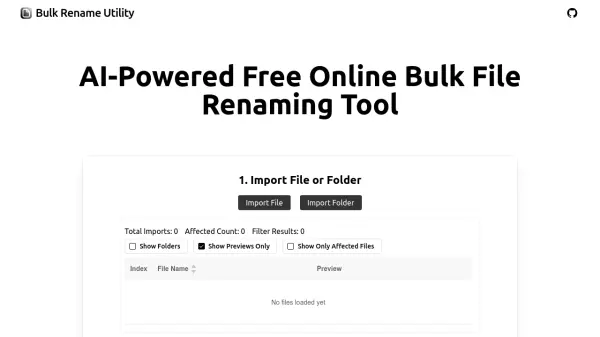
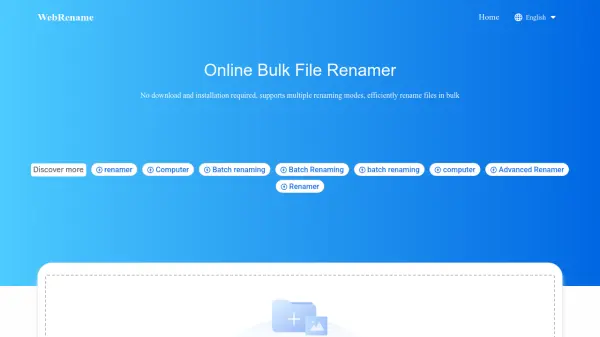
WebRename is a powerful and free online bulk file renamer that efficiently handles multiple files without requiring any downloads or installations. It supports various renaming modes such as sequence, replace, insert, random, and truncate, which can be combined for flexible usage. The tool processes files directly in the user's local browser, ensuring data privacy by never uploading files to network servers.
This browser-based tool is designed for high efficiency, with no limits on file size or quantity, allowing batch renaming of thousands of files at once. Users can upload files by clicking, dragging, or loading folders, preview renaming effects, and apply changes before downloading renamed files individually or in bulk. It is compatible with all file types and optimized for modern browsers like Chrome and Edge.
Features
- Multiple Renaming Modes: Supports sequence, replace, insert, random, truncate, and case conversion modes that can be combined for flexible usage
- Local Data Processing: All file data is processed in the user's local browser, ensuring no data is uploaded to servers for enhanced privacy
- No Download Required: Operates entirely online without the need for downloads, installations, or logins
- High Efficiency: No limits on file size or quantity, capable of batch renaming thousands of files quickly
- Easy File Upload: Supports uploading via click, drag-and-drop, or loading entire folders for convenience
Use Cases
- Renaming large batches of photos or documents for better organization
- Standardizing file names across multiple files in a project
- Removing or replacing specific text patterns in file names
- Adding sequential numbers or dates to file names automatically
- Extracting specific parts of file names using truncation tools
FAQs
-
What browsers are recommended for using WebRename?
It is recommended to use the latest versions of Chrome or Edge browsers for optimal functionality, as older browser versions may cause issues. -
Can WebRename handle files with any file extension?
Yes, WebRename has no restrictions on file types and supports files with any file extension. -
How can users contact WebRename for support or suggestions?
Users can contact via email at the provided address for any questions or product improvement suggestions.