What is Rapid File Renamer?
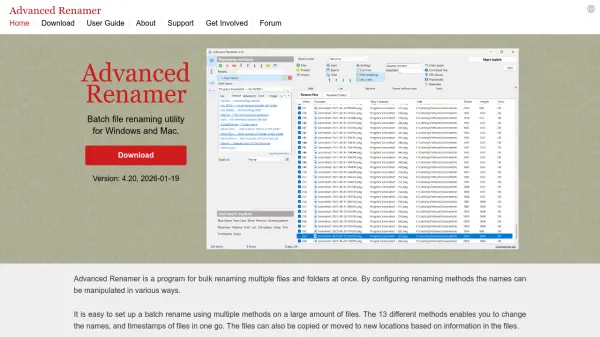
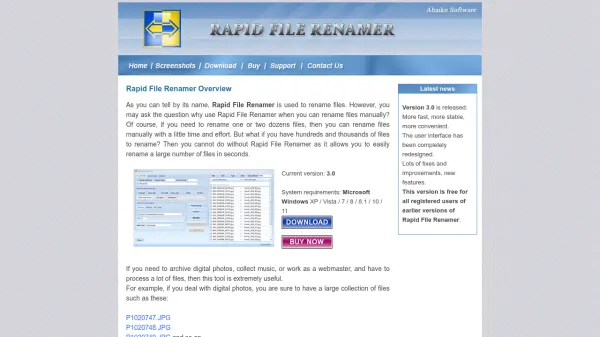
Rapid File Renamer is a powerful batch file renaming utility designed for Microsoft Windows. It allows users to rename large numbers of files in seconds, eliminating the tedious manual process. The software features a user-friendly interface, a visual designer for new filenames, and comprehensive renaming options such as adding counters, replacing text, fixing letter cases, and including dates. It processes files in subdirectories and provides a preview before applying changes. With an undo feature and system folder warnings, it ensures safe and efficient file management.
Whether you are organizing digital photos, collecting music, or managing web files, Rapid File Renamer streamlines the renaming process. It supports Windows XP through Windows 11 and offers a 30-day free trial.
Features
- User-friendly interface: Simple layout that clearly shows the operating sequence without freezing during renaming.
- Visual designer: Visually specify the contents and order of new filenames.
- Extensive renaming features: Generate filenames from parent folder, add counters, replace/remove characters, fix case, add dates, number files by sort order.
- Subdirectory processing: Option to rename files in subdirectories.
- Preview: See how new filenames will appear before applying changes.
- Undo: Revert to original filenames if needed.
- System folder warning: Alerts when attempting to rename files in critical system folders.
Use Cases
- Organizing digital photos with descriptive names and counters.
- Standardizing music file names with consistent formatting.
- Fixing letter cases of filenames before uploading to a web server.
- Adding dates or folder names to batch files.
- Numbering files sequentially based on sort order.
FAQs
-
Can I rename files in subdirectories?
Yes, Rapid File Renamer can process files in subdirectories when you select a folder. -
Is there a preview feature?
Yes, you can preview the new filenames before actually renaming. -
Can I undo a renaming operation?
Yes, the program allows you to undo the last renaming operation. -
What Windows versions are supported?
Windows XP / Vista / 7 / 8 / 8.1 / 10 / 11. -
Is there a free trial?
Yes, you can download a 30-day trial version for free.