What is ShotVu?
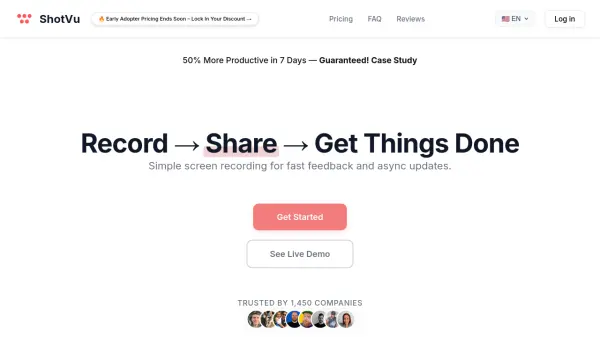
ShotVu enables users to easily capture their screen or webcam with intuitive controls on any device, including Mac, Windows, or Chromebook. This online solution streamlines the process of creating high-quality video tutorials, product demos, onboarding content, and asynchronous team updates.
With ShotVu, users benefit from instant sharing via secure links and embedding options, flexible recording settings, and a teleprompter to enhance on-camera presentations. Real-time collaboration is facilitated through commenting and feedback features, while robust privacy and access controls ensure content security. The platform is designed to reduce meetings and increase productivity by simplifying video communication for teams and individuals alike.
Features
- Screen & Webcam Recording: Capture your display, webcam, or both with one click.
- Audio Capture: Record computer audio or microphone commentary for tutorials or presentations.
- Built-In Teleprompter: Use an on-screen teleprompter to deliver smooth and confident video communication.
- Secure Sharing: Generate instant, secure sharing links, and embed videos on websites or blogs.
- One-Time Watch/Access Control: Lock videos for enhanced privacy with one-time view mode.
- Real-Time Collaboration: Collect comments, reactions, and feedback directly on your videos.
- Unlimited Video Length: Remove recording limits with the Unlimited Plan.
- Custom Branding: Personalize shared videos with your brand elements.
Use Cases
- Replace status meetings with brief video updates for team productivity.
- Create onboarding or customer support recordings for SaaS and product teams.
- Develop video lessons and tutorials for educational purposes.
- Share screen walkthroughs for technical support or product demonstrations.
- Record and share webcam updates for remote check-ins or asynchronous collaboration.
- Produce branded sales and marketing videos efficiently.
FAQs
-
Can I record both my screen and webcam at the same time?
Yes, ShotVu allows simultaneous recording of both your screen and webcam, ideal for engaging tutorials and presentations. -
How do I share my recordings?
After recording, ShotVu instantly generates a shareable link so recipients can view your video without downloading software or creating an account. -
What is the maximum video length supported?
The Unlimited Plan offers unlimited video length, suitable for long tutorials or webinars without restrictions. -
Does ShotVu support custom branding?
Yes, on the Unlimited Plan, users can personalize shared videos with branding options for a professional look.