What is ScreenRec?
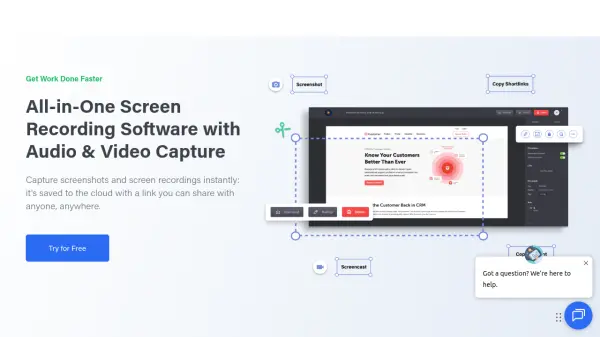
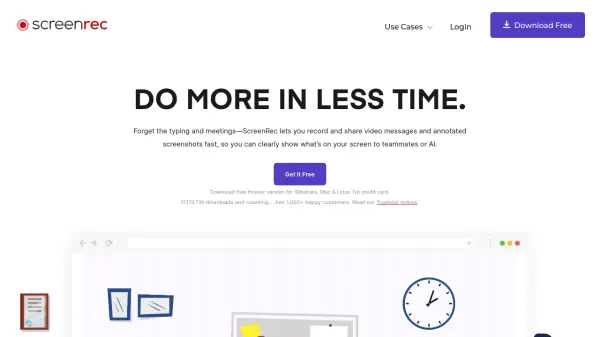
ScreenRec is a powerful productivity tool that helps you communicate faster and more clearly using instant video messages and annotated screenshots. Designed for professionals across software development, customer support, design, eLearning, sales, and project management, ScreenRec eliminates the need for lengthy typing or unnecessary meetings. With a single click, you can record your screen, webcam, microphone, and computer audio, and instantly receive a shareable link. All recordings and screenshots are encrypted and stored privately in the cloud, giving you full control over who views your content. The tool also provides analytics so you can see who watched your videos, when, and for how long. Available for Windows, Mac, and Linux, ScreenRec offers a free forever plan with 2GB cloud storage and unlimited recording time at 720p quality, with paid plans unlocking higher resolutions, more storage, and advanced features like AI microphone enhancement and team collaboration.
Features
- 1-Click Screen Capture: Press a button to start or stop recording your screen, microphone, audio, and webcam.
- Annotated Screenshots: Add comments, shapes, and highlights to screenshots to emphasize key points.
- Instant Sharing: Automatically get a shareable link copied to your clipboard after recording.
- Complete Privacy: All recordings and screenshots are encrypted, and you control access with private links.
- Analytics: Track who viewed your videos, when, and for how long.
- AI Microphone Enhancer: Reduces background noise, cancels echo, and balances microphone volume for clear audio.
- Content Management: Tag files, organize into collections, and share privately or publish on the web.
- Offline Recording: Record and access your content even without an internet connection.
Use Cases
- Software developers can create quick code walkthroughs and bug reports.
- Customer support teams can send personalized video responses to resolve issues faster.
- Designers can share screen recordings for design reviews and feedback.
- eLearning instructors can create step-by-step tutorial videos for students.
- Sales professionals can send personalized video demos to leads.
- HR teams can record onboarding videos for new employees.
- Project managers can assign tasks and provide feedback via video.
- Any professional can reduce meetings by sending instant video messages.
FAQs
-
If we want to use ScreenRec as a company, do we need a separate account for each user?
It is better if each user has a separate account. Otherwise, each screen capture will be shared with all the people who use the company account and this may not always be what you intend to do. To limit and control access, you can choose a plan such as 'Team' that includes sub-users. This way, you will share your main account's features, such as storage and bandwidth, with your sub-users, but the screenshots and screen videos that each user makes will remain private until they decide to share them. -
What if I need more sub-users?
No problem! You can modify your service plan at any time and add more user seats as you need. -
Do I need to purchase a new license for each sub-user?
No, only one ScreenRec Team license is required to be purchased from your main account. As soon as you do this, you will be able to add sub-users who will have access to all of the features your plan includes. -
What if I run out of storage?
You can upgrade or modify your current plan with additional storage. New videos and screenshots cannot be uploaded when you do not have enough storage space.