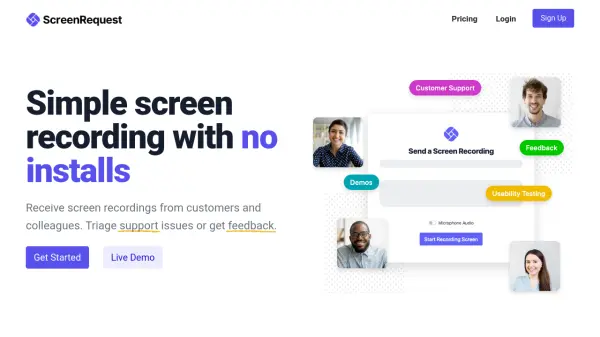
What is ScreenRequest?
ScreenRequest is a versatile screen recording tool designed to facilitate easy communication between users and their customers or colleagues. It operates entirely through a web browser, eliminating the need for software installations or extensions. Users share a link, and recipients can record their screens with optional audio, providing a straightforward method for capturing issues, feedback, or usability insights.
The tool supports asynchronous communication, allowing recordings to be sent at convenient times, which enhances efficiency across different time zones. It includes customizable features such as logo uploads and color adjustments, and it is built for team collaboration with a dashboard for reviewing recordings. ScreenRequest is GDPR compliant and offers a free sign-up option to get started quickly.
Features
- No Installs Required: Operates entirely through a web browser without software or extensions.
- Asynchronous Communication: Allows users to send recordings at their convenience, improving efficiency across time zones.
- Customizable Interface: Users can upload logos and set preferred colors for the recording form.
- Team Collaboration: Multiple team members can review recordings from a simple dashboard.
- Audio Recording: Supports microphone audio during screen recordings for enhanced feedback.
Use Cases
- Receiving screen recordings of issues and bugs for support purposes.
- Gathering essential feedback from product users with audio commentary.
- Conducting usability testing to observe how others interact with a product.
FAQs
-
Is ScreenRequest GDPR compliant?
Yes, ScreenRequest is GDPR compliant, ensuring data protection and privacy for users. -
Can I use ScreenRequest without installing any software?
Yes, ScreenRequest operates entirely through a supported web browser with no software installations required. -
Does ScreenRequest support audio recording during screen captures?
Yes, users can choose to record microphone audio along with their screen recordings. -
Is ScreenRequest suitable for team use?
Yes, it is built for teams with a dashboard that allows multiple members to review screen recordings. -
Can I customize the screen recording form in ScreenRequest?
Yes, you can upload your own logo and set preferred colors to adjust the look and feel of the form.