What is YoRecord?
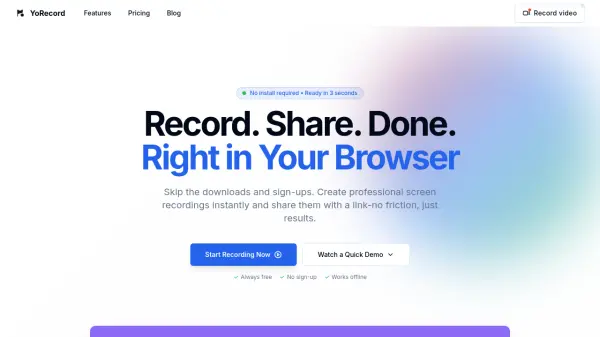
YoRecord is a browser-based screen recording solution that operates entirely within the web browser, eliminating the need for downloads or installations. It allows users to record their screen, webcam, or both simultaneously, with instant AI subtitle generation and basic trimming capabilities. The tool processes videos client-side using WebAssembly and Rust-powered encoding, ensuring high-quality output without draining device batteries or requiring file uploads.
Recordings are instantly available via secure, shareable links that can be embedded in emails, Slack, or other platforms. Designed for rapid communication, YoRecord is particularly useful for remote teams, sales professionals, engineers, and customer support agents who need to create and distribute visual content quickly and efficiently.
Features
- One-Click Browser Recording: Record screen or webcam instantly without installations or sign-ups
- AI Subtitles: Generate subtitles automatically for enhanced accessibility and clarity
- Instant Sharing: Get secure, shareable links immediately after recording for easy distribution
- Client-Side Processing: Use WebAssembly and Rust-powered encoding for high-quality video without battery drain or uploads
- Browser-Based Editing: Trim videos directly in the browser without additional software
Use Cases
- Creating bug reports with visual context for engineering teams
- Producing personalized sales demos and outreach videos
- Resolving customer support tickets with clear video explanations
- Sharing design feedback and collaborating visually with teams
- Developing quick training videos and micro-learning content
FAQs
-
What is the maximum recording duration on the Free plan?
The Free plan allows recordings up to 10 minutes for both screen and webcam recording. -
Does YoRecord require any software installation?
No, YoRecord operates fully in your browser with zero installation required. -
Can I download my recordings as MP4 files?
Yes, both Free and Premium plans support downloading recordings in MP4 format. -
What video resolutions are supported on the Premium plan?
The Premium plan supports recordings up to 4K resolution. -
Is there cloud storage included with the Free plan?
Yes, the Free plan includes cloud storage for recordings.