Peek favicon

Peek
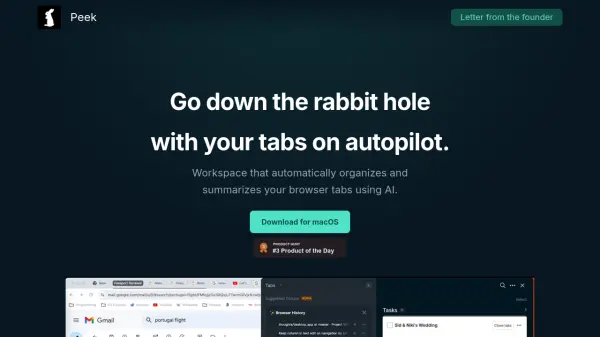
Go down the rabbit hole with your tabs on autopilot

What is Peek?

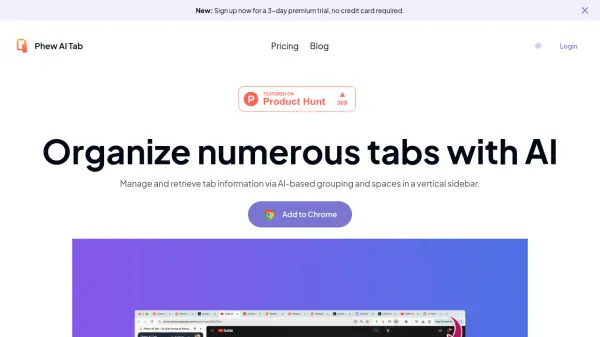
Peek transforms browser tab management through advanced AI technology that automatically organizes web pages into coherent topics as users browse. The platform enables effortless tab grouping with color-coded organization and intelligent categorization based on content relevance.

The system features a sophisticated summarization capability that extracts crucial information from web pages, including dates, prices, and names, while allowing users to add and manage notes within tab groups. This comprehensive approach to tab management helps maintain workflow efficiency and reduces digital clutter.

Features

  • AI Tab Organization: Automatic grouping of tabs based on content relevance
  • Smart Summarization: Extraction of key details from web pages including dates, prices, and names
  • Topic Management: Color-coded tab groups with reordering and nesting capabilities
  • Integrated Notes: Ability to add and maintain notes within tab groups
  • Duplicate Prevention: Smart system to avoid creating duplicate tabs

Use Cases

  • Research project organization
  • Multi-task management
  • Information gathering and summarization
  • Project documentation
  • Browser workflow optimization

FAQs

  • Is Peek available for operating systems other than macOS?
    Currently, Peek is only available for macOS users.
  • Can Peek access my private browsing data?
    Yes, Peek can analyze private information from your web pages to provide summaries, but this data is not shared with external AI services like ChatGPT or Claude.

Helpful for people in the following professions

Related Tools:

Blogs:

  • Top AI tools for Teachers

    Top AI tools for Teachers

    Explore the top AI tools designed for teachers, revolutionizing the education landscape. These innovative tools leverage artificial intelligence to enhance teaching efficiency, personalize learning experiences, automate administrative tasks, and provide valuable insights, empowering educators to create engaging and effective educational environments.

  • Top 6 AI note-taking tools for 2026: in-person, online, and hybrid use cases

    Top 6 AI note-taking tools for 2026: in-person, online, and hybrid use cases

    Most AI note-taking lists are really lists of meeting bots, which join your video call and transcribe it. That's useful, but it's half the picture. Decisions happen in hallway conversations, client dinners, on-site visits, and hybrid rooms where nobody is on a video link. This guide covers different parts of the note-taking workflow: hardware capture for in-person settings, platform-native tools for online calls, and AI layers for organizing and synthesizing what you've captured. It compares six tools by capture context, workflow fit, pricing, and limitations.

  • Best AI tools for recruiters

    Best AI tools for recruiters

    These tools use advanced algorithms and machine learning to automate tasks such as resume screening, candidate matching, and predictive analytics. By analyzing vast amounts of data quickly and efficiently, AI tools help recruiters make data-driven decisions, save time, and identify the best candidates for open positions.

Didn't find tool you were looking for?

Be as detailed as possible for better results