Papermerge DMS favicon

Papermerge DMS
Document Management System for Digital Archives

What is Papermerge DMS?

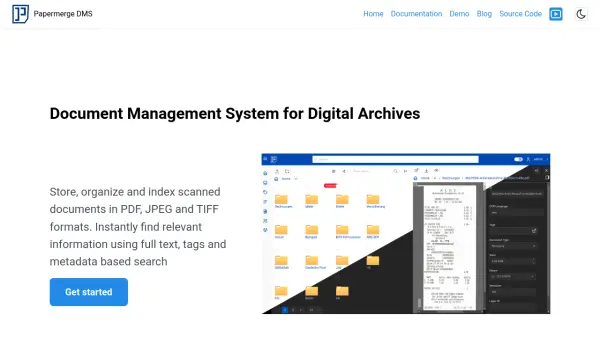
Papermerge DMS is an open-source document management system built for digital archiving. It supports a variety of file formats, including PDF, JPEG, and TIFF. This platform provides optical character recognition (OCR) to add searchable and selectable text to your scanned documents, this improve efficiency for the users.

The system features version control, which means the originally uploaded version of a document is always retained. Any operation like OCR processing creates a new document version. The user-friendly web interface includes page management features that let users reorder, rotate, and extract pages, fixing common scanning errors without rescanning.

Features

  • OCR: Adds searchable and selectable text to scanned documents using the Tesseract engine.
  • Versioning: Retains the original version of uploaded documents and creates new versions for each operation.
  • Custom Fields: Allows users to define custom attributes for documents (e.g., price, date of issue, issuer for receipts).
  • Categories: Enables categorization of documents into types like Receipt, Invoice, or Contract.
  • Page Management: Provides features to reorder, rotate, and extract pages within documents.
  • User Friendly: Intuitive, beautiful, and modern web based user interface.

Use Cases

  • Digital archiving of scanned documents
  • Organizing and managing receipts and invoices
  • Storing and versioning contracts
  • Creating a searchable archive of documents
  • Managing documents with custom metadata

Related Tools:

Blogs:

  • Top 6 AI note-taking tools for 2026: in-person, online, and hybrid use cases

    Top 6 AI note-taking tools for 2026: in-person, online, and hybrid use cases

    Most AI note-taking lists are really lists of meeting bots, which join your video call and transcribe it. That's useful, but it's half the picture. Decisions happen in hallway conversations, client dinners, on-site visits, and hybrid rooms where nobody is on a video link. This guide covers different parts of the note-taking workflow: hardware capture for in-person settings, platform-native tools for online calls, and AI layers for organizing and synthesizing what you've captured. It compares six tools by capture context, workflow fit, pricing, and limitations.

  • Best Content Automation AI tools

    Best Content Automation AI tools

    Streamline your content creation process, enhance productivity, and elevate the quality of your output effortlessly. Harness the power of cutting-edge automation technology for unparalleled results

  • Best AI tools for recruiters

    Best AI tools for recruiters

    These tools use advanced algorithms and machine learning to automate tasks such as resume screening, candidate matching, and predictive analytics. By analyzing vast amounts of data quickly and efficiently, AI tools help recruiters make data-driven decisions, save time, and identify the best candidates for open positions.

Didn't find tool you were looking for?

Be as detailed as possible for better results