What is SFTDox?
SFTDox provides a robust document management solution that streamlines business processes by enabling digital storage, organization, and sharing of documents. Its platform enhances productivity and collaboration by allowing multiple users to access, co-author, and manage files remotely, with configurable workflows and centralized access controls.
The system incorporates advanced technology such as OCR for digitizing paper records, audit trails, versioning, secure access management, and seamless integration with existing business tools. SFTDox empowers organizations to reduce dependency on paper, minimize risks, and accelerate decision-making with scalable, customizable, and cloud-based features.
Features
- Optical Character Recognition (OCR): Converts scanned documents into machine-encoded text for efficient search and retrieval.
- Configurable Workflows: Automates business processes for document approvals, reviews, and task assignments.
- Document Version History: Maintains records of changes and previous versions for audit and compliance.
- Centralized Access Controls: Restricts and manages user permissions for enhanced document security.
- Bulk Document Upload: Allows multiple files to be uploaded and managed simultaneously.
- Mobile Application: Access and manage documents securely from Android and iOS devices.
- e-Signature and e-Forms: Facilitates digital form completion and electronic signatures.
- Integration with MS Office and LDAP: Supports seamless use with Microsoft Office and directory services.
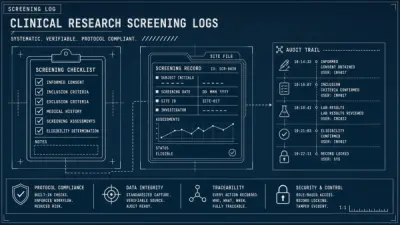
- Audit Trail: Tracks document activity for regulatory compliance and internal monitoring.
- Barcode Integration: Supports document identification and tracking through barcode technology.
Use Cases
- Digital archiving and management of employee records for human resources.
- Secure documentation and compliance management for government agencies.
- Streamlined handling of legal contracts and case files for law firms.
- Electronic medical record storage and access for healthcare providers.
- Paperless invoicing and financial documentation for banking and finance sectors.
- Managing construction blueprints and project files in real estate and infrastructure firms.
- Centralized sharing and collaboration on documents between remote teams.
- Automated processing and tracking of internal business documents.
FAQs
-
What is SFTDox document management software?
SFTDox is an advanced Document Management System that helps businesses save, update, track, and manage documents electronically in a secure environment, providing configurable workflows and access controls. -
How does SFTDox protect documents from disasters?
SFTDox stores data securely offsite for cloud-based solutions, offering protection against disasters, and recommends using cloud-based backups for on-premises servers. -
Can user access be restricted for sensitive documents?
Yes, SFTDox offers security restrictions and access controls to ensure that only authorized personnel access specific files. -
Is SFTDox compatible with legacy systems?
SFTDox integrates seamlessly with existing technology ecosystems, supporting open web APIs and compatibility with widely used business applications like Microsoft Office and SAP.