What is OCRforPDF?
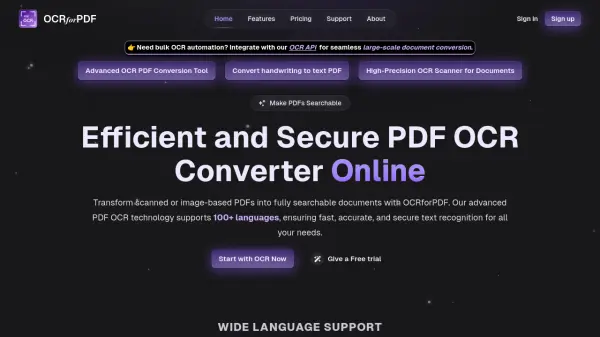
OCRforPDF provides a sophisticated PDF OCR converter solution that transforms scanned documents and image-based PDFs into fully searchable and editable formats. The platform utilizes advanced optical character recognition technology to accurately extract text while preserving original formatting, making it suitable for complex documents with tables, graphics, and various layouts.
The service offers multilingual support for over 100 languages, batch processing capabilities for efficient handling of multiple files, and secure end-to-end encryption to protect sensitive data during conversion. With real-time processing and an intuitive user interface, OCRforPDF streamlines document digitization workflows for both individual users and enterprise-level applications.
Features
- Multilingual OCR Support: Recognizes text in over 100 languages for global document processing
- Batch Processing: Handles multiple PDF conversions simultaneously for efficient large-scale operations
- Advanced Accuracy: Extracts text with high precision even from complex or image-heavy documents
- Secure File Processing: Uses end-to-end encryption to protect data confidentiality during conversion
- Editable Output: Converts scanned PDFs into fully editable and searchable text formats
- Real-Time Processing: Delivers fast conversion results without compromising accuracy
Use Cases
- Converting scanned legal documents into editable and searchable text formats
- Digitizing academic research papers, journals, and historical texts for easy access
- Processing business documents like invoices, contracts, and reports for digital archives
- Converting medical records and patient information into searchable electronic formats
- Creating searchable databases from large document collections and archives
FAQs
-
How accurate is the OCR technology?
The OCR text recognition technology is highly accurate, capable of recognizing text from scanned documents and images with near-perfect precision. -
Can I process multiple PDFs at once?
Yes, the platform allows batch processing of multiple PDF files simultaneously, saving time and improving efficiency for large projects. -
Is there a limit to the file size I can upload?
The maximum file size for uploads depends on your chosen plan, with support for large files and enterprise options available for extensive needs. -
How secure is my data during processing?
The service prioritizes security and uses encryption to ensure data remains safe throughout the OCR process, maintaining confidentiality at all times. -
Can I convert handwritten documents with OCR?
Yes, the OCR PDF converter can recognize and convert legible handwriting into editable text, depending on the clarity of the handwriting.