IT provisions licenses. Security signs off. Leadership announces "we are an AI-forward company." Six weeks later, half the seats sit unused and the other half runs shadow workflows in personal accounts because nobody explained what changed, what stayed the same, or where to get help when output looks wrong.
An AI tool adoption communications plan coordinates what you tell each audience, when you tell them, and how you collect feedback so adoption is intentional rather than accidental. This guide provides audience maps, message templates, channel choices, and a launch timeline you can adapt for a single-team pilot or a company-wide rollout. Review AI marketing tools and AI chatbot options only after your messaging framework and success metrics are written.
Why Adoption Communications Fail Without a Plan
Most adoption failures are communication failures, not technology failures. Teams hear about a new tool once, in a generic all-hands slide, with no link to their daily job. They assume the product is optional, risky, or meant for another department. Meanwhile, early adopters invent workflows that never get documented, and skeptics fill the silence with worst-case stories.
Common breakdown patterns:
- One-size message: The same email goes to engineers, sales, and support with no role-specific examples.
- Launch without training: Access appears overnight; office hours are scheduled three weeks later.
- Missing "what not to do": Policy exists in a PDF nobody opens; people paste customer data into free tiers.
- No feedback loop: Leadership measures login counts, not whether work improved.
- Champion vacuum: No named peer advocates in each team who answer practical questions in channel.
A communications plan does not replace change management. It gives change management a schedule and a script so every stakeholder hears the right detail at the right time.
Audience Map and Message Hierarchy
Segment audiences by what they need to decide or do, not by org chart alone. Executives need risk framing and success metrics. Managers need workflow impact and time expectations. Practitioners need step-by-step examples on real tasks. IT and security need integration and data-handling specifics.
| Audience | Primary concern | Core message | Channel |
|---|---|---|---|
| Executive sponsors | ROI, risk, timeline | Pilot scope, kill criteria, monthly metric review | Steering deck, monthly summary |
| Team managers | Capacity, quality, compliance | Which workflows change, training dates, escalation path | Manager briefing, office hours |
| Daily users | How to start, what good looks like | Three worked examples, link to workflow docs, help channel | Slack or Teams, Loom, live demo |
| Security and legal | Data residency, retention, audit | Approved use cases, prohibited inputs, logging status | Policy memo, FAQ for reviewers |
Message hierarchy matters: executives hear outcomes first, practitioners hear steps first. Reversing that order breeds confusion. A practitioner-focused launch email that leads with quarterly OKRs gets ignored. An executive deck that opens with prompt engineering tips loses the room.
Pre-Launch Messaging and Asset Checklist
Ship these assets before access goes live: a one-page "start here" guide, three role-based examples, a policy summary with allowed and prohibited inputs, a named help channel, and a calendar of live sessions. Pre-launch comms should answer: Why now? What job does this help? What do I do Monday morning?
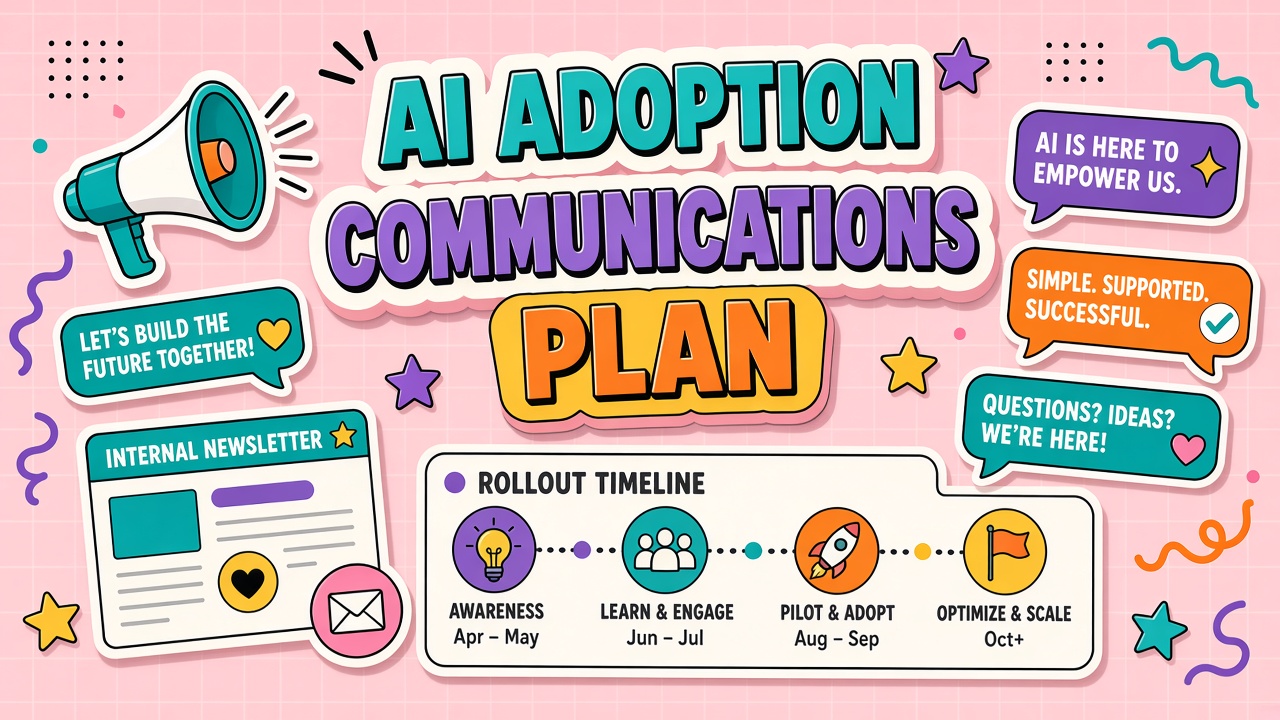
Pre-launch timeline (relative to access date):
- T minus 14 days: Manager briefing with workflow scope, training schedule, and success metrics.
- T minus 7 days: Teaser in team channels with date, owner, and link to policy FAQ.
- T minus 3 days: "Start here" doc published; champions identified per team.
- T minus 1 day: Reminder with login instructions and first task suggestion.
- Launch day: Short live demo focused on one workflow, not a feature tour.
- T plus 3 days: Office hours; collect top three blockers in a public thread.
- T plus 14 days: Wins thread plus course correction on confusing messaging.
For customer-facing teams evaluating AI chatbot rollouts, pre-launch messaging must include how agents escalate to humans and what customers see when the bot is unsure. For marketing teams adopting AI marketing tools, include brand voice guardrails and legal review steps in the first email, not as a follow-up after an off-brand draft ships.
Message templates that work
Keep launch announcements under 200 words. Structure: one-sentence purpose, three bullet workflows, one link to training, one link to policy, one named contact. Avoid superlatives ("revolutionary," "game-changing"). Replace them with measurable intent ("reduce first-draft time on support macros by thirty percent during the six-week pilot").
Manager briefing template (outline): paragraph on business driver; table of affected workflows; training dates; metric the team will report weekly; escalation contact. Practitioner email template: greeting, one sentence on what stays the same, three bullets on what changes Monday, links, help channel. Security FAQ: approved data types, retention period, audit log location, prohibited use cases with plain examples.
Channels, Feedback Loops, and Champions
Pick two primary channels and one escalation path. A dedicated Slack channel for questions, a monthly newsletter for metric updates, and a ticket queue for access or integration issues is enough for most mid-size rollouts. Adding a fourth channel splits attention and duplicates answers.
Champions are peers, not executives. Each team needs one person who used the tool on real work during the pilot and can show a redacted example. Champions host micro-demos, curate FAQ entries from repeated questions, and flag documentation gaps to the workflow owner. Rotate champion duty quarterly so knowledge does not leave when one person changes roles.
Feedback loops should capture qualitative and quantitative signals:
- Weekly pulse: Three-question survey (clarity of messaging, time saved, blockers).
- Public wins board: Short posts showing before/after on approved workflows.
- Office hours notes: Summarize top themes within 24 hours; link fixes to docs.
- Adoption metrics: Active users, workflows completed, error rate, not login count alone.
Handling Resistance and Shadow Tool Use
Resistance is often rational: past tools overpromised, training was thin, or policy felt punitive. Address resistance with specifics, not slogans. Acknowledge what the old workflow did well. Show side-by-side time on a real task. Name the kill date if the pilot misses metrics.
Shadow tool use (personal accounts, unapproved extensions) signals unmet needs or unclear policy. Respond by asking which job the shadow tool solves, whether the approved stack can solve it with configuration, and what data handling risk the shadow path introduces. Migrate legitimate needs into approved tools; block only when risk is unacceptable and alternatives exist.
Crisis and Incident Messaging During Rollout
Plan incident comms before something goes wrong. AI rollouts can trigger quality incidents, data handling mistakes, or integration outages. A pre-written holding statement saves hours: what happened at a high level, what users should do now, when the next update arrives, and where to report issues. Avoid blaming individuals; focus on scope, containment, and remediation timeline.
Incident message checklist:
- Acknowledge: Confirm the issue is known within one hour of validated report.
- Scope: Name affected workflows, teams, and whether customer data was involved.
- Containment: Disable feature flag, pause macro generation, or route to legacy path.
- Next update: Commit to a time for the follow-up message even if root cause is unknown.
- Post-mortem link: Publish lessons learned and doc updates within five business days.
Transparency during incidents builds more long-term adoption than silence. Teams that hear honest updates resume trusted workflows faster than teams that discover problems through customer complaints.
Post-Launch Sustainment Communications
Launch is day one, not the finish line. Month two needs a "what we learned" summary, updated workflow links, and celebration of measured wins. Month three needs a refresh on policy changes, model updates, and deprecated features. Without sustainment, adoption curves flatten while subscriptions renew automatically.
Sustainment calendar:
- Weekly (first month): Tip of the week from a champion, tied to one documented workflow.
- Monthly: Metric snapshot shared with managers; adjust training if blockers repeat.
- Quarterly: Tool stack review: consolidate duplicates, sunset unused licenses, update comms assets.
Frequently Asked Questions
Who owns the adoption communications plan?
A product owner or change lead writes the plan; team champions execute day-to-day messaging. IT provisions access; comms owns clarity. Executive sponsors approve timing and resolve cross-team conflicts.
How much detail belongs in the launch email?
Enough to complete one task today: login link, one worked example, policy link, help channel. Deep dives belong in docs and live sessions. If the email exceeds one screen on mobile, cut feature bullets.
How do we communicate when a pilot fails?
Transparently and quickly. State what was tested, which exit criteria were missed, what happens to licenses, and which alternative workflows remain. Silence breeds rumor and shadow tool sprawl.
How do global teams adapt one comms plan?
Keep core policy and metrics global; localize examples, office hours time zones, and language for workflow samples. Never localize data-handling rules without legal review in each region.
How do we measure communications effectiveness?
Track time-to-first-successful-workflow, repeat question rate in help channels, and manager-reported clarity scores. Compare cohorts that received role-based messaging versus a generic announcement. Browse AI marketing and AI chatbot categories when selecting tools that support admin analytics and shared workspaces for easier sustainment reporting.
Localization and Accessibility in Adoption Comms
Global rollouts need translated workflow examples, not translated buzzwords. Keep policy and data-handling language consistent across locales after legal review. Provide captions on demo videos and text alternatives for screenshot-heavy guides so adoption materials meet accessibility expectations in enterprise procurement.
The Bottom Line
An AI tool adoption communications plan aligns audiences, channels, and timing so people know why a tool exists, how to start safely, and where to ask questions. Build the audience map and pre-launch asset checklist before provisioning seats. Sustain messaging past launch day with champions, feedback loops, and honest updates when pilots succeed or stop.