What is InstantMeet?
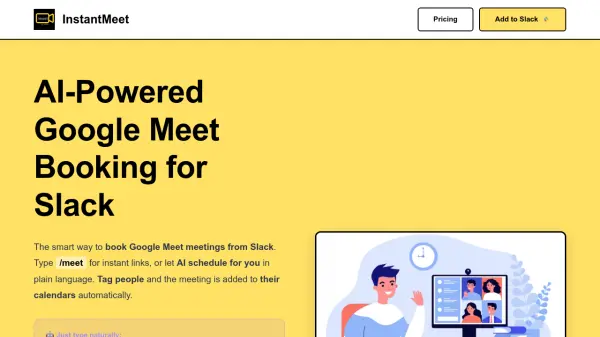
InstantMeet is a Slack app that streamlines meeting scheduling by generating Google Meet links and managing calendar invites directly from your Slack workspace. With the /meet slash command, users can instantly create a meeting link or use natural language to specify details like date, time, duration, and attendees. The AI parses phrases like "tomorrow 3pm for 30 min" or "standup every Monday 9am" and handles recurring events effortlessly.
When you tag teammates in your command, InstantMeet automatically adds the meeting to their Google Calendar with the Meet link and reminders, eliminating the need to switch between apps. The tool syncs with your Google Calendar, works in any Slack channel, DM, or group, and offers a 14-day free trial with individual and team plans available.
Features
- Instant Google Meet Links: Type /meet in Slack and get a shareable Google Meet link in 2 seconds.
- AI Natural Language Scheduling: Parse phrases like 'tomorrow 3pm' or 'standup every Monday' to create meetings.
- Tag People for Calendar Sync: Tag teammates when booking; the meeting is added to their Google Calendar automatically.
- Google Calendar Integration: Meetings auto-sync with Google Calendar and include reminders.
- Works Everywhere in Slack: Use /meet in public channels, private channels, DMs, and group DMs.
- Recurring Meeting Support: Schedule recurring Google Meet meetings with natural language.
Use Cases
- Schedule daily standup meetings from Slack without leaving the chat.
- Create instant Google Meet links for impromptu team discussions in any Slack channel.
- Book client calls by tagging attendees and automatically adding to their calendars.
- Coordinate cross-team meetings with recurring schedules using natural language.
- Simplify remote team coordination by syncing all meetings to Google Calendar.
FAQs
-
How do I create a Google Meet from Slack?
Type /meet in any Slack channel, DM, or group. You get an instant Google Meet link in seconds. You can also use natural language (e.g. /meet standup tomorrow 10am for 15 min) and tag people so the meeting is added to their calendars. -
Can I tag people so the meeting is added to their calendar?
Yes. When you book a meeting with InstantMeet in Slack, you can tag teammates. The meeting is automatically added to their Google Calendar with the Meet link, so everyone gets the invite without leaving Slack. -
Is InstantMeet free?
InstantMeet offers a 14-day free trial. After that, individual and team plans are available. You can add it to Slack and start creating Google Meet links instantly. -
Does InstantMeet work with Google Calendar?
Yes. Meetings you create sync to your Google Calendar and, when you tag people, to their Google Calendars too. Reminders and invites are handled automatically. -
Can InstantMeet schedule recurring Google Meet meetings?
Yes. Use natural language like /meet standup every Monday 9am and InstantMeet's AI will create recurring Google Meet links and add them to your Google Calendar with the correct recurrence schedule.