Retime favicon

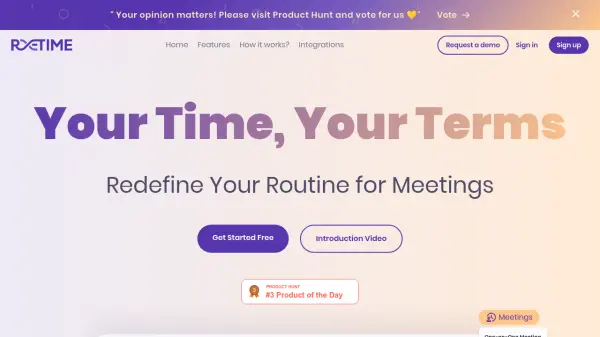
Retime
Redefine Your Routine for Meetings

What is Retime?

Retime is a delightfully simple and powerful scheduling tool designed to streamline the meeting scheduling process. It connects with your existing calendars, such as Google Calendar and Office365 Calendar, to consolidate your availability and present it to your audience on a single page.

Retime offers a fundamentally different scheduling experience that helps to prevent scheduling conflicts and last-minute meetings. The platform integrates seamlessly with popular applications, including Google Meet and Zoho, to provide a comprehensive and efficient scheduling solution.

Features

  • Agenda: Write your discussion points you need to keep about team meetings.
  • Action Items: Define and track meeting action items.
  • Define Availabilities: Set specific times you are available for meetings.
  • Advanced Options: Customize scheduling preferences.
  • Date Override: Manually adjust availability for specific dates.
  • Calendar sync: Synchronize with Google Calendar, Office365 Calendar.
  • Time zone scheduling: Schedule meetings across different time zones.
  • Integrations: Connects with Google Calendar, Zoho, Google Meet, and Office365 Calendar.

Use Cases

  • Scheduling one-on-one meetings
  • Arranging team meetings
  • Embedding scheduling links on websites
  • Syncing availability across multiple calendars
  • Hosting virtual meetings via Google Meet

Related Tools:

Blogs:

  • Best AI tools for Product Photography

    Best AI tools for Product Photography

    Explore top AI tools that can elevate your product photography, helping you enhance images, streamline workflows, and create professional visuals with ease.

  • Top AI tools for Teachers

    Top AI tools for Teachers

    Explore the top AI tools designed for teachers, revolutionizing the education landscape. These innovative tools leverage artificial intelligence to enhance teaching efficiency, personalize learning experiences, automate administrative tasks, and provide valuable insights, empowering educators to create engaging and effective educational environments.

  • Top 6 AI note-taking tools for 2026: in-person, online, and hybrid use cases

    Top 6 AI note-taking tools for 2026: in-person, online, and hybrid use cases

    Most AI note-taking lists are really lists of meeting bots, which join your video call and transcribe it. That's useful, but it's half the picture. Decisions happen in hallway conversations, client dinners, on-site visits, and hybrid rooms where nobody is on a video link. This guide covers different parts of the note-taking workflow: hardware capture for in-person settings, platform-native tools for online calls, and AI layers for organizing and synthesizing what you've captured. It compares six tools by capture context, workflow fit, pricing, and limitations.

Didn't find tool you were looking for?

Be as detailed as possible for better results