Shadow IT grows when the official path to request an AI tool is slower than signing up with a credit card. Teams skip intake because forms ask forty irrelevant questions, reviewers disappear for weeks, and nobody explains why a free tier was rejected. Innovation does not need zero governance. It needs governance that respects how fast software moves.
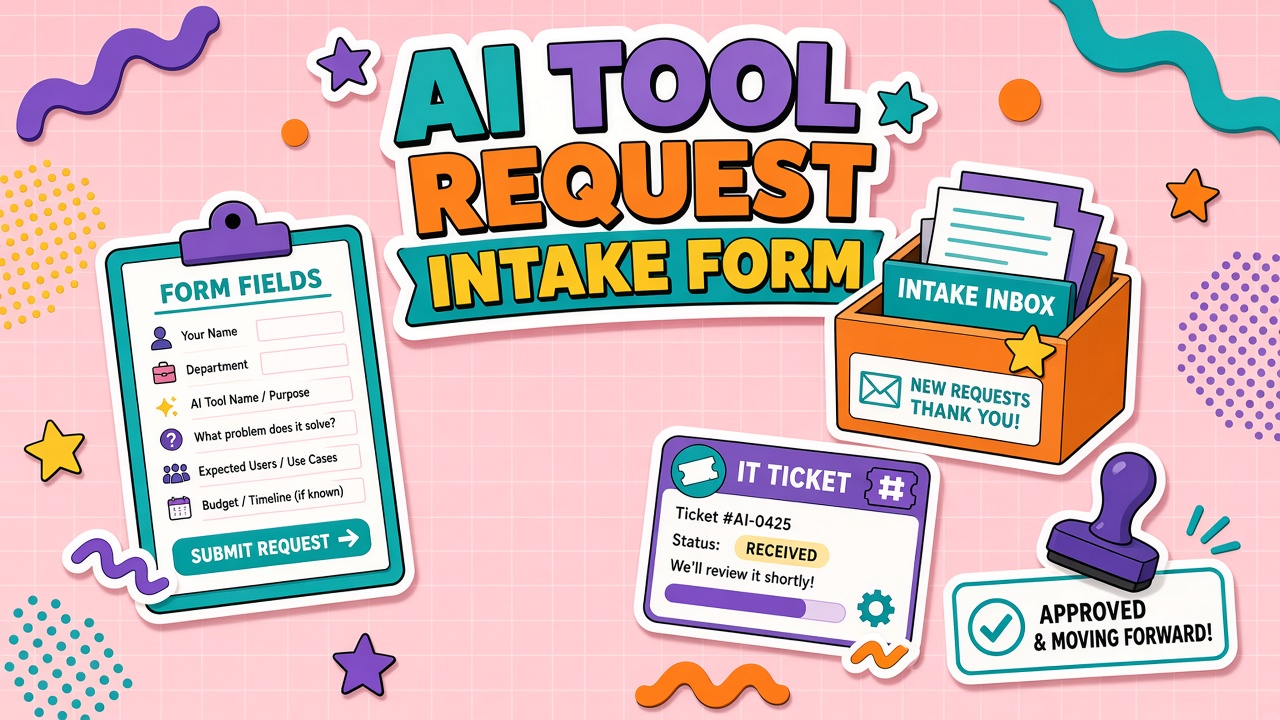
An AI tool request intake form balances speed and risk: required fields for job, data class, integrations, and owner; automated risk scoring; routes to security, legal, and finance; and published SLAs with an appeal path. Design the form alongside your AI automation and AI API evaluation criteria so reviewers see consistent language from request through approval.
Required Intake Fields: Job, Data, Integrations, and Owner
Every AI tool request must answer four questions before a human reviewer opens the ticket: what job, what data, what systems, and who owns the outcome. Optional fields come after these four. If a requester cannot complete them, the need is not ready for procurement or security review.
| Field | Prompt / validation | Why it matters |
|---|---|---|
| Job statement | One paragraph: input, output, frequency, users affected | Separates workflow fit from feature shopping |
| Data classification | Dropdown aligned to internal tiers (public, internal, confidential, regulated) | Drives security path and DPA requirements |
| Integrations | Systems touched: CRM, code repo, ticket queue, storage | Surfaces API and SSO needs early |
| Workflow owner | Named person accountable for rollout and renewal | Prevents orphan subscriptions |
| Vendor and URL | Exact product page, not parent company homepage | Reduces wrong-tool approvals |
| Budget estimate | Monthly or annual ceiling including seats and overages | Routes finance when thresholds exceeded |
Secondary fields worth including when volume grows: alternatives considered, pilot duration, success metrics, and whether output is customer-facing. Keep the first submission under ten required fields. Every extra field reduces honest submissions.
Help text beside each field matters more than field count. Example beside data classification: "If unsure, choose the highest tier you might touch. Security can downgrade after review." That single line reduces both overcautious abandonment and reckless under-reporting.
Example job statement that passes first review
Weak: "We need ChatGPT for writing." Strong: "Job: draft internal FAQ updates from product specs. Input: Confluence pages (internal classification). Output: Markdown drafts in GitHub. Frequency: eight articles per month. Users: three technical writers. Integration: copy-paste today; API desired in Q3. Owner: [name]. Budget: $120/month." Reviewers can score that submission in minutes.
Risk Scoring on Submit and Auto-Routes
Automated risk scoring sorts requests into fast, standard, and enhanced review tracks before humans prioritize the queue. Scoring is not approval. Scoring is triage.
Example scoring dimensions (weights vary by organization):
- Data tier: Public content = low; employee PII = medium; customer health data = high
- Customer exposure: Internal drafts = low; automated customer sends = high
- Integration depth: Copy-paste only = low; API with write access = high
- Vendor maturity: Established vendor with SOC 2 = lower than unknown startup
- Spend: Under department discretionary cap = low; above = finance route
Auto-routes based on score bands:
| Score band | Reviewers engaged | Target SLA |
|---|---|---|
| Low | IT ops or tool admin only | 2 business days |
| Medium | Security + workflow owner | 5 business days |
| High | Security, legal, finance as applicable | 10 business days |
Requests involving AI API access with production credentials should never land in the low band regardless of data tier. API keys imply automation blast radius beyond a single user's browser session.
Auto-Routes: Security, Legal, and Finance
Parallel routing beats serial approval chains that stall when one reviewer is on vacation. Configure your ticketing system so security, legal, and finance receive tasks simultaneously when triggers fire. The request stays open until all required gates clear or one gate rejects with written reason.
Typical triggers:
- Security: Any confidential data, SSO requirement, or API integration
- Legal: Customer-facing output, regulated industry, or vendor without standard DPA
- Finance: Annual spend above cap, multi-year commit, or net-new vendor
Reviewers respond with approve, approve with conditions, or reject. Conditions might include pilot only, redacted data sandbox, or mandatory human review before external send. Conditions attach to the ticket so the workflow owner cannot claim ignorance at audit time.
Feedback SLA and Appeal Path
Publish SLAs and mean them. A form without SLA is a suggestion box. Requesters need a status page: submitted, in review, waiting on requester, approved, approved with conditions, rejected.
SLA commitments that build trust:
- Initial acknowledgment within four business hours (automated is fine)
- First human touch within one business day for low band, two for medium, three for high
- Rejection includes specific gap and remediation steps, not "denied by security"
- Appeal path: requester may escalate to IT director or AI governance chair with new evidence
Appeals are not arguments. Appeals require new information: alternative vendor meeting policy, reduced data scope, or executive sponsor letter for time-bound pilot. Re-opened tickets get a five-business-day decision deadline.
Urgent Requests and Free Tool Edge Cases
Urgent lanes exist for incident response and revenue-blocking workflows, not because marketing has a campaign tomorrow. Define "urgent" in policy: named executive sponsor, documented business impact, and acceptance of conditional approval (sandbox only, no production data).
Free tools still go through intake when they touch company data or integrate with company systems. "Free" does not mean "no risk." Many free tiers train on inputs or lack enterprise DPAs. The form should ask whether the vendor account uses a personal email; personal accounts on work data are an automatic medium band minimum.
Teams exploring orchestration layers should compare approved connectors in AI automation before requesting net-new vendors. Often an existing platform already covers eighty percent of the job with lower integration tax.
Intake Metrics and Continuous Improvement
Track intake health quarterly: median time to decision, resubmission rate, and shadow IT survey delta. If median time rises while resubmissions fall, reviewers may be rubber-stamping. If resubmissions rise, the form or guidance is unclear.
Publish anonymized stats to requesters: "Last quarter, medium-band requests averaged four days. Top delay: missing integration list." Transparency builds trust faster than promising undefined "fast turnaround."
When a request is approved, attach conditions to the ticket and copy the workflow owner. When rejected, link to the closest approved alternative in your internal catalog or AI API shortlist. Rejection without alternatives trains people to skip the form entirely.
Frequently Asked Questions
How do we handle urgent AI tool requests?
Offer a documented expedited path with sponsor sign-off, temporary conditional approval, and a hard sunset date for full review. Never bypass logging. Shadow expedites become permanent shadow IT.
Do free AI tools need the same intake form?
Yes when company data, customer data, or system integrations are involved. A shortened low-band form is acceptable for public-data experiments with no integrations. Personal Gmail signups for work tasks are never low band.
What makes a rejection appeal successful?
New evidence: narrower scope, different vendor tier with DPA, on-prem or zero-retention option, or executive risk acceptance for time-limited pilot. Repeating the original request without changes rarely succeeds.
Our form is too long and submissions dropped. What do we cut?
Cut nice-to-have narrative fields first. Keep job, data, integrations, owner, vendor URL, and budget. Move security questionnaire to post-triage when score is medium or high. Progressive disclosure beats one giant form.
What if the tool is already on our approved vendor list?
Still require intake for new workflows or data tiers. Approved vendor does not mean approved use case. Auto-route as low band when vendor and tier match, but capture job statement for audit trail.
Integration With Procurement and Ticketing Systems
Embed the intake form in the system requesters already use: ServiceNow, Jira, or a Slack workflow bot. Duplicate portals guarantee shadow IT. Map form fields to ticket properties so risk score and routes trigger without manual copy-paste.
Procurement systems should receive approved requests automatically with scorecard attachment slot. Finance sees budget field and cost center without a second form. Security sees data classification without email threads. One ticket ID from request to renewal.
Stakeholder Communication for Requesters
Requesters tolerate wait time when status is visible. Send automated updates at each gate: security started, legal waiting on DPA, finance approved under cap. Silence breeds Slack threads asking "any update?" which wastes more time than the review itself.
Train managers that intake is mandatory but not punitive. Celebrate approved pilots in team channels. When security adds conditions, explain the business reason ("customer PII requires review") not only the rule number. Requesters who understand why comply faster on the next submission.
Reviewers should close loops personally on high-band requests. A five-minute Loom explaining why a vendor failed security beats a checkbox rejection. Innovation velocity recovers when the path forward is clear even when the answer is no for now.
Publish a public FAQ page linked from the form footer: typical SLAs, data tier definitions, and examples of approved vs rejected requests. Self-service deflection reduces duplicate tickets and helps requesters write better job statements before submit.
The Bottom Line
Designing an AI tool request intake form means capturing job, data, integrations, and owner up front; scoring risk to route security, legal, and finance in parallel; and publishing SLAs with a real appeal path. Fast, fair intake reduces shadow IT more than blanket bans. Governance should feel like a service desk, not a wall.
Pilot the form with one friendly department, measure time to decision for ten requests, then roll out company-wide with the FAQ and SLA page live on day one.