What is HopToDesk?
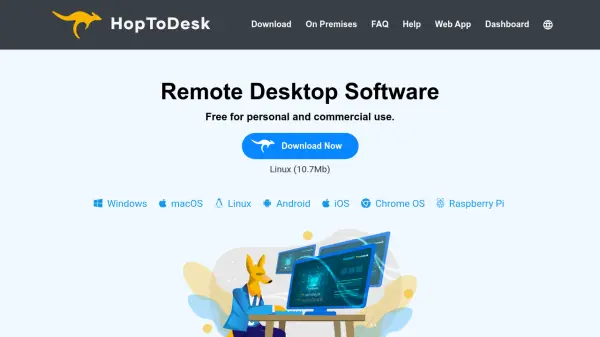
HopToDesk is a free remote desktop software that enables users to share screens and provide remote control access to computers and devices. It stands out by offering true end-to-end encryption for all communications, including chats, file transfers, and screen sharing, ensuring privacy and security. The tool is open-source and free for both personal and commercial use, with no limits on usage.
It supports multiple platforms such as Windows, Mac, Linux, Android, iOS, and Raspberry Pi, and operates without requiring router or firewall configuration. Features include a device dashboard for managing devices, direct IP access, IP whitelisting, and SOCKS5 proxy connections. Users can run it in portable mode or install it for enhanced functionality on certain systems.
Features
- End-to-End Encryption: All traffic, including screen sharing, chats, and file transfers, is encrypted for security.
- Cross-Platform Support: Works on Windows, Mac, Linux, Android, iOS, and Raspberry Pi.
- Free and Open Source: No cost for personal or commercial use, with open-source contributions welcome.
- No Installation Required: Can run as a portable application without installation, though installation enables full features on some systems.
- Device Dashboard: Manage devices, customize settings, and create invite links from a central dashboard.
Use Cases
- Remote technical support for computers and devices
- Collaborative work on shared projects with screen access
- File transfer between remote locations securely
- Managing multiple computers from a single interface
- Educational purposes for remote teaching or demonstrations
FAQs
-
How does HopToDesk compare to other remote desktop tools like TeamViewer?
HopToDesk is free for both personal and commercial use, offers true end-to-end encryption, and is open-source, unlike many competitors that may charge fees or lack full encryption. -
Can HopToDesk be used for business purposes without restrictions?
Yes, HopToDesk is free for commercial use with no limits, making it suitable for businesses of all sizes. -
What platforms are supported by HopToDesk?
HopToDesk supports Windows, Mac, Linux, Android, iOS, and Raspberry Pi, including various versions and architectures. -
Is it possible to self-host HopToDesk on private servers?
Yes, HopToDesk offers an on-premises option for setting up a private network on your own servers or infrastructure, including with AWS or Cloudflare Workers. -
What features are available when running HopToDesk in portable mode versus installed mode?
Most features work in portable mode, but on Windows, some advanced functions like sending Ctrl+Alt+Del require installation due to administrator permissions.