What is Desktopable?
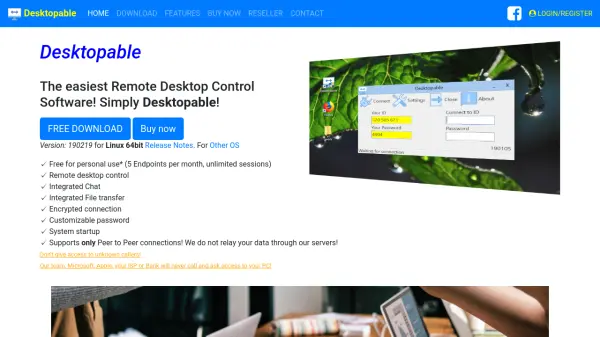
Desktopable provides a straightforward solution for remote desktop control across different operating systems. This software facilitates direct peer-to-peer connections without relaying data through external servers, ensuring privacy and security during remote sessions.
It includes integrated features such as chat functionality and file transfer capabilities within the remote desktop interface. The software is portable and requires no installation, making it accessible for various users who need to manage endpoints remotely with encrypted connections and customizable security settings.
Features
- Remote Desktop Control: Enables full remote access and control of desktop systems
- Integrated Chat: Built-in messaging functionality for communication during remote sessions
- Integrated File Transfer: Allows file sharing directly within the remote desktop interface
- Encrypted Connection: Secures all remote sessions with encryption protocols
- Cross-Platform Solution: Works across different operating systems and devices
- Peer-to-Peer Connections: Establishes direct connections without server relay for privacy
- Portable Software: Requires no installation and can run from portable devices
- Customizable Password: Provides configurable security settings for access control
Use Cases
- Remote technical support for family or friends
- Accessing work computers from home
- Collaborating on projects with remote team members
- Managing multiple computers in different locations
- Providing IT assistance without physical presence
- Transferring files between remote systems securely