What is Iperius Remote?
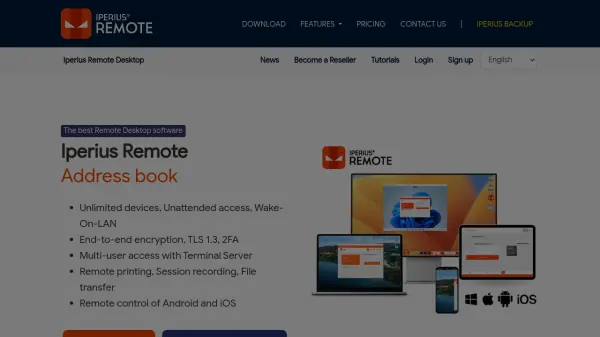
Iperius Remote delivers robust remote desktop functionality designed for seamless and secure access across Windows, Mac, iOS, and Android devices. Leveraging end-to-end encryption, two-factor authentication, and strict privacy modes, it ensures top-level security for sensitive sessions and data transfer. The platform supports unlimited devices and users, making it scalable for both small businesses and large enterprises.
Key highlights include unattended remote access, remote printing, session recording, and advanced statistics for detailed session monitoring. The software is tailored for technical support, efficient work-from-home solutions, and collaborative remote administration, offering options for granular user permissions, customizable client branding, mass deployment, and complete cross-device file management. Designed to be GDPR and HIPAA compliant, Iperius Remote is ideal for IT professionals, support teams, and remote workers seeking reliable performance and security.
Features
- Unlimited Devices: Simultaneous connections with no device limits.
- Unattended Remote Access: Connect to devices anytime without user intervention.
- End-to-End Encryption: Secure sessions using TLS 1.2/1.3 and DTLS-SRTP.
- Two-Factor Authentication: Enhanced security for all connections.
- Multi-Platform Support: Available on Windows, Mac, iOS, and Android.
- Custom Client & Rebranding: White-label options for businesses.
- File and Folder Transfer: Supports drag-and-drop, copy-paste, and incremental transfers.
- Remote Printing: Print documents remotely from connected devices.
- Session Recording: Record and archive all remote desktop sessions.
- Statistics and Reporting: Detailed logs of connection times by group, user, or device.
Use Cases
- Remote technical assistance and troubleshooting for clients.
- Secure work-from-home access to office computers and files.
- Remote monitoring and support for corporate servers.
- Mass deployment and management for IT service providers.
- Sharing and transferring files between remote team members.
- Conducting remote training sessions or demos.
- Remote access to mobile devices for IT support.
FAQs
-
Is Iperius Remote compliant with GDPR and HIPAA regulations?
Yes, Iperius Remote is compliant with GDPR and HIPAA thanks to advanced encryption and certified data centers. -
What platforms does Iperius Remote support?
Iperius Remote is compatible with Windows, Mac, iOS, and Android devices. -
Can Iperius Remote be used for unattended access?
Yes, you can install Iperius Remote as a service to enable unattended remote access to computers. -
Does Iperius Remote support file transfer between devices?
Yes, Iperius Remote allows bidirectional file and folder transfer using copy-paste, drag-and-drop, and incremental transfers. -
Is there an option for custom branding in Iperius Remote?
Yes, businesses can opt for a fully rebranded custom client for mass deployment and a personalized appearance.