What is FileMarker.NET?
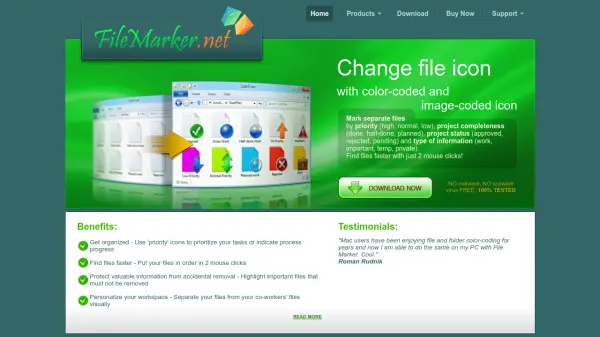
FileMarker.NET provides Windows users with an intuitive solution for visually organizing files through customizable icon modifications. The tool enables marking of individual files with color-coded icons and sub-icons that reflect various attributes including priority levels, project completeness, work status, and information type classifications.
Users can apply customizations directly through a right-click context menu without launching the main application interface. The program supports both single file and batch file marking operations, with customized icons remaining intact when files are transferred between systems with FileMarker.NET installed. This visual organization system helps users quickly identify important files, track project progress, and maintain workspace personalization.
Features
- Color-Coded Marking: Apply 33 color variations in normal, dark, and light states to files
- Image-Coded Marking: Add 36 built-in letter and number marks plus 16 professional office icons
- Priority Classification: Mark files by priority levels including high, normal, and low
- Project Tracking: Indicate project completeness with done, half-done, and planned status markers
- Work Status Indicators: Label files with approved, rejected, or pending status markers
- Information Type Classification: Categorize files as work, important, temporary, or private
- Batch Processing: Customize multiple files simultaneously with uniform marking
- Context Menu Integration: Access marking options through right-click popup menu without launching main application
Use Cases
- Visual file organization and prioritization in Windows environments
- Project management and progress tracking through file status indicators
- Workflow optimization by quickly identifying high-priority files
- Workspace personalization to distinguish personal files from shared work files
- File protection by highlighting important documents to prevent accidental deletion
- Team collaboration through standardized file marking systems
- Deadline management by color-coding files based on completion urgency