What is Bitwar PDF Converter?
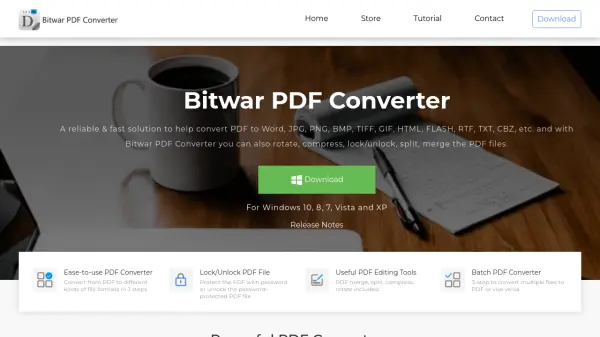
Bitwar PDF Converter is a desktop software designed for Windows operating systems, including Windows 10, 8, 7, Vista, and XP. It provides a comprehensive solution for converting PDF files to multiple formats such as Word (DOCX, DOC), WPS, RTF, HTML, TXT, Flash (.swf), and images (PNG, JPG, BMP, TIFF, GIF, ICO), as well as converting images to PDF and PDF to CBZ. The tool emphasizes ease of use with a three-step conversion process and supports batch conversions for handling multiple files efficiently.
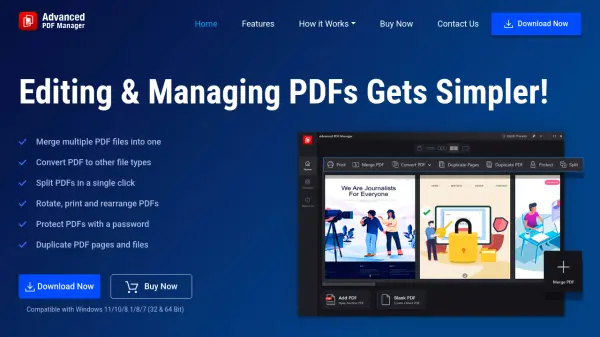
In addition to conversion capabilities, Bitwar PDF Converter includes useful PDF editing tools like merging, splitting, compressing, and rotating PDF files. It also features security functions for locking PDFs with passwords or unlocking password-protected files. All document conversions are processed locally, ensuring 100% security and privacy protection without the need for online uploads. The software is backed by online customer support for assistance with any questions or issues.
Features
- Multi-format Conversion: Convert PDF to Word, images, HTML, TXT, Flash, and more with a three-step process.
- PDF Editing Tools: Merge, split, compress, and rotate PDF files for easy management.
- Security Features: Lock PDFs with passwords or unlock password-protected files for enhanced security.
- Batch Conversion: Convert multiple files to PDF or from PDF in batches to save time.
- Local Processing: All conversions are done locally without online uploads, ensuring 100% privacy and security.
Use Cases
- Converting PDF documents to editable Word formats for content modification.
- Extracting images from PDF files for use in presentations or design projects.
- Merging multiple PDF files into a single document for streamlined organization.
- Compressing large PDF files to reduce storage space and improve sharing efficiency.
- Locking sensitive PDF files with passwords to prevent unauthorized access.
FAQs
-
How can I reduce the conversion waiting time?
Optimize your computer's performance and ensure the PDF files are not overly large to speed up conversion processes. -
What should I do if I encounter 'Page is too large than the Word page range'?
Adjust the page settings or split the PDF into smaller sections before conversion to fit within Word's page limits. -
Is the converted file identical to the original PDF?
The conversion aims for high success rates with nice effects, but minor formatting differences may occur depending on the original file complexity. -
Why do I need to enter a password when adding a PDF file?
This occurs if the PDF is password-protected; you must enter the correct password to unlock it for conversion or editing. -
How can I get a free trial of Bitwar PDF Converter?
Check the website or contact support for information on free trial availability and download options.