What is Online2PDF?
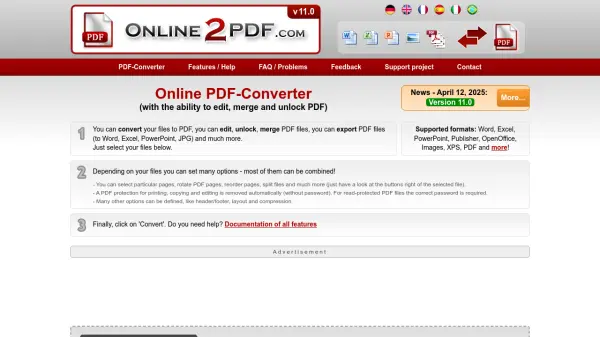
Online2PDF is a comprehensive online platform designed to streamline PDF conversion, editing, merging, and exporting, all within an easy-to-use, browser-based interface. Supporting popular document formats such as Word, Excel, PowerPoint, Publisher, OpenOffice, and various image types, it facilitates workflows requiring the creation, modification, and secure handling of PDF files.
Users can optimize file size through advanced compression, apply OCR to scan documents, set custom layouts, define security measures, and extract content to Word, Excel, PowerPoint, or images. The tool allows granular manipulation of documents—including selecting, rotating, splitting, unlocking (with password where required), and protecting PDFs—making it ideal for both personal and professional tasks without the need for software installation.
Features
- Multi-Format Support: Converts Word, Excel, PowerPoint, Publisher, OpenOffice, images, XPS, and PDF files.
- PDF Editing: Enables merging, splitting, reordering, and rotating pages within PDFs.
- Advanced OCR: Performs optical character recognition in 20+ languages for scanned documents and images.
- Export Options: Exports PDF content to Word, Excel, PowerPoint, and JPG formats.
- Compression & Optimization: Reduces file size via customizable image quality, resolution, and color options.
- Security Controls: Offers password protection, printing, copying, and editing locks for PDFs.
- Custom Layouts: Supports defining page sizes, margins, orientations, and multi-page layouts per sheet.
- Header/Footer Customization: Lets users add text or page numbering with various formatting options.
- Privacy Protection: Ensures uploaded files are deleted after conversion for data security.
Use Cases
- Converting office documents and images to PDF for sharing or archiving.
- Merging multiple files into a single PDF for reports or legal submissions.
- Extracting PDF content to editable Word or Excel formats for further editing.
- Optimizing scanned documents with OCR for searchable PDFs.
- Securing sensitive documents with password and permission restrictions.
- Compressing large PDF files for easier email or online upload.
- Preparing customizable PDF layouts for print or digital publication.
FAQs
-
Which file formats are supported for PDF conversion?
Supported formats include Word, Excel, PowerPoint, Publisher, OpenOffice, images, XPS, and PDF files. -
Is it possible to extract content from PDF to Word or Excel?
Yes, the tool allows exporting PDF files to editable Word, Excel, PowerPoint, and JPG formats. -
Does Online2PDF support OCR for scanned documents?
Yes, it offers advanced OCR capabilities in multiple languages for scanned images and documents. -
Are uploaded files stored or saved after conversion?
No, all uploaded files are deleted after conversion to ensure privacy and data security. -
Can I secure my PDF files with passwords or restrict permissions?
Yes, you can set passwords and lock actions like printing, copying, or modifying PDFs.