What is pdftoword.ai?
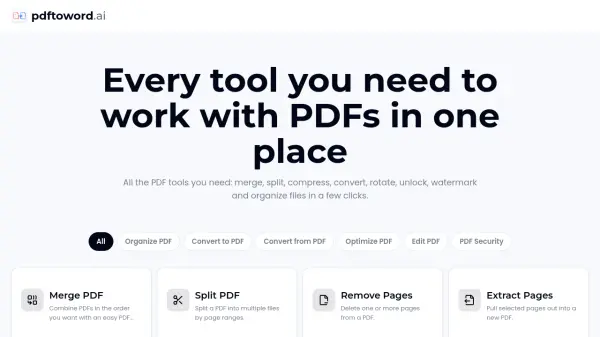
pdftoword.ai is a comprehensive online PDF toolkit that provides 24 free tools for managing PDF documents without requiring software installation or account creation. The platform enables users to perform a wide range of PDF operations including converting files between PDF and other formats such as Word, Excel, PowerPoint, JPG, and HTML, as well as merging, splitting, compressing, and organizing documents. Users can also edit PDFs by rotating pages, adding page numbers, cropping margins, applying watermarks, and removing or extracting specific pages.
The platform emphasizes security and convenience by encrypting files during transit and automatically deleting them after processing. All tools work directly in the browser on any device, making it accessible for students, businesses, legal professionals, and everyday users. The service processes files in seconds and delivers results without watermarks, offering features like OCR for scanned PDFs, password protection for sensitive documents, and repair tools for corrupted files. With over 120 million files processed across 190+ countries, pdftoword.ai streamlines PDF workflows by consolidating multiple PDF operations into a single, user-friendly platform.
Features
- 24 Free PDF Tools: Access a complete suite of PDF tools including merge, split, compress, convert, rotate, unlock, watermark, and organize
- Format Conversion: Convert between PDF and Word, Excel, PowerPoint, JPG, and HTML with high accuracy
- PDF Editing: Merge multiple PDFs, split documents by page ranges, remove or extract pages, and organize with draggable cards
- Compression and Optimization: Reduce PDF file size while maintaining quality, repair corrupted files, and OCR scanned documents
- Security Features: Password-protect PDFs with AES-256 encryption, unlock owner-protected documents, and automatic file deletion
- No Watermark Output: Process and download files without any watermarks added to the final documents
- Browser-Based Access: Works on any device and browser without requiring software installation or account creation
- Page Customization: Rotate pages, add page numbers, crop margins, and apply custom watermarks
Use Cases
- Students converting PDFs to Word for editing essays and merging reading materials into single documents
- Business professionals combining reports, exporting invoices to Excel, and protecting contracts before distribution
- Accountants converting PDF statements to Excel spreadsheets for financial analysis
- Legal teams splitting case files, adding watermarks to documents, and password-protecting confidential files
- HR departments organizing employee documents and securing sensitive personnel information
- Researchers compressing large PDF files to meet journal submission size limits
- Project managers merging multiple project documents into comprehensive reports
- Educators converting PowerPoint presentations to PDF format for student distribution
How It Works
Pick a tool
Choose from 24 PDF tools available — convert, merge, compress, edit, unlock and more.
Upload your file
Drag and drop your PDF or document into the tool, or browse to select it from your device.
Download the result
Process your file in seconds and download it instantly, ready to use or share.
FAQs
-
What can I do with pdftoword.ai?
pdftoword.ai is an all-in-one PDF toolkit with 24 free tools. You can convert files to and from PDF, merge and split documents, compress and repair files, OCR scans, edit pages, and password-protect or unlock PDFs — all from one place. -
Are the PDF tools really free?
Yes, all 24 PDF tools on pdftoword.ai are completely free to use with no watermarks on the output files. -
Do I need to install anything or create an account?
No installation or account creation is required. All tools work directly in your browser on any device. -
Are my files safe?
Yes, files are encrypted during transit and automatically deleted after processing to ensure your privacy and security. -
Which devices and browsers are supported?
pdftoword.ai works on any device and browser, including desktop computers, tablets, and smartphones.