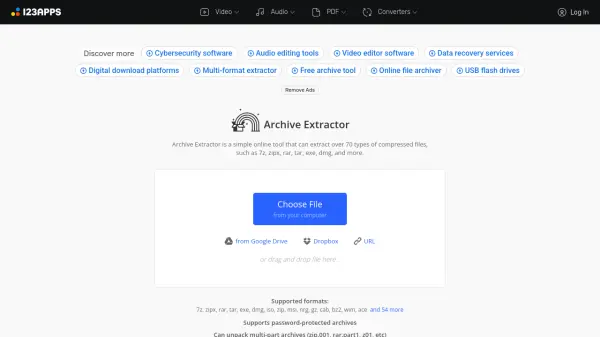
What is Archive Extractor?
Archive Extractor is a comprehensive online tool designed to handle a wide variety of compressed file formats. It supports extraction from over 70 different archive types, including common formats like 7z, zipx, rar, tar, exe, and dmg, as well as numerous specialized formats. The tool offers both free and premium tiers, with the premium version providing enhanced capabilities such as AI audio processing, larger file size limits, and an ad-free experience.
Users can upload files directly from their computer, cloud storage services like Google Drive and Dropbox, or via URL links. The platform handles password-protected archives and multi-part archives seamlessly, making it suitable for both personal and professional use cases where reliable archive extraction is needed.
Features
- Supported Formats: Extracts over 70 compressed file types including 7z, zipx, rar, tar, exe, dmg, iso, and many more
- Password Protection: Can unpack password-protected archives
- Multi-part Archives: Handles multi-part archives like zip.001, rar.part1, z01
- Cloud Integration: Upload files from Google Drive, Dropbox, or via URL
- AI Audio Processing: Premium feature for enhanced audio file processing
Use Cases
- Extracting downloaded software packages
- Opening compressed document collections
- Accessing password-protected archives
- Handling multi-part archive files
- Processing large compressed files up to 10GB
FAQs
-
What types of compressed files can Archive Extractor handle?
Archive Extractor supports over 70 compressed file formats including 7z, zipx, rar, tar, exe, dmg, iso, zip, and many specialized formats. -
Does Archive Extractor work with password-protected archives?
Yes, the tool can extract files from password-protected archives when the correct password is provided. -
What are the file size limits for the free version?
The free version supports files up to 500MB in size, while the premium version supports files up to 10GB. -
Can I extract multi-part archive files?
Yes, Archive Extractor can handle multi-part archives such as zip.001, rar.part1, and z01 files. -
What cloud storage services are supported for file upload?
Users can upload files from Google Drive, Dropbox, or via direct URL links to compressed files.