iZip favicon

iZip
The easiest way to manage compressed files on Mac and PC

What is iZip?

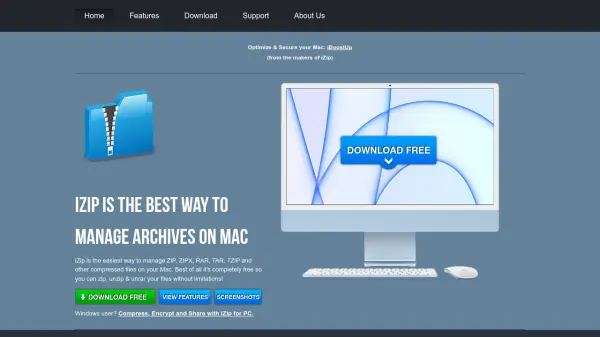
iZip provides a straightforward solution for handling compressed files on Mac and Windows systems. It supports a wide range of archive formats, including ZIP, ZIPX, RAR, TAR, 7ZIP, BZ2, and XZ, enabling users to zip, unzip, and unrar files without limitations. The tool is designed for ease of use, allowing quick browsing, viewing, and extraction of archives.

Security features include AES-256 encryption for protecting archives, and the Windows and macOS versions are fully interoperable, facilitating seamless file transfers and collaboration. iZip is completely free to download and use, with no advertisements, spyware, or time limits, though users can optionally upgrade to enable archive modifications.

Features

  • Archive Format Support: Supports ZIP, ZIPX, RAR, TAR, 7ZIP, BZ2, and XZ formats, including encrypted archives
  • Security: Provides AES-256 encryption for securing archives
  • Interoperability: Windows and macOS versions are fully interoperable for easy transfers and collaboration
  • Free Usage: Completely free to download and use with no advertisements, spyware, or time limits
  • Ease of Use: Allows quick browsing, viewing, and extraction of archives with a simple interface

Use Cases

  • Compressing files to save storage space
  • Extracting files from downloaded archives
  • Securing sensitive files with encryption before sharing
  • Collaborating on projects by transferring compressed files between Windows and Mac users
  • Managing backups by creating and organizing compressed archives

Related Tools:

Blogs:

  • Top 6 AI note-taking tools for 2026: in-person, online, and hybrid use cases

    Top 6 AI note-taking tools for 2026: in-person, online, and hybrid use cases

    Most AI note-taking lists are really lists of meeting bots, which join your video call and transcribe it. That's useful, but it's half the picture. Decisions happen in hallway conversations, client dinners, on-site visits, and hybrid rooms where nobody is on a video link. This guide covers different parts of the note-taking workflow: hardware capture for in-person settings, platform-native tools for online calls, and AI layers for organizing and synthesizing what you've captured. It compares six tools by capture context, workflow fit, pricing, and limitations.

  • Top AI tools for Teachers

    Top AI tools for Teachers

    Explore the top AI tools designed for teachers, revolutionizing the education landscape. These innovative tools leverage artificial intelligence to enhance teaching efficiency, personalize learning experiences, automate administrative tasks, and provide valuable insights, empowering educators to create engaging and effective educational environments.

  • Best Content Automation AI tools

    Best Content Automation AI tools

    Streamline your content creation process, enhance productivity, and elevate the quality of your output effortlessly. Harness the power of cutting-edge automation technology for unparalleled results

Didn't find tool you were looking for?

Be as detailed as possible for better results