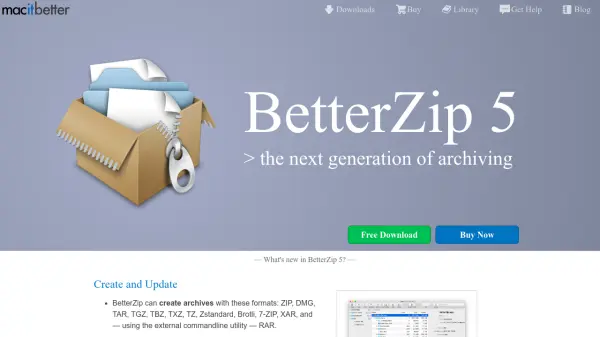
What is BetterZip 5?
BetterZip 5 is a powerful archiving utility designed specifically for macOS users. It enables users to create, modify, and extract archives in various formats including ZIP, DMG, TAR, RAR, and more than 30 others. The tool offers features such as previewing files without extraction, strong AES-256 encryption for data protection, and a password manager for secure access.
With integration into Finder and macOS sharing menus, BetterZip streamlines workflows through presets, filtering options, and automation capabilities via AppleScript and Automator. It also supports testing archives for integrity and managing archive comments, making it a versatile solution for handling compressed files efficiently.
Features
- Create and Update: Supports creation and modification of archives in formats like ZIP, DMG, TAR, and RAR with easy file editing
- Open and Extract: Opens and extracts over 30 archive formats including split files and ePub files
- Preview: Enables previewing or Quick Look of files inside archives without extraction
- Protect Your Data: Provides AES-256 encryption and a password manager for secure data handling
- Finder and Sharing: Integrates with Finder contextual menus and macOS sharing for streamlined archiving
Use Cases
- Compressing files for email attachments or cloud storage
- Extracting files from various archive formats on macOS
- Securing sensitive data with encryption before sharing
- Automating archive creation and extraction in workflows
- Previewing contents of archives without full extraction
FAQs
-
What archive formats does BetterZip 5 support?
BetterZip 5 supports over 30 formats including ZIP, DMG, TAR, TGZ, TBZ, TXZ, TZ, Zstandard, Brotli, 7-ZIP, RAR, Apple Disk Images, and many others for both creation and extraction. -
How does BetterZip 5 protect data?
It uses AES-256 encryption to secure archives and includes a password manager to store and automatically apply passwords for encrypted files. -
Can BetterZip 5 automate archiving tasks?
Yes, it can be automated using AppleScript and includes Automator actions for compressing, extracting, and testing archives, with integration into tools like Alfred and Hazel. -
Does BetterZip 5 integrate with macOS?
Yes, it adds a menu to Finder's contextual menus, a toolbar button, and a sharing extension for compressing documents from other apps. -
Is there a free version of BetterZip 5?
BetterZip 5 offers a free download with trial features, allowing users to test its capabilities before purchasing.