Instagram carousels earn saves when each slide teaches one step toward a single takeaway, but most creators either dump essay text on slide one or design ten pretty slides with no narrative arc. The fix is an ai workflow instagram carousel pipeline: choose one core idea, storyboard hook-teach-CTA slides before opening Canva or Figma, draft caption variants for accessibility, respect on-slide text limits, hand off structured copy to your template system, and optimize for saves and shares with intentional CTAs. AI outlines slides and captions; you own design, brand voice, and final approval.
This guide fits educators, coaches, B2B creators, and designers publishing 1080 by 1350 pixel carousels (4:5) or square 1080 formats. Pair storyboarding with AI code tools when you export slide JSON to design APIs or automate caption length checks, and AI research workflows when carousels summarize studies, tools, or news you must verify before teaching.
Pick One Takeaway Per Carousel
Every carousel should deliver one save-worthy takeaway a reader can explain in one sentence after swiping slide ten; multi-topic slides split attention and reduce saves. An instagram carousel ai workflow starts with a constraint doc: audience role, pain point, single outcome, and proof you can show (screenshot, mini case, framework name).
- Write the takeaway sentence before any slide titles: "After this carousel you will know how to X."
- Reject ideas that need two unrelated outcomes; split into two carousels instead.
- Match takeaway depth to slide count: five slides for one framework, ten for a full checklist.
- Note the primary CTA: save, share, comment keyword, or link in bio for one asset only.
- List two pieces of proof: stat with source, personal result, or client example (with permission).
| Carousel scope | Slide count | Save potential |
|---|---|---|
| Single tip expanded | 5 to 6 slides | Medium; fast consumption |
| Step-by-step tutorial | 7 to 10 slides | High reference value |
| Myth vs fact list | 8 to 10 slides | High share potential |
| Two topics merged | Any | Low; split recommended |
Slide Storyboard: Hook, Teach, CTA
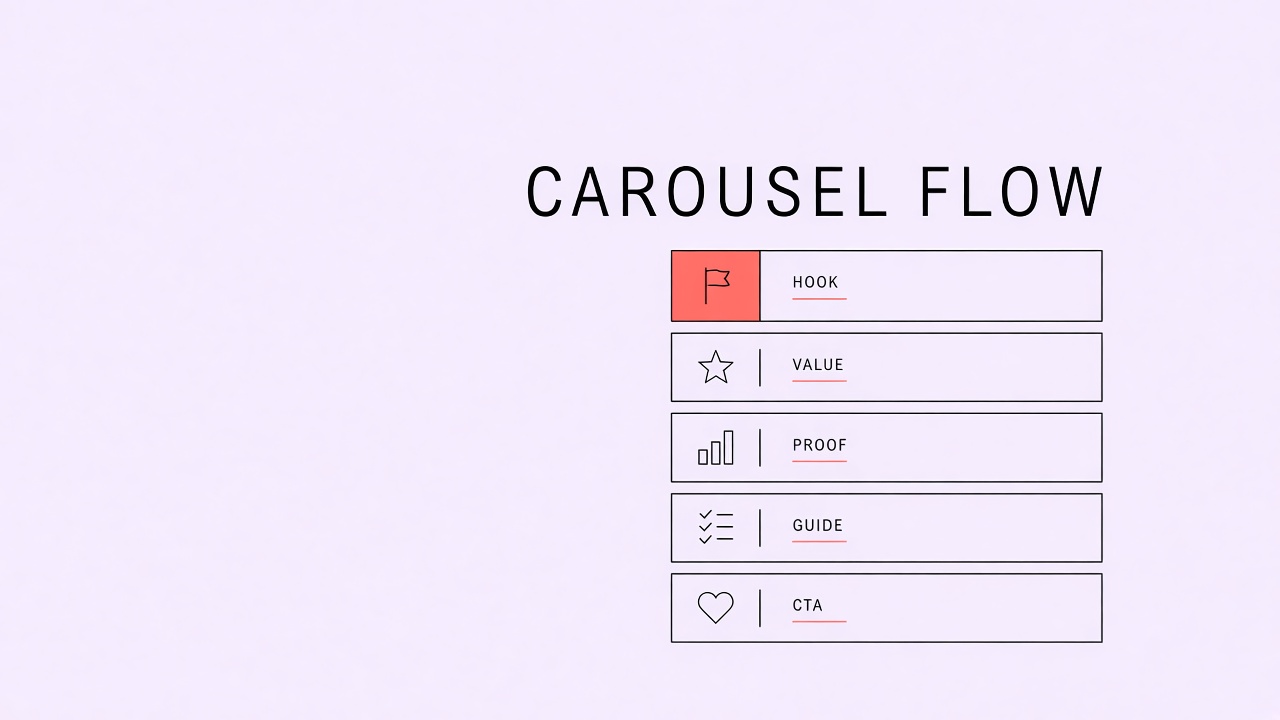
Structure every carousel as hook slide, teaching slides with one idea each, and a final CTA slide that repeats the takeaway and tells readers what to do next. A slide deck social content ai outline should list slide number, headline, body bullets (max three), and visual note before design starts.
- Slide 1 hook: bold claim, question, or "mistake" pattern with swipe cue.
- Slides 2 to N-1 teach: one step, myth bust, or example per slide; parallel headline structure.
- Slide N CTA: recap takeaway, save reminder, comment prompt, or bio link for lead magnet.
- Optional mid-carousel slide: social proof or screenshot with redacted client data.
- Keep headline words under 8 per slide when possible for mobile legibility.
| Slide role | Copy job | Design note |
|---|---|---|
| Hook | Stop the swipe with tension or promise | Largest type, minimal body text |
| Teach | One actionable idea | Numbered badge optional |
| Example | Concrete before or after | Screenshot or icon pair |
| CTA | Single action | Brand color accent, handle visible |
Prompt AI with the takeaway sentence and slide count; request a table with columns for slide, headline, bullets, and visual suggestion. Editors replace generic examples with niche-specific ones and cut slides that repeat the previous headline with different words.
Caption Variants for Accessibility
Write captions that stand alone for screen reader users and skimmers: summarize the carousel in the first two lines, then expand with numbered steps matching slide order. Carousel caption writing ai drafts help, but captions must not duplicate on-slide text word for word without adding context.
- Line 1 to 2: hook plus takeaway (visible before "more").
- Body: numbered steps aligned to slides; add detail not on slides.
- Include alt-text-friendly descriptions of charts or screenshots in prose.
- End with one CTA matching the final slide.
- Generate two tone variants: direct tutorial vs conversational story; pick one.
Hashtags belong at the end or in a comment depending on your brand style; keep hashtag sets consistent per content pillar. AI can suggest five to ten niche tags; remove broad spam tags that attract wrong audiences.
Alt Text and On-Slide Text Limits
On-slide text should stay within roughly 40 to 60 words per slide at body size readable on a phone; alt text for each exported image should describe the slide's teaching point, not decorative colors. Instagram allows alt text per image in carousels; skipping alt text hurts accessibility and weakens content clarity for algorithms parsing text in images.
- Export each slide as separate image for alt text entry if your workflow requires it.
- Alt text pattern: "Slide 3 of 8: [headline]. Shows [key visual element]."
- Reduce on-slide copy until headlines pass a phone preview at arm's length.
- Move long explanations to caption numbered list.
- Check contrast ratios for text over photos; add scrim in template if needed.
Text Density Check
If you squint at slide five on your phone and cannot read the headline in two seconds, split into two slides or cut words. AI often overwrites slides; editors enforce limits before design handoff.
Design Handoff to Canva or Figma
Hand designers a single doc with slide order table, approved headlines, hex codes, font names, and export specs so AI storyboards become pixels without another brainstorming round. Whether you use Canva brand kits or Figma components, structured handoff prevents "make it pop" loops.
- Storyboard table: slide #, headline, sub-bullets, icon or image note.
- Template link with locked margins and type styles.
- Asset folder: logos, headshot, product shots with usage rights confirmed.
- Export settings: 1080 width, PNG or JPG, sRGB, file naming carousel-topic-slide-01.
- QA checklist: typo scan, slide order, CTA handle spelling, brand color compliance.
| Handoff field | Owner | AI role |
|---|---|---|
| Slide copy | Creator approves | First draft outline |
| Visual layout | Designer or creator | Icon suggestions only |
| Caption and alt text | Creator approves | Variants from storyboard |
| Publish time | Creator | None |
Cover Slide and Grid Preview
Slide one doubles as profile grid cover: test how hook text crops at thumbnail size before export. Some creators design a dedicated cover slide with larger type than inner teach slides. AI storyboards should flag cover-specific wording when slide one text differs from slide two hook expansion. Reels cover frames can reuse slide one assets if aspect crop is planned in Figma, not cropped as an afterthought.
Post-Publish Review
Forty-eight hours after publish, review saves, shares, and comment questions; log which teach slide prompted most confusion replies. Confusion clusters indicate copy overload on a single slide. AI can categorize comments into "request part 2" themes for the next carousel takeaway. Pin a top comment answering the FAQ when the same question repeats; update storyboard templates to preempt it on the next batch.
Research-Backed Carousels
Professional carousels citing studies need a source slide or caption footnote with outlet and year. AI research drafts should list citations in storyboard notes; designers add small source lines on teach slides when space allows. Workflows tagged AI research still require human verification before publish. Misquoted stats in swipe posts spread faster than in long articles because saves detach context from comment threads.
Template Library Maintenance
Rotate Figma or Canva carousel templates quarterly so your feed grid does not look identical every Tuesday. Storyboard roles stay constant while color and layout variants refresh. Archive template version with date when hook styles change; contractors should not pull deprecated masters. CSV handoff columns for template ID speed assembly when batching four carousels from one research session.
DM Keyword CTA Flow
Carousels that use "comment KEYWORD for guide" CTAs need slide N aligned with automation limits and approved resource links. AI drafts keyword options short and memorable; verify automation delivers the same asset promised on slide. Accessible long captions should state the keyword once plainly for screen reader users. Track DM conversion separately from link-in-bio clicks when testing CTA slide variants.
Batch Storyboarding Sessions
Batch four carousel storyboards in one ninety-minute session when research theme is shared, then stagger design handoffs weekly to avoid grid monotony. Shared research from AI code export scripts can split one long doc into four takeaways with distinct hooks. Each takeaway still gets its own hook-teach-CTA table; do not split one essay across four carousels without reframing each as standalone.
Narrative Arc for Story Carousels
Story-driven carousels still use hook-teach-CTA: hook sets stakes, teach slides walk chronology with one beat each, CTA invites reflection or DM. AI timelines from bullet notes; verify dates and names manually. Emotional hooks must not fabricate events; use composite labeling when stories blend multiple client experiences. Story carousels often perform on shares when the lesson slide before CTA names a behavior change, not only feelings.
Optimize Saves and Shares Intentionally
Carousels optimized for saves use checklist and framework takeaways; carousels optimized for shares use contrarian hooks and myth-bust patterns with clear share CTA copy on the final slide. An ai workflow instagram carousel brief should name primary success metric before storyboarding so teach slides support saves or shares, not both equally when goals conflict.
- Save-oriented: numbered steps, templates, swipe file language on CTA slide.
- Share-oriented: bold claim slide two, evidence slide three, "send to someone who..." CTA.
- Track saves and shares separately in Instagram insights; do not optimize on likes alone.
- Repurpose high-save carousels into email snippets or blog outlines with expanded context.
- Avoid engagement bait phrases forbidden by platform policies; ask specific questions instead.
| Goal | Storyboard emphasis | Caption emphasis |
|---|---|---|
| Saves | Dense teach slides, minimal fluff | Full numbered recap |
| Shares | Hook plus proof arc | Short punchy opener |
| Comments | Debate slide or open question | Specific question in last lines |
Carousel Accessibility Review
Before publish, read long caption aloud with eyes closed; if slide order is unclear, add numbered slide references in caption prose. On-slide text should not rely on color alone to convey meaning; patterns and labels help color-blind viewers. Instagram auto-captions for Reels covers differ from carousel captions; do not assume one accessibility pass covers both formats.
Frequently Asked Questions
How many hashtags should carousels use in 2026?
Use three to eight highly relevant hashtags tied to your niche pillar rather than 30 generic tags; relevance and saves matter more than hashtag count alone. Test one carousel with hashtags in caption and one with hashtags in first comment if you prefer cleaner captions; track reach difference for your account size, not industry myths.
Can I repost the same carousel with small edits?
Refresh underperforming carousels with a new hook slide, updated examples, and revised caption after 8 to 12 weeks rather than reposting identical files that followers already saved. AI can rewrite hooks and examples; design needs at least slide one and CTA refresh to feel new.
How do collab carousels change the workflow?
Split storyboard approval with collaborators before design: agree on takeaway, slide count, and who posts as primary; tag partners in CTA slide and caption. AI outlines should list both voices if dual perspective; each party fact-checks their claims. Collab posts need extra alt text if partner logos appear.
What CTA best drives saves versus shares?
Checklists and frameworks drive saves; contrarian hooks and myth-bust slides drive shares; match CTA slide wording to the behavior you want ("Save for your next client kickoff" vs "Send to a friend who still does X"). Track saves and shares in Instagram insights per carousel and feed winners back into storyboard templates.
Is there an ideal slide count for reach?
Slide count should follow content depth, not arbitrary always-ten-slides rules; shallow carousels with forced slides lose swipes mid-way. Track completion proxies via saves and comment references to slide numbers when insights expose them. Trim teach slides when drop-off feedback clusters on one slide. One takeaway rule matters more than slide count targets copied from generic advice posts.
Storyboard Before Slides, Captions That Stand Alone
A strong ai workflow instagram carousel practice locks one takeaway, storyboards hook-teach-CTA slides, writes accessible captions and alt text, respects on-slide word limits, and hands structured copy to Canva or Figma templates. AI accelerates outlines and caption variants; design and proof stay yours.
Ship one carousel this week using the storyboard table, then refine slide count and CTA language from save and share metrics on the next batch. Batch storyboards when research themes overlap, but publish on staggered weeks so your grid stays varied. Saves compound when each slide teaches one clear step toward a takeaway readers can repeat without reopening the post. Review alt text on every slide before scheduling; accessibility improvements often lift saves from users who rely on captions and descriptive text.