You click "generate clip" and stare at a spinner. Thirty seconds later a preview appears. You tweak one word and wait again. Competitors stream partial frames in two seconds. The difference is rarely raw model speed alone. It is whether the product team designed an AI latency budget and enforced it across every pipeline stage.
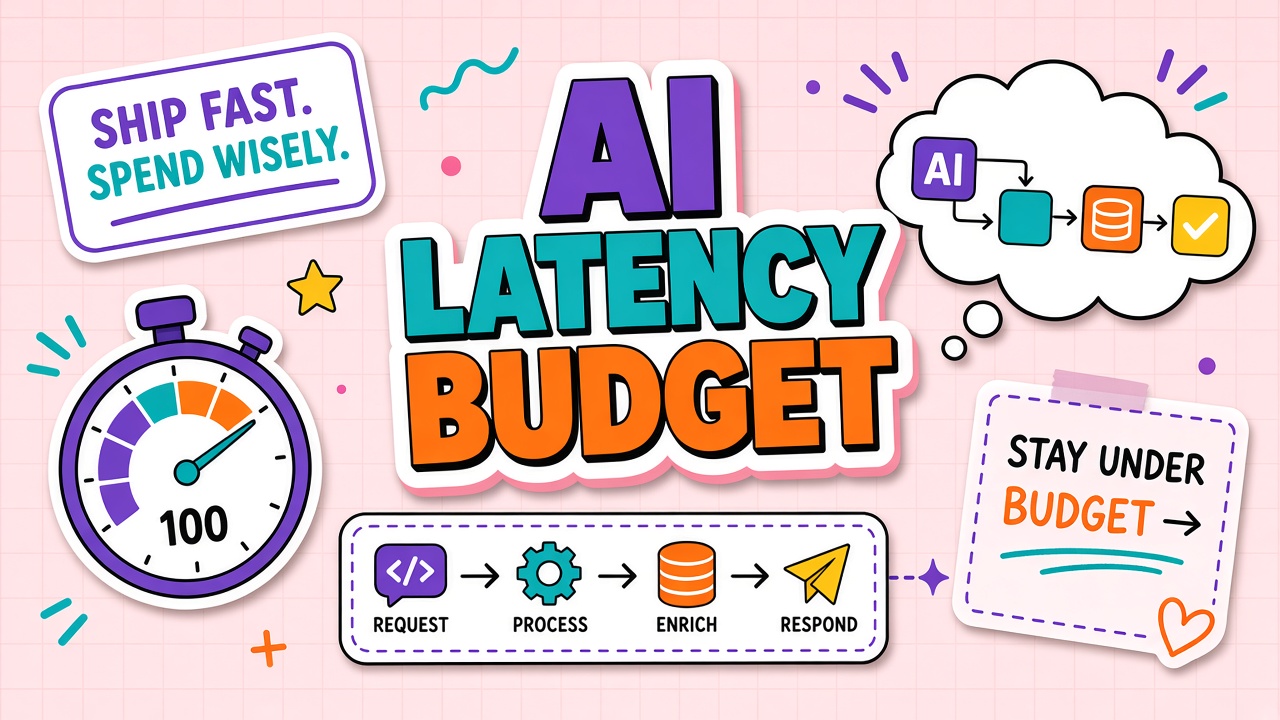
A latency budget is a product-level allocation of acceptable delay, usually expressed as p50 and p95 targets from user action to useful feedback. It covers network round trips, queue time, retrieval, inference, post-processing, and UI rendering. Teams shipping AI video tools and AI transcription services feel latency acutely because media workloads are heavy and users compare experiences to instant consumer apps.
p50, p95, and User-Perceived Latency
p50 (median) is the typical experience: half of requests finish faster, half slower. Marketing and demos optimize for p50. p95 captures the slow tail that drives churn: one in twenty users waits long enough to abandon, refresh, or tweet complaints. SLOs should specify both, plus a hard timeout for failure states.
User-perceived latency is not identical to server processing time. Perceived wait includes time until the UI shows progress, time to first token or first frame, and idle gaps between streaming chunks. A 10-second job that streams updates at second one feels faster than a 6-second job with a blank screen until completion.
| Metric | Measures | Product use |
|---|---|---|
| Time to first byte (TTFB) | Server acknowledged request and started response | API health, cold start detection |
| Time to first token (TTFT) | First streamed LLM output visible | Chat and copilot responsiveness |
| Time to first frame | First preview image or video frame rendered | Video generation UX |
| End-to-end p95 | Click to final artifact ready | Export, download, editor-ready state |
Pipeline Stages in a Latency Budget
Break the path from user intent to delivered result into instrumented stages. Each stage gets a budget slice. Overruns in one stage force tradeoffs elsewhere: smaller model, fewer retrieval chunks, or aggressive caching.
Typical stage breakdown for multimodal AI tools
- Client upload and validation: File size checks, format transcode, chunking for long media.
- Auth and quota: Token verification, rate limit, queue admission.
- Preprocessing: Audio denoise, scene detection, thumbnail extraction, embedding for RAG.
- Inference: GPU time for ASR, diffusion, or LLM calls. Often the largest slice.
- Post-processing: Alignment, subtitle formatting, watermarking, codec export.
- Delivery: CDN push, WebSocket stream to client, editor state hydration.
A transcription pipeline might budget 200 ms for upload ack, 150 ms for queue, 2 s for ASR on a five-minute file (hardware dependent), 100 ms for subtitle packaging, and 50 ms for CDN. Video generation spreads budget across preview (low resolution, fast) and final render (slow, async). Users tolerate long final renders when previews arrive quickly and progress is visible.
Streaming vs Batch Execution
Streaming sends partial results as they are produced: tokens in chat, waveform peaks in transcription, low-res frames in video preview. Streaming improves perceived latency even when total work time is unchanged. It requires protocol support (SSE, WebSockets) and UI that renders incrementally.
Batch execution waits for full completion before returning. Batch is simpler to implement and easier to bill per job, but it concentrates user wait at the end. Best practice: stream early signals, batch heavy final encoding. A caption editor might stream draft text in real time during playback, then batch-export a polished SRT file.
- Stream when: Users need feedback to stay engaged, or they may cancel mid-job.
- Batch when: Output is consumed programmatically, quality needs global context, or partial results mislead.
- Hybrid: Stream preview tier; notify when batch final is ready (email, push, in-app badge).
Precompute, Cache, vs Live Inference
Not every AI call must run at click time. Precompute generates embeddings, summaries, or proxy previews when assets upload or on a schedule. Cache stores prior results keyed by content hash plus prompt version. Live inference runs fresh when inputs are novel or personalization demands it.
Transcription services often precompute language detection on upload so the user sees metadata before full ASR completes. Video tools cache style embeddings for popular templates. Live inference remains for custom prompts that never appeared before. Cache invalidation must include model version and template version in the key, or stale outputs ship silently after upgrades.
| Strategy | Latency impact | Risk |
|---|---|---|
| Precompute on upload | Shifts work before user clicks "generate" | Wasted compute if upload is abandoned |
| Result cache | Near-instant repeat queries | Stale after model or prompt change |
| Live only | Highest freshness | Worst tail latency under load |
When evaluating AI video platforms, ask what is precomputed at ingest versus generated on demand. Demos that reuse cached clips hide real latency for first-time custom prompts.
Capacity Planning and Tail Latency Under Load
Latency budgets assume adequate capacity. Under load, queue depth grows and p95 spikes even when per-job inference time is stable. Autoscaling policies should trigger on queue age and GPU utilization, not only CPU averages. Cold starts on serverless GPU platforms can add seconds to the tail; keep minimum warm instances for peak hours if your budget cannot absorb them.
Batch inference improves throughput but hurts interactive p95 unless you reserve a fast lane for user-initiated jobs. Mixed workloads are common in transcription SaaS: bulk podcast imports share GPUs with live meeting captions. Without priority queues, bulk jobs starve interactive users. Tag jobs with priority metadata and enforce separate concurrency pools.
Designing Responsive Workflows Around the Budget
Product design and engineering share the budget. If inference owns 80 percent of p95, shaving UI animations is pointless. Conversely, a 200 ms spinner before any feedback wastes budget that streaming could reclaim. Run weekly latency reviews with stage-level flamegraphs from production traces.
Degrade gracefully inside the budget: fall back to a smaller model when queue depth exceeds a threshold, reduce resolution for preview tier, or offer "fast draft" vs "high quality" modes with explicit time estimates. Users forgive slower modes when labels are honest and progress bars reflect real backend state, not fake animations.
Frequently Asked Questions
How does mobile affect AI latency budgets?
Mobile adds upload time for large video files, weaker CPUs for client-side decode, and intermittent networks that retry requests. Budget separately for mobile p95: compress uploads, resume chunked transfers, and show offline-friendly status. Transcription apps on cellular benefit from client-side waveform preview while upload continues in the background.
What about global users and regional latency?
Route inference to regions near the user or near stored media. Cross-region data transfer can dominate video AI jobs. Document which regions are supported and expected p95 per region. Fail over to secondary regions with explicit latency penalties rather than silent cross-ocean routing.
What timeout values should client apps use?
Set client timeouts above server p99 but below user patience. Example: if server p95 is 8 s for draft transcription, timeout at 30 s with retry, show cancel after 15 s with partial results if available. Align WebSocket heartbeat intervals with proxy idle limits so long jobs do not drop silently.
Is queue wait or slow inference hurting us more?
Instrument both. Queue growth signals capacity planning; flat queues with long inference signal model or GPU bottlenecks. Autoscale workers for queue spikes; optimize model or batch size when queue is empty but p95 is high.
Do vendors publish latency SLAs that match our budget?
Many publish uptime but not p95 inference latency under load. Run your own harness from your region with representative payloads. Compare TTFT and end-to-end for video and transcription vendors during peak hours, not only vendor benchmark blog posts.
Budget Latency Like You Budget Money
An AI latency budget turns "make it faster" into stage-level decisions: what to stream, what to precompute, what to cache, and what deserves a bigger GPU. Track p50 and p95, measure perceived wait, and design video and transcription workflows that reward users with early feedback instead of silent spinners.
Products that feel instant are usually engineered that way on purpose. The budget is the contract between product promise and infrastructure reality.