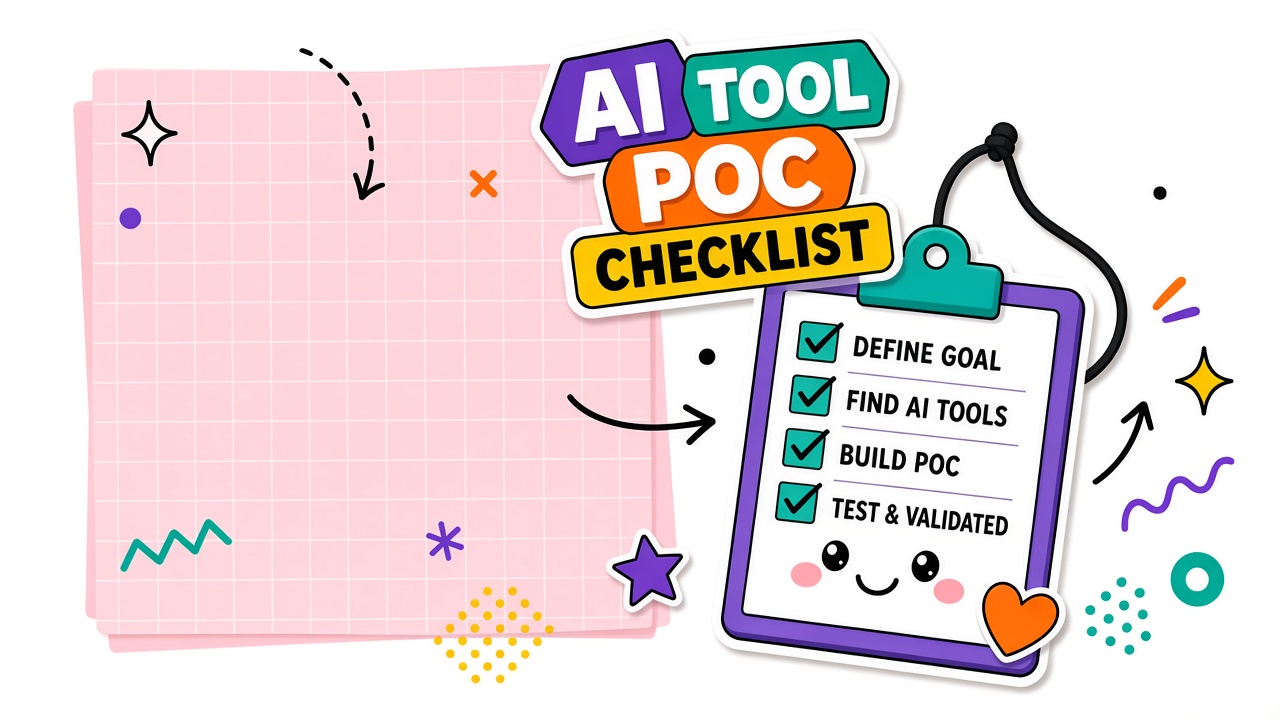
An AI tool proof of concept checklist prevents the most common pilot failure: scope creep. Without explicit boundaries, a two-week POC becomes a three-month informal deployment with no success criteria, no stakeholder sign-off, and no documentation for procurement. A structured POC answers one question: does this tool improve a defined workflow enough to justify a contract?
This guide provides a POC charter template covering scope, stakeholders, metrics, timeline, and handoff. Shortlist candidates from EliteAI.tools or our AI chatbot category before opening the POC charter.
POC Scope and Explicit Non-Goals
Every POC needs a one-paragraph scope and a list of what you will not test. Non-goals protect the timeline from stakeholders who want to "also try" unrelated use cases during the pilot.
POC scope template:
- Workflow: One defined job with named inputs and outputs
- Users: Specific team members who will run the pilot (not the whole company)
- Volume: Number of tasks or documents to process during the POC
- Duration: Fixed start and end dates (typically 2-4 weeks)
- Environment: Trial tier, sandbox, or production plan as negotiated
Example non-goals: "We will not test API integrations during this POC." "We will not onboard more than five users." "We will not evaluate alternative vendors in parallel." Write non-goals explicitly in the charter and share with all stakeholders.
Stakeholder Roles and Decision Authority
Name who decides before the POC starts. Ambiguous authority produces POCs that run indefinitely because no one can say no.
| Role | Responsibility | Sign-off required? |
|---|---|---|
| POC owner | Runs daily testing, logs results, escalates blockers | No |
| Workflow sponsor | Defines success criteria, approves scope changes | Yes |
| Technical lead | Validates integrations, security, and data handling | Yes for production path |
| Procurement | Reviews vendor terms, pricing at projected volume | Yes for contract |
| Decision authority | Go/no-go based on POC results | Final sign-off |
Success Metrics and Failure Criteria
Define success and failure before testing begins. Metrics should be measurable during the POC window, not aspirational annual goals.
| Metric | Success threshold | Failure threshold |
|---|---|---|
| Usable output rate | 70%+ outputs need minor edits only | Below 50% usable without major rewrites |
| Review time | 30%+ faster than manual baseline | No measurable time savings |
| Error rate | Fewer than 5% outputs with factual errors | Above 15% outputs require rejection |
| User adoption | 80%+ of pilot users complete assigned tasks | Below 50% participation without blockers |
Timeline and Resource Budget
A POC without a deadline becomes a shadow deployment. Allocate calendar time and person-hours explicitly. Include setup, testing, review meetings, and documentation in the budget.
Sample two-week POC timeline:
- Days 1-2: Account setup, data upload, prompt configuration
- Days 3-8: Daily testing on real inputs, log results in shared tracker
- Day 9: Mid-POC check: scope on track, blockers escalated
- Days 10-12: Final test batch, collect user feedback
- Days 13-14: Write POC report, schedule go/no-go meeting
Documentation for Procurement Handoff
The POC report is the bridge between testing and buying. Procurement needs evidence, not enthusiasm. Include these sections in the handoff document:
- POC charter (scope, non-goals, dates)
- Success metrics with actual results vs thresholds
- Sample outputs (good and bad) with annotations
- Known limitations and accepted tradeoffs
- Projected cost at production volume
- Security and compliance notes from technical lead
- Recommendation: go, no-go, or extend with conditions
Frequently Asked Questions
What is the difference between a POC and a pilot?
A POC tests whether the tool can do the job under controlled conditions. A pilot runs the tool in production with a subset of real traffic. POCs are shorter (2-4 weeks) and narrower in scope. Pilots follow a successful POC and test operational readiness at scale.
Can we run a POC on a free tier?
Only if the free tier matches the production plan's model, rate limits, and features. Free tiers often use different models or caps that invalidate POC results. Request a trial on your intended plan tier from the vendor if the free tier differs materially.
When should we extend a POC instead of deciding?
Extend only when a specific blocker outside your control delayed testing (vendor onboarding, security review, missing integration). Do not extend because results are ambiguous. Ambiguous results are a no-go or a request for a structured re-test with clearer criteria.
What if the POC succeeds but procurement stalls?
Document the POC end date and note that results reflect conditions at that time. Model and pricing changes can invalidate POC evidence after 60-90 days. Set a re-validation trigger if procurement extends beyond that window.
The Bottom Line
A structured AI tool POC checklist keeps pilots short, measurable, and decision-ready. Define scope and non-goals, assign decision authority, set success and failure thresholds, budget time, and hand off documented results to procurement. The POC that ends with a clear no is more valuable than the one that never ends.