Support bots answer the same refund question four hundred times a day with four hundred full model calls. Research assistants re-summarize identical policy paragraphs because users phrase requests slightly differently. API bills climb while latency stays flat. Exact-match caching helps only when prompts are identical strings, which is rare in natural language.
Semantic caching stores prior model inputs and outputs, then retrieves cached responses when new prompts are semantically similar enough to earlier ones. Redis, GPTCache, LangChain integrations, and vendor-specific layers implement variants of this pattern. This guide contrasts exact vs semantic caches, explains similarity thresholds and wrong-answer risks, covers cost and latency tradeoffs, and addresses privacy, storage TTL, and cross-tenant isolation for teams running AI automation and AI research workloads at scale.
Exact Match vs Semantic Cache
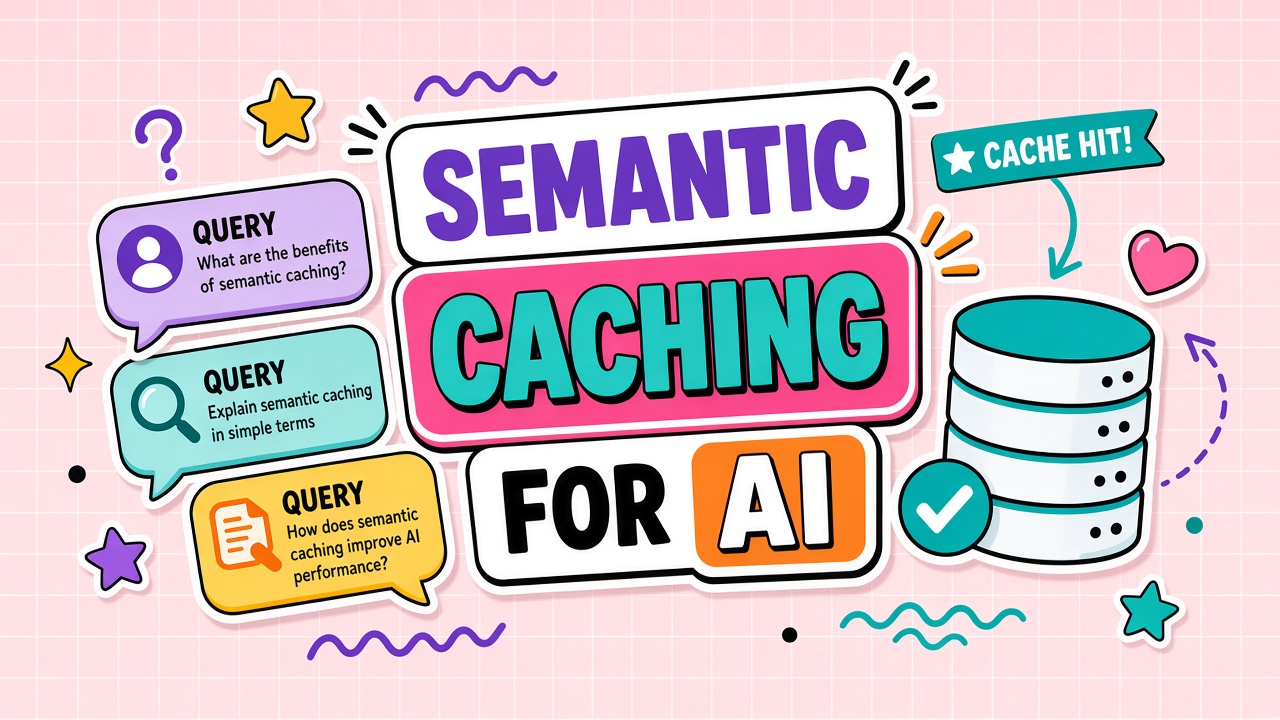
An exact cache keys on a hash of the full prompt string (plus model name, temperature, and other parameters). Hits occur only when every character matches. A semantic cache embeds the prompt into a vector, searches a store for nearest neighbors, and returns a cached response when similarity exceeds a threshold. Paraphrases like "How do I reset my password?" and "Password reset steps?" can hit the same entry.
Semantic caching sits in the request path between your application and the LLM provider. On each incoming query, the middleware embeds the prompt, queries a vector index of prior question-answer pairs, and compares similarity scores against a configured threshold. Above threshold, the stored response returns immediately. Below threshold, the request forwards to the model, and the new pair may be written back to the cache for future hits. GPTCache, Redis with vector search modules, and custom Postgres pgvector implementations follow this pattern with different operational tradeoffs.
| Cache type | Match key | Hit rate potential | Wrong-answer risk |
|---|---|---|---|
| Exact | String hash of prompt + params | Low for NL queries | Very low |
| Semantic | Embedding similarity | High on repetitive support and FAQ flows | Moderate if threshold too loose |
| Hybrid | Exact first, semantic fallback | Balanced | Lower than semantic-only with tuning |
Similarity Thresholds, Hit Rates, and Wrong Answers
The similarity threshold is the control knob. High thresholds (for example, cosine similarity above 0.95) reduce false hits but miss paraphrases. Low thresholds increase hit rate and revenue savings but raise the chance that "cancel subscription" matches "cancel order" and returns the wrong playbook.
How teams tune thresholds
- Start conservative on customer-facing bots; measure incorrect cache serves on a labeled set.
- Segment caches by intent category so embeddings compete within narrower namespaces.
- Include metadata filters (product line, locale, user tier) in cache keys alongside vectors.
- Log near-misses just below threshold for manual review and cache seeding.
When semantic cache returns the wrong answer
Users receive instant, confident, incorrect responses. Unlike a slow model error, cache hits skip fresh reasoning entirely. High-stakes domains (medical, legal, billing disputes) need stricter thresholds, human escalation paths, or no semantic cache at all. Low-stakes FAQ deflection tolerates more aggressive caching.
Common Implementation Patterns for Automation and Research
Automation platforms often sit in front of LLM APIs with a cache layer that checks embeddings before forwarding requests. Zapier-style workflows with repetitive template prompts benefit from high hit rates when users trigger the same automation with minor wording changes. The cache key should include workflow version, connected account ID, and model parameters, not only the user message text.
Research assistants face lower hit rates on novel synthesis tasks but still cache intermediate steps: summarizing the same uploaded PDF across sessions, or re-running identical extraction prompts on unchanged corpora. Separate caches for retrieval chunks vs final answers so document updates invalidate the right layer without flushing unrelated entries.
Cost and Latency Benefits
Cache hits avoid LLM inference charges and embedding-heavy RAG retrieval on repeat questions. Latency drops from seconds to milliseconds for served entries. Savings scale with traffic repetition: internal help desks, documentation bots, and classification routers see the strongest ROI.
Costs shift to cache infrastructure: vector store or Redis memory, embedding API calls for each new query, and invalidation jobs. Break-even depends on token price, query volume, and hit rate. A 40 percent hit rate on a million monthly queries can justify dedicated cache clusters; a 5 percent hit rate may not.
What still takes time on a cache miss
- Embed the incoming prompt (unless cached embedding exists).
- Vector search across the cache index.
- Threshold check and optional reranker.
- Full LLM path on miss, then write-back to cache.
| Metric | Cache hit | Cache miss |
|---|---|---|
| Typical latency | Milliseconds to low tens of ms | Seconds (LLM + optional RAG) |
| LLM token cost | Zero for generation | Full input and output tokens |
| Embedding cost | One query embed per lookup | Same, plus generation embed if RAG |
| Freshness | Bounded by TTL and invalidation | Current model and corpus state |
Building a Hybrid Cache Strategy
Production systems often layer caches. Exact hash match on full prompt plus model parameters catches repeated automation triggers. Semantic search catches paraphrases. A final optional LLM-as-judge step can verify cache candidates on high-stakes queries before serving stored answers. The judge adds latency on near-threshold matches but reduces false hits that pure embedding similarity misses.
Cache warming from approved FAQ content (pre-embed canonical questions and official answers) improves hit rate on day one without waiting for organic traffic. Support teams curate seed pairs; engineering loads them into the vector index with long TTL and version tags tied to documentation releases.
Privacy, Storage, TTL, and Cross-Tenant Isolation
Cached entries contain user prompts and model responses. That data may include PII, credentials pasted by mistake, or confidential research notes. Semantic caching amplifies retention: similar future queries replay stored text without re-running safety filters unless you design for it.
Storage and TTL policies
Set time-to-live per use case. FAQ caches may live for days; personalized answers should expire in minutes or never be shared. Encrypt cache payloads at rest. Support deletion when users exercise data rights. Document whether cache entries cross regional boundaries.
Cross-tenant leakage risks
Multi-tenant SaaS must never return tenant A's cached answer to tenant B because prompts embedded similarly. Namespace caches by tenant ID, enforce strict metadata filters at retrieval time, and audit for isolation in penetration tests. Shared public FAQ caches are safer than shared personalized caches.
Invalidation when source truth changes
Product launches, pricing updates, and policy revisions stale cached answers. Pair semantic cache with event-driven invalidation: flush tags when documentation versions change, or lower TTL during volatile periods. RAG-backed bots need cache keys that include corpus version hashes so retrieval updates propagate.
Teams evaluating semantic caching AI middleware should model false-hit cost alongside token savings. A cheap wrong answer is expensive in support tickets and trust.
Embedding model choice affects cache quality
Semantic cache hit quality depends on the embedding model used for similarity search. General-purpose text embeddings work for broad FAQ matching. Domain-tuned embeddings improve separation between similar-sounding but distinct intents (billing vs shipping). Re-embed the cache when you change embedding models; old vectors are not comparable to new ones without full reindexing.
Regulatory and compliance considerations
GDPR and similar frameworks may classify cached prompts and responses as personal data. Data processing agreements with cache vendors must cover storage location, encryption, retention, and deletion on request. Healthcare and financial workloads may prohibit cross-user caching entirely even with similarity thresholds. Document cache behavior in privacy policies so users know answers may be reused for similar future questions.
Frequently Asked Questions
When should you not use semantic caching?
Avoid aggressive caching for unique creative generation, personalized financial advice, real-time data lookups (stock prices, inventory), and any workflow where small prompt differences imply large answer differences. Also skip when compliance requires a fresh model pass with current policy filters on every request.
How do you invalidate semantic cache entries?
Use TTL expiration, version tags on knowledge bases, manual purge APIs, and event hooks from CMS publishes. Track cache entry provenance (source document IDs) so targeted invalidation does not require wiping the entire index.
Is semantic caching the same as prompt caching?
Prompt caching (offered by some LLM APIs) reuses computed attention states for identical long prompt prefixes to reduce cost and latency on repeated system prompts. Semantic caching matches different user questions to prior Q&A pairs. They solve different layers of the stack and can be combined.
What hit rate should you expect?
Hit rates vary widely. Repetitive support bots may exceed 50 percent semantic hits after tuning. General research assistants with diverse queries may stay below 15 percent. Measure on your traffic; vendor case studies use idealized workloads. Track hit rate alongside false-hit rate: a 60 percent hit rate with 2 percent wrong answers may be worse than 35 percent hits with near-zero errors for billing and compliance workflows.
Build in-house or use a cache product?
Managed layers (GPTCache, Redis with vector modules, cloud-specific offerings) accelerate rollout. In-house control suits strict tenancy, custom invalidation, and proprietary embedding models. Either path needs monitoring for false hits and stale content.
How does semantic caching interact with RAG?
RAG-backed bots retrieve fresh documents each query. Caching final answers without including corpus version in the cache key serves stale policy text after document updates. Include index version hashes or last-sync timestamps in cache metadata. Some teams cache only the retrieval step (similar questions map to same chunk set) while regenerating answers, trading partial savings for fresher synthesis.
Cache Smarter, Not Blindly
Wrong answers from loose similarity thresholds are silent failures: users get instant responses with no indication the system skipped fresh reasoning. Build labeled test sets of near-duplicate prompts with different correct answers and measure false-hit rate before tightening thresholds for production traffic.
Semantic caching AI middleware pays off when query repetition is high, stakes are moderate, and invalidation hooks tie to your content lifecycle. It fails when teams chase hit rate without measuring wrong answers, or when regulated data cannot be stored in shared vector indexes. Start with hybrid exact-plus-semantic layers, conservative thresholds, and tenant isolation by default.
Semantic caching cuts repeat inference cost and latency by matching paraphrased prompts to stored answers. For automation and research platforms with repetitive query patterns, tuned thresholds and tenant isolation deliver real savings. Treat wrong hits as a first-class risk, set TTL and invalidation policies before launch, and keep exact-match layers where precision matters. The goal is fewer redundant model calls, not faster wrong answers at scale. Platforms tagged under automation and research on EliteAI.tools may or may not expose caching controls; ask vendors whether semantic cache is configurable, tenant-isolated, and invalidation-aware before assuming cost savings from day one. Pilot on internal traffic first, then expand to customer-facing bots once false-hit metrics stay within your acceptable error budget for the use case.