What is SylloTips?
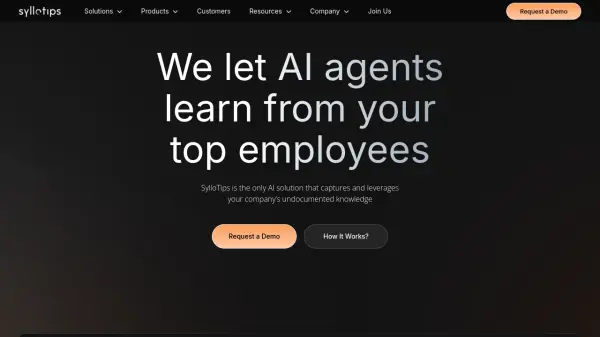
SylloTips is an AI solution designed to capture and utilize your company's undocumented knowledge. By learning from top employees, SylloTips helps automate tasks and provide quick answers to common questions, thus increasing overall efficiency.
The platform integrates seamlessly with Microsoft Teams and offers a dynamic knowledge base, constantly updated through real-time expert interactions. SylloTips ensures data security through advanced encryption, data segregation, and GDPR compliance, making it a reliable choice for regulated industries.
Features
- Instant Expert Answers: Provides immediate answers using expert-approved sources and past contributions.
- Knowledge Capture & Reuse: Leverages expert knowledge to fill gaps and avoid repeated questions.
- Human-in-the-Loop AI Assistants: Combines AI efficiency with human oversight for accuracy and context.
- Workflow Automation: Create specialized assistants to handle repetitive tasks.
- Seamless Integration: Access SylloTips within Microsoft Teams and integrate with 200+ data sources and enterprise apps.
Use Cases
- Automate resolution of up to 75% of tier 1 IT service desk requests.
- Increase customer support agent productivity by 40%.
- Reduce sales support response time to customer inquiries.
- Cut onboarding and training time for new hires by 50%.
FAQs
-
How is SylloTips different from other knowledge transfer solutions?
SylloTips captures undocumented knowledge through real-time expert interactions and employs a human-in-the-loop approach to ensure the knowledge base remains up-to-date. -
How does SylloTips handle poor or incomplete documentation?
SylloTips allows users to open tickets for experts when documentation is lacking, gradually enriching the knowledge base with expert input. -
How does SylloTips ensure fast and reliable communication?
SylloTips minimizes delays by notifying experts directly in Microsoft Teams when requests come in. When the expert replies, the user also receives a Teams notification, ensuring prompt communication and a smoother process. -
Does SylloTips work outside of Microsoft Teams?
While optimized for Microsoft Teams, SylloTips can also be used through a standalone web app and accessed via APIs for integration with external platforms. -
Can we download our data if we stop using the platform?
Yes, all data, including questions, responses, and usage metrics, can be exported for future access.