What is Reduce PDF Size?
Reduce PDF Size is a free PDF document compression software designed to quickly reduce PDF file sizes. It supports five different compression settings, allowing users to choose the appropriate compression ratio based on their specific needs. The software also features batch conversion capabilities, enabling the compression of multiple PDF files simultaneously in a single operation.
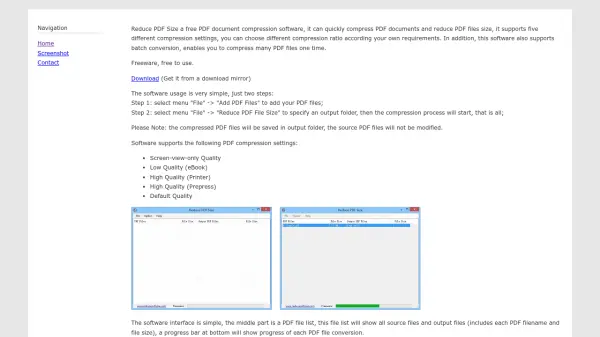
The interface is straightforward, with a central PDF file list displaying source and output files along with their sizes, and a progress bar at the bottom to track conversion progress. This tool is particularly useful for handling PDF files containing many images or photographs, which can become large and difficult to share via email or store on mobile devices. It is free for non-commercial and personal use, making it accessible for everyday needs.
Features
- Batch Conversion: Compress multiple PDF files simultaneously in one operation
- Five Compression Settings: Choose from Screen-view-only Quality, Low Quality (eBook), High Quality (Printer), High Quality (Prepress), and Default Quality
- Simple Interface: Includes a PDF file list showing source and output files with sizes and a progress bar
- Freeware: Completely free for non-commercial and personal use
Use Cases
- Compressing large PDF files for easier email sharing
- Reducing PDF size to save disk space on mobile devices
- Optimizing PDFs with many images for faster uploading
- Batch processing multiple PDF documents for efficiency
FAQs
-
What types of compression settings does Reduce PDF Size offer?
It offers five compression settings: Screen-view-only Quality, Low Quality (eBook), High Quality (Printer), High Quality (Prepress), and Default Quality. -
Can I compress multiple PDF files at once with this software?
Yes, it supports batch conversion, allowing you to compress many PDF files simultaneously in one operation. -
Is Reduce PDF Size free to use?
Yes, it is completely free for non-commercial and personal use. -
How does the software interface work?
The interface includes a PDF file list showing source and output files with their sizes, and a progress bar at the bottom to track conversion progress. -
What happens to the original PDF files after compression?
The compressed PDF files are saved in an output folder, and the source PDF files remain unmodified.