What is PrintableMaker?
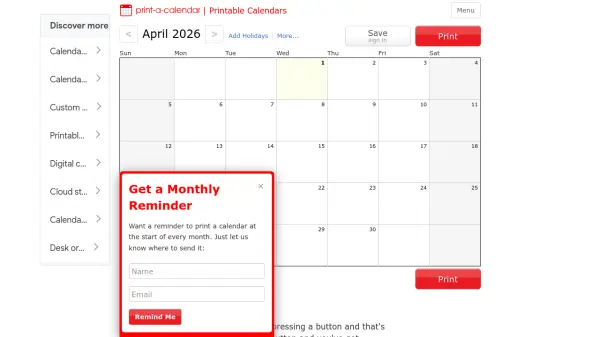
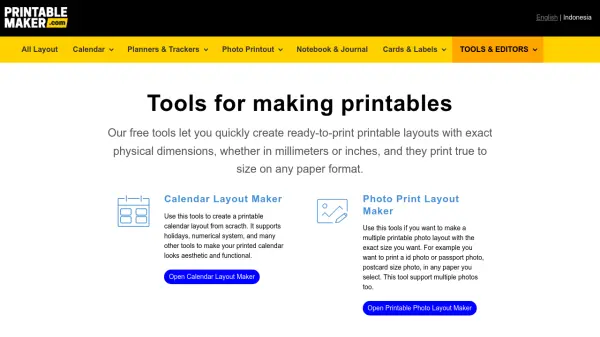
PrintableMaker is an online platform that provides tools for creating customizable printable layouts with exact physical dimensions. Users can design calendars, photo printouts, planners, notebooks, journals, and cards, with support for various paper sizes and formats. The platform generates layouts optimized for printing, including cutting lines for precise trimming, and allows customization such as adding photos, adjusting layouts, and incorporating elements like QR codes.
The tools include a calendar maker with holiday support and numerical systems, a photo layout maker for multiple photo prints like ID or passport photos, and ready-to-use templates for business cards, technical drawings, and grid notebooks. All layouts are designed to print true to size on any paper, with options for A4, A5, and other standard sizes, and can be printed directly from the browser.
Features
- Calendar Maker: Create printable calendars with holiday support, numerical systems, and aesthetic customization.
- Photo Layout Maker: Design multiple photo prints with exact sizes for ID, passport, or postcard photos on any paper.
- Customizable Templates: Access ready-to-print layouts for calendars, planners, notebooks, and cards with editing options.
- Precise Dimensions: Generate layouts with exact physical measurements in millimeters or inches for true-to-size printing.
- Browser-Based Printing: Print layouts directly from the browser with cutting lines for easy trimming and assembly.
Use Cases
- Creating personalized calendars for home or office use.
- Printing ID or passport photos with custom sizes and layouts.
- Designing planners and trackers for daily, weekly, or monthly organization.
- Making business cards with QR codes for contact information.
- Producing notebooks and journals for technical drawings or handwriting practice.