What is ImageMagicTool?
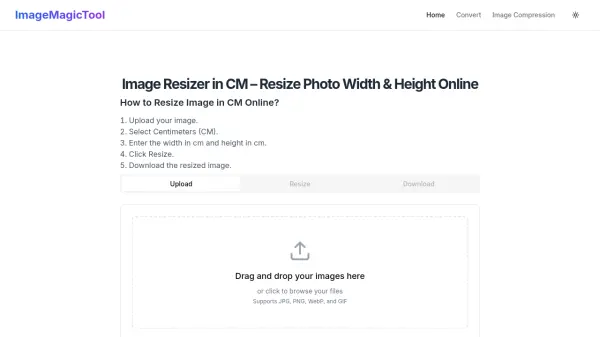
ImageMagicTool provides a specialized online solution for resizing images in centimeters, catering to users who require precise physical dimensions for printing, government forms, passport photos, and web applications. The tool automatically converts centimeter measurements to pixels based on DPI settings, ensuring accurate sizing without compromising image quality through advanced resampling algorithms.
Beyond centimeter resizing, the platform offers integrated file compression to reduce image size in kilobytes and format conversion between popular file types like JPG, PNG, WebP, and GIF. It supports batch processing of multiple images simultaneously, streamlining workflows for photographers, designers, and general users who need efficient image preparation tools.
Features
- Centimeter Resizing: Convert images to exact centimeter dimensions with automatic pixel conversion using DPI settings
- Batch Processing: Resize, compress, or convert multiple images simultaneously in seconds
- Format Conversion: Convert images between JPG, PNG, WebP, and GIF formats
- File Compression: Reduce image file size in kilobytes while maintaining quality
- Preset Sizes: Quick selection of common dimensions for passport photos, visa applications, and printing standards
Use Cases
- Preparing passport and visa photos to meet government size requirements
- Resizing images for printing on A4 or other standard paper sizes
- Optimizing photos for web use with specific pixel dimensions
- Reducing file sizes for email attachments or website uploads
- Converting image formats for compatibility with different applications
FAQs
-
What DPI does the tool use for centimeter to pixel conversion?
The tool uses 96 DPI by default for converting centimeter measurements to pixels, which is suitable for many web and print preview needs. Users can calculate different DPI values by multiplying the cm measurement by (DPI / 2.54) for specific printing requirements. -
Can I maintain the aspect ratio when resizing in centimeters?
Yes, the tool offers an optional lock aspect ratio feature that maintains the original image proportions. Users can unlock this feature if they need a custom crop that changes the aspect ratio. -
What image formats does the tool support?
The tool supports JPG, PNG, WebP, and GIF formats for both uploading and conversion. Users can convert between these formats as needed for their specific applications.