Print a Calendar favicon

Print a Calendar
Create and print customizable calendars with ease

What is Print a Calendar?

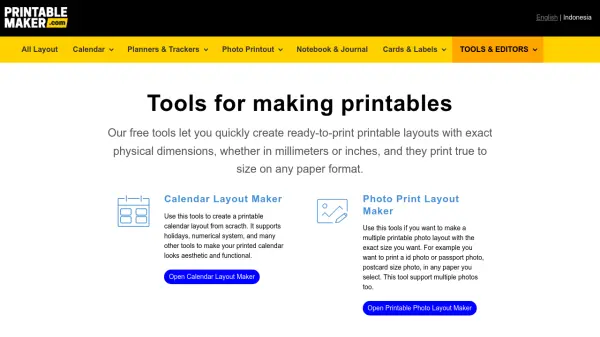
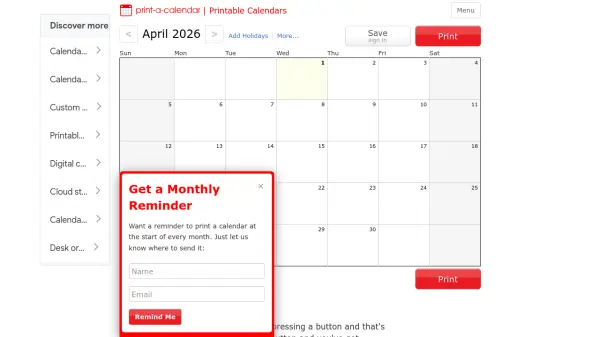
Print a Calendar provides a straightforward solution for creating printable calendars through a user-friendly online interface. The platform allows customization of calendars by adding notes to specific days, selecting different start days (such as Monday), and choosing from various layout options like yearly or two-month views.

Users can print calendars on multiple paper sizes including letter, legal, 11x17, and A4, with support for both portrait and landscape orientations. The service offers downloadable PDF and Excel templates for offline use and includes features for real-time collaboration with up to 10 editors on shared calendars.

Features

  • Customizable Layouts: Choose from yearly, two-month per page, and other calendar formats with notes sections
  • Multiple Export Options: Print directly or download calendars as PDF and Excel templates for offline use
  • Collaboration Tools: Share calendars with up to 10 editors for real-time collaboration
  • Flexible Printing: Support for various paper sizes including letter, legal, 11x17, and A4 with portrait or landscape orientation
  • Personalization Features: Add notes to specific days and customize calendar start days (e.g., Monday start)

Use Cases

  • Creating personalized wall calendars for home or office use
  • Generating project timelines and scheduling tools for team collaboration
  • Printing academic calendars for educational planning
  • Developing custom planners with notes sections for personal organization
  • Producing printable calendars for events, holidays, or special occasions

Related Tools:

Blogs:

  • Top 6 AI note-taking tools for 2026: in-person, online, and hybrid use cases

    Top 6 AI note-taking tools for 2026: in-person, online, and hybrid use cases

    Most AI note-taking lists are really lists of meeting bots, which join your video call and transcribe it. That's useful, but it's half the picture. Decisions happen in hallway conversations, client dinners, on-site visits, and hybrid rooms where nobody is on a video link. This guide covers different parts of the note-taking workflow: hardware capture for in-person settings, platform-native tools for online calls, and AI layers for organizing and synthesizing what you've captured. It compares six tools by capture context, workflow fit, pricing, and limitations.

  • Best AI tools for Product Photography

    Best AI tools for Product Photography

    Explore top AI tools that can elevate your product photography, helping you enhance images, streamline workflows, and create professional visuals with ease.

  • Top AI tools for Teachers

    Top AI tools for Teachers

    Explore the top AI tools designed for teachers, revolutionizing the education landscape. These innovative tools leverage artificial intelligence to enhance teaching efficiency, personalize learning experiences, automate administrative tasks, and provide valuable insights, empowering educators to create engaging and effective educational environments.

Didn't find tool you were looking for?

Be as detailed as possible for better results