What is Printmaps?
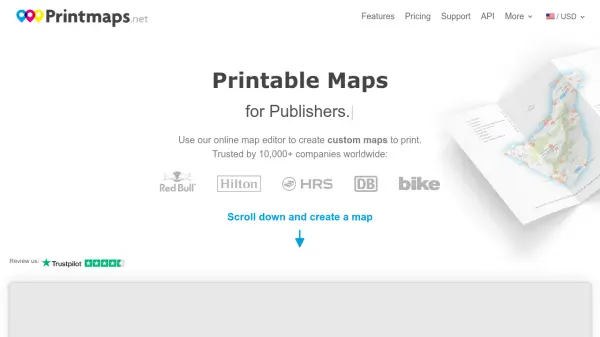
Printmaps.net provides a comprehensive solution for creating high-resolution printable maps through an intuitive online editor. The platform allows users to design custom maps for travel guides, real estate brochures, route maps, and various other print applications. Each map is available in multiple formats including SVG, PSD, and PNG, with options for 300 DPI resolution or vector formats to ensure professional-quality printing results.
The service includes layered file formats that enable easy customization in software like Photoshop and Adobe Illustrator. Users can draw routes, upload geo data, plot points of interest, and scale map features directly within the editor. Printmaps.net offers flexible pricing options with different circulation limits and supports various payment methods including credit cards, PayPal, and bank transfers.
Features
- Online Map Editor: Intuitive interface for designing custom printable maps with route drawing and data upload capabilities
- Multiple File Formats: Export maps in SVG, PSD, and PNG formats with layered files for easy editing
- High-Resolution Output: Maps available in 300 DPI or vector format for professional printing quality
- Flexible Pricing Tiers: Different price points based on print circulation limits and file format requirements
- Geo Data Integration: Support for uploading GPX, KML, and GeoJSON files to customize map content
Use Cases
- Creating custom maps for travel guides and tourist publications
- Designing route maps for hiking and biking trails
- Producing real estate flyers and property location maps
- Developing city maps for brochures and promotional materials
- Creating map posters for decorative or educational purposes
- Designing maps for photo books and personal projects
- Producing professional maps for architectural presentations
- Creating location maps for business marketing materials
FAQs
-
What file formats are available for downloaded maps?
Maps are available in high-resolution PNG format, layered Photoshop files (PSD), and layered vector files (SVG) for customization in various editing software. -
How do users receive their map files after purchase?
Users receive an email with download links for their high-resolution maps within minutes, along with a separate email containing an invoice. -
What payment methods are accepted?
Printmaps accepts major credit cards, PayPal, Apple Pay, Google Pay, Venmo, and bank transfers for selected countries. -
What is the return policy?
The service offers a 30-day return policy with satisfaction guaranteed. -
What usage rights come with purchased maps?
Purchasers gain rights to modify and reproduce maps up to the print circulation limit corresponding to their selected price category, with proper attribution required.