What is Phrasly?
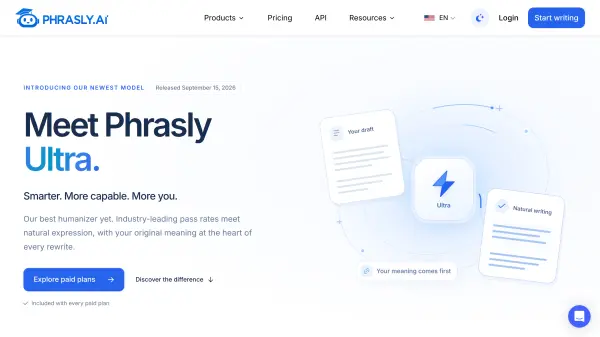
Phrasly is an AI writing platform that reworks stiff, AI-drafted text into clear, natural writing while keeping your original meaning. Its newest model, Phrasly Ultra, was released in September 2026 and focuses on natural phrasing, varied sentence rhythm, and near-instant results. The same account includes a free AI Detector, a plagiarism checker, and a document editor, so drafting, refining, and checking happen in one place.
Phrasly Ultra works inside the Phrasly humanizer workflow and offers five focused modes, with Balanced recommended for most texts and Max available when additional control is needed. Users can select the model from the model menu, start with Balanced for everyday writing, and move the slider only if a detector still flags the result. It supports text in virtually any language, with multilingual results varying by language and text.
Features
- Phrasly Ultra Model: The newest AI Humanizer model, built to keep your meaning as the first priority.
- Five Rewrite Modes: Choose how light or deep the rewrite should be.
- Near-Instant Results: Rewrites are returned in seconds, even for longer drafts.
- Watermark-Free Output: Text comes back clean by default, as with all Phrasly models.
- Free AI Detector: Unlimited scans of up to 2,000 words each, with sentence-level highlighting and no signup.
- Plagiarism Checker: A free similarity score, with source links and a PDF report on a free account.
- Long-Draft Support: Up to 5,000 words per request on the Unlimited plan.
Use Cases
- Polishing AI-assisted drafts so they read clearly and naturally
- Smoothing stiff phrasing for writers working in a second language
- Reviewing a draft for machine-sounding sentences before sharing it
- Checking writing for originality with a similarity report
- Editing essays, reports, and emails in one workspace
How It Works
Open the humanizer
Head to the Phrasly dashboard and open the humanizer.
Choose Phrasly Ultra
Find Phrasly Ultra first in the model menu. Balanced remains the default until Ultra is selected.
Start with Balanced
Balanced is the right starting point for almost every text. Move the slider only if additional control is needed.
FAQs
-
Does Phrasly Ultra work in multiple languages?
Yes. Phrasly Ultra works with text in virtually any language and has been confirmed to pass AI checkers in multilingual use. Multilingual support is not yet official or fully tested across every language, so results may vary by language and text. -
Is Ultra included in my subscription?
Yes. Ultra is included with every paid plan and with the trial. Free accounts use Balanced, and users can subscribe to a paid plan for access to Ultra. -
Can I humanize with Ultra right now?
Yes. Open the humanizer, choose Phrasly Ultra in the model menu, and humanize as usual. Ultra is available to every paid plan and trial. -
Will Ultra replace the Balanced model?
No. Balanced remains available and stays the default model. Ultra is a separate option for paid subscribers, so users can choose the model that fits their writing.