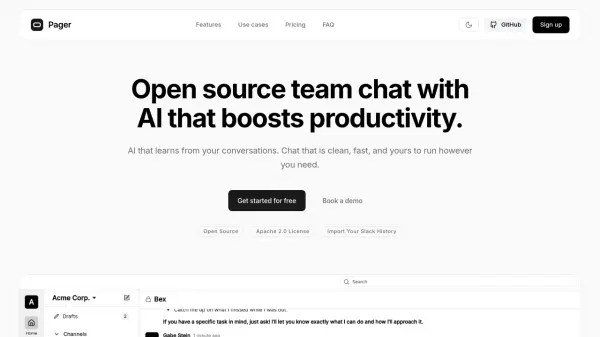
What is Pager?
Pager offers a modern team chat experience that leverages artificial intelligence to make team collaboration faster and more efficient. Unlike traditional platforms, Pager learns from your team's conversations, enabling smart search and context-aware responses to user questions. Whether it's retrieving key decisions, identifying code owners, or finding messages across multiple channels and threads, Pager ensures vital knowledge is always accessible.
The platform is flexible with both self-hosted and cloud-hosted options, granting teams complete control over their data and privacy. Integrations with popular tools and features like automatic question answering, advanced summarization, and unified search make it easy to onboard new members and never lose track of team knowledge or decisions. Pager is built to help teams focus on work and spend less time digging through chat history.
Features
- Smart Search: Instantly find any information or discussion across all channels, DMs, and threads.
- AI-Powered Answers: Automatically answers team questions using learned context from previous conversations.
- Conversation Summarization: Generates weekly summaries and identifies action items from chat history.
- Data Ownership: Offers full control with self-hosting and complete data export options.
- Integrations: Connects with tools like Notion, Linear, GitHub to unify knowledge in one platform.
- Automatic Knowledge Retention: Remembers decisions, code ownership, changes, and more over time.
- Natural Language Understanding: Interprets queries like 'yesterday' or 'last week' to show relevant data.
Use Cases
- Efficiently onboarding new team members with access to past discussions and decisions.
- Quickly answering repeated customer support or internal questions without searching manually.
- Tracking project changes, code ownership, and deployment history for engineering teams.
- Locating important threads about why certain technical or business decisions were made.
- Facilitating team knowledge sharing while maintaining complete data privacy.
- Enabling context-aware team collaboration and reducing the need for repeated explanations.
FAQs
-
How is Pager different from Slack?
Pager emphasizes simple team chat, full data ownership, and AI that learns from your team's conversations, whereas Slack is a vendor-controlled platform. -
Can we try Pager before committing?
Yes. Pager offers a free self-hosted option as well as a 7-day free trial for cloud hosting, with no credit card required.