
What is Mingleview?
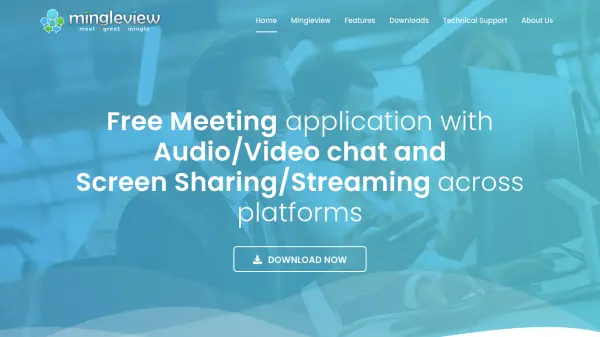
Mingleview is a free meeting application designed for Windows and Android that enables users to host and join meetings with real-time audio and video chats, along with high-resolution screen sharing. Distinguished by its peer-to-peer connectivity, Mingleview minimizes reliance on relay servers, ensuring privacy and eliminating the need for personal information during meeting creation or participation.
The software employs robust AES encryption standards (AES-128 for peer-to-peer and AES-256 when using server relay), providing secure communication channels. Mingleview supports high-quality desktop streaming suitable for gaming and movies, has no session time limits, and generates secure, time-bound meeting IDs. Its straightforward user interface ensures all meeting controls are available within the app, requiring no website configuration for enhanced user convenience.
Features
- AES Encryption: Secure meetings using AES-128 in peer-to-peer mode and AES-256 in relay mode.
- Cross-Platform Support: Available on both Windows and Android devices.
- Real-Time Audio and Video Chat: High resolution communication across platforms.
- Screen Sharing: High-quality screen sharing with access control.
- Desktop Streaming: Stream games and movies in real time.
- No Meeting Time Limits: Host uninterrupted meeting sessions.
- Secure Meeting IDs: Sessions are protected with time-bound unique IDs.
- Peer-to-Peer Connectivity: Minimal server intervention for privacy.
- No Personal Info Required: Join or create meetings without sharing personal details.
Use Cases
- Remote team meetings and collaborations
- Live streaming presentations or demonstrations
- Providing technical support with screen sharing
- Cross-platform family or friend video chats
- High-quality desktop streaming for entertainment or gaming sessions
- Online education sessions and study groups
- Virtual business consultations and interviews
FAQs
-
Why is Mingleview free compared to other meeting software?
Mingleview uses peer-to-peer technology to connect participants directly, minimizing the need for costly server infrastructure and therefore does not require monthly hosting charges. -
What should I do if my antivirus blocks the application?
You can download Mingleview from the Microsoft App Store or check its virus scan report. False positives from antivirus software are common and typically resolved over time. -
Is personal information required to create or join meetings?
No personal information is required; users simply create a meeting and share the meeting ID for others to join. -
Can remote audio be streamed during screen sharing?
Yes, by selecting the stereo mix as the input device, computer playback audio can be relayed to the remote viewer.