What is MeetingGlass?
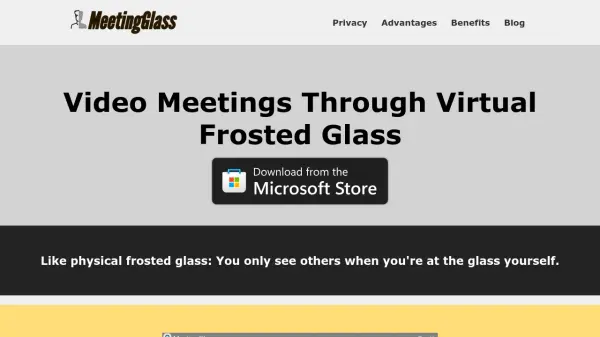
MeetingGlass is a video meeting platform that brings privacy and comfort to virtual communication using an innovative frosted glass effect. Participants can only see each other when both activate their cameras, and even then, appearances remain blurred until mutual consent is given to 'unfrost.' This design maintains a sense of belonging and presence while protecting personal space and minimizing distractions during online meetings.
The platform is easy to install, requiring no registration, and is lightweight on both CPU and bandwidth resources. MeetingGlass is suited for spontaneous, long-lasting video meetings with family, friends, classmates, or remote coworkers, balancing the need for social interaction with privacy concerns.
Features
- Mutual Visibility: Both parties must activate their cameras to see each other.
- Frosted by Default: Users appear blurred, showing presence but not details.
- Click to Unfrost: Users can request to reveal another's video, with gradual unfrosting.
- Consent Confirmation: Users control whether they are fully visible to others.
- Low Resource Usage: Optimized for minimal bandwidth and CPU consumption.
- No Registration: Join meetings instantly without account creation.
- Unlimited Meeting Time: No time limits for meeting sessions.
- Quick Installation: Set up and ready in about one minute.
- Auto-Start Option: Join meetings automatically when Windows starts.
Use Cases
- Private, comfortable virtual work meetings for remote teams
- Long, distraction-free family video calls
- Collaborative homework sessions for students
- Virtual study groups with enhanced privacy
- Mutual real-time help and collaboration among colleagues
- Reducing feelings of isolation during remote work
- Social meetups with friends while preserving personal boundaries
FAQs
-
How does MeetingGlass ensure privacy during video meetings?
MeetingGlass uses a virtual frosted glass effect that keeps video blurred by default, only becoming clear with mutual consent, ensuring privacy for all participants. -
Is registration required to use MeetingGlass?
No, users can join and host meetings without registration. -
Does MeetingGlass have a time limit for meetings?
No, the platform allows for unlimited meeting durations. -
What are the system requirements for MeetingGlass?
MeetingGlass is designed to be lightweight, consuming minimal bandwidth and CPU, and is compatible with Windows.