What is FreezingCam?
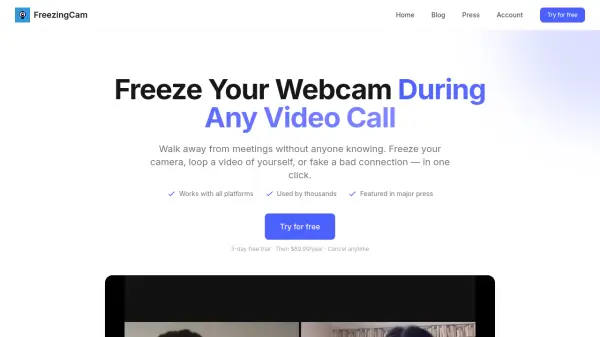
FreezingCam is an innovative tool designed to provide users with control over their webcam feed during video calls. It enables individuals to discreetly step away from meetings by freezing their camera, playing a pre-recorded video loop, or simulating a poor internet connection. The application integrates seamlessly with popular video conferencing platforms, offering a straightforward solution for remote workers and students seeking flexibility.
With a user-friendly interface, FreezingCam requires no technical expertise and operates through simple one-click commands. The tool ensures privacy and convenience, allowing users to manage their presence in virtual meetings effectively. Regular updates and cross-platform compatibility enhance its reliability and functionality for diverse user needs.
Features
- Webcam Freeze: Instantly freeze your webcam feed to appear present while away
- Video Loop: Record and play a looping video of yourself as a substitute for live webcam
- Fake Bad Connection: Simulate poor internet connectivity to create excuses for disruptions
- One-Click Operation: Execute all features with a single click, no technical skills required
- Platform Compatibility: Works with Zoom, Google Meet, Microsoft Teams, Webex, and other video call apps
Use Cases
- Stepping away from video meetings without others noticing
- Creating a continuous presence during long virtual sessions
- Simulating technical issues to excuse brief absences
- Managing attention during remote work or online classes
- Enhancing privacy during video calls by controlling visibility
FAQs
-
How does FreezingCam work?
FreezingCam works by allowing users to manipulate their webcam feed with one-click features like freezing, video looping, or faking a bad connection during video calls. -
Does it work with Zoom, Google Meet, and Teams?
Yes, FreezingCam is compatible with Zoom, Google Meet, Microsoft Teams, Webex, and other video call platforms. -
What about the video loop feature?
The video loop feature lets users record a short clip of themselves and play it on loop as their webcam feed, which can be switched back to the real camera anytime. -
Is my Mac supported?
Yes, FreezingCam supports macOS, and updates for Windows are also in development. -
Can I cancel anytime?
Yes, users can cancel their subscription at any time during the trial or after purchase.