Bananas Screen Sharing favicon

Bananas Screen Sharing
Cross-platform P2P screen sharing made simple

What is Bananas Screen Sharing?

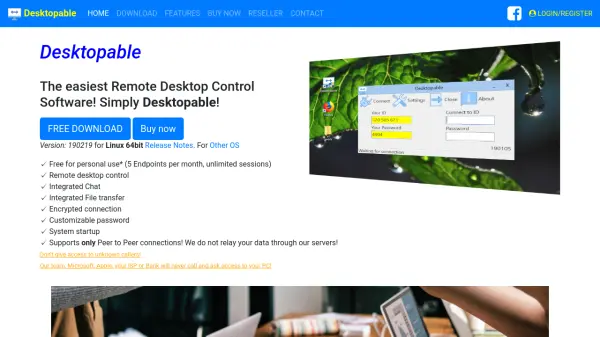
Bananas Screen Sharing offers a straightforward way to share your screen across Windows, Mac, and Linux. Using WebRTC technology, it establishes a direct, encrypted connection between participants, ensuring privacy. No account creation or login is needed; simply generate a unique URL to share. Multiple cursors are supported, and the ping feature lets collaborators mark important areas on the shared screen.

Features

  • Multiple Cursors: Collaborate with multiple remote cursors on the shared screen.
  • Ping Feature: Mark important areas on the screen with a remote cursor ping.
  • Zero Configuration: No sign-up, login, or account needed.
  • Privacy First: Direct connection via WebRTC; no data stored on servers.
  • Cross-Platform: Available on Windows, Mac, and Linux.

Use Cases

  • Collaborative remote presentations
  • Troubleshooting technical issues with colleagues
  • Remote pair programming
  • Online tutoring or teaching
  • Showing family or friends how to do something on their computer

FAQs

  • Do I need to create an account to use Bananas?
    No, Bananas requires no sign-up or login. Just share the generated URL to start screen sharing.
  • Is my data secure during screen sharing?
    Yes, Bananas uses WebRTC for a direct peer-to-peer connection. Your data is never stored on servers.
  • Which platforms does Bananas support?
    Bananas is available on Windows, Mac, and Linux.
  • Can multiple people share cursors on the same screen?
    Yes, Bananas supports multiple cursors, allowing collaborators to interact simultaneously.

Related Queries

Helpful for people in the following professions

Related Tools:

Blogs:

  • Best AI tools for recruiters

    Best AI tools for recruiters

    These tools use advanced algorithms and machine learning to automate tasks such as resume screening, candidate matching, and predictive analytics. By analyzing vast amounts of data quickly and efficiently, AI tools help recruiters make data-driven decisions, save time, and identify the best candidates for open positions.

  • Top 6 AI note-taking tools for 2026: in-person, online, and hybrid use cases

    Top 6 AI note-taking tools for 2026: in-person, online, and hybrid use cases

    Most AI note-taking lists are really lists of meeting bots, which join your video call and transcribe it. That's useful, but it's half the picture. Decisions happen in hallway conversations, client dinners, on-site visits, and hybrid rooms where nobody is on a video link. This guide covers different parts of the note-taking workflow: hardware capture for in-person settings, platform-native tools for online calls, and AI layers for organizing and synthesizing what you've captured. It compares six tools by capture context, workflow fit, pricing, and limitations.

  • Ghibli Art Generator AI tools

    Ghibli Art Generator AI tools

    List of the best AI tools to turn your photos into images that look like Studio Ghibli movies. Easy to use and fun for everyone.

Didn't find tool you were looking for?

Be as detailed as possible for better results