What is Alternote?
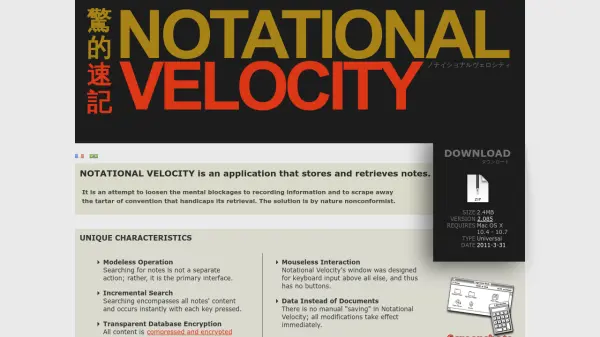
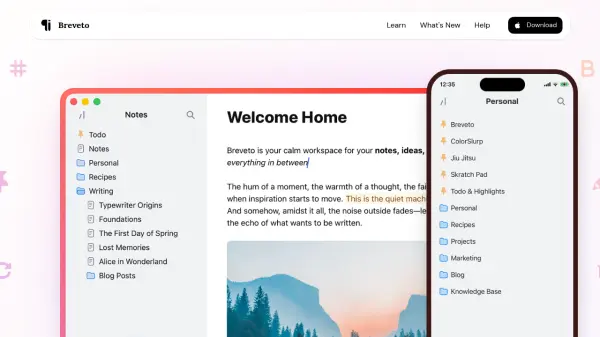
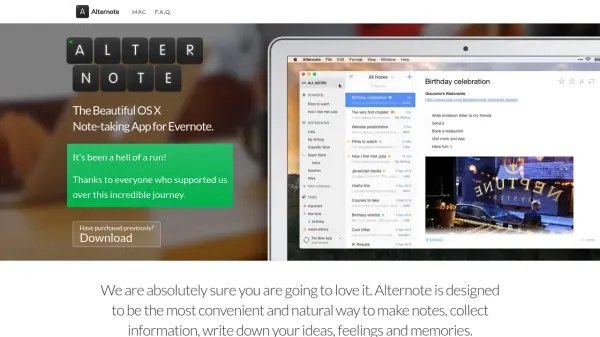
Alternote offers Mac users a visually pleasing and natural environment to take notes, write ideas, and collect information while synchronizing with Evernote. Its distraction-free interface helps users focus on writing, with features like night mode, WYSIWYG editing, and customizable fonts to enhance the creative process.
The app ensures all notes are kept secure with direct synchronization to Evernote, without involving third-party servers. With a robust as-you-type search function, live word count, and support for features such as starred notes, Markdown expansion, and intuitive shortcuts, Alternote is ideal for those seeking an elegant alternative to conventional Evernote and OneNote clients on Mac.
Features
- Distraction-Free Mode: Interface dims and minimizes distractions as you type.
- Evernote Sync: All notes seamlessly synchronized with Evernote backend.
- Night Mode: Offers a dark color scheme for low-light environments.
- Customizable Fonts: Choose from multiple fonts, font sizes, and line heights.
- Robust Search: Instant search through note titles and contents as you type.
- WYSIWYG Editing: Formatting tools appear contextually when text is selected.
- Selective Sync: Sync only the notes and notebooks you want.
- Live Word Count: Automatically displays word count as you write.
- Markdown Symbol Expansion: Expand certain Markdown-like entities to rich text.
- Compact Mode: Hide the sidebar for focused note viewing.
Use Cases
- Taking lecture or meeting notes in a clutter-free environment
- Writing and organizing ideas, essays, or blog drafts
- Managing to-do lists and tracking tasks within notes
- Using as an Evernote replacement for Mac with a clean UI
- Compiling research and information while retaining Evernote sync
- Drafting creative content such as stories or journals
FAQs
-
Does Alternote support iCloud or Dropbox?
No, Alternote is created exclusively for Evernote and does not support iCloud or Dropbox synchronization. -
Is there an iOS version of Alternote?
As of the latest information, an iOS companion app was planned but not yet available. -
Does Alternote support Markdown?
Alternote expands some Markdown entities to rich text and is planning full Markdown syntax support in future updates. -
Can I use local Evernote notebooks with Alternote?
No, Alternote cannot access local Evernote notebooks as they are not synced to the Evernote cloud. -
Why are my Evernote shortcuts not available in Alternote?
Evernote currently does not allow third-party apps to access Shortcuts, but Alternote provides its own starred notes functionality.